AI Agents for Small Business: 9 Real Examples and What Each Needs From You
Nine AI agents for small business, from asking customers how it went to chasing invoices: what each does alone, what it needs from you, and what goes wrong.

Oct 30, 2026 · 10 min read
Free tool
Likert Scale Generator
Generate custom rating scales and survey questions tailored to your feedback needs.
Most lists of AI agents for small business read like a software catalog. This one is organized by job. Each example is customer-facing work an owner already does, late or not at all: asking how it went, asking for a review, answering the review, calming the unhappy customer, chasing the invoice. For each you get what the agent does on its own, what it needs from you, what tends to go wrong, and the kind of line it should report back.
A quick definition first. An agent is given a goal and a set of limits, works through a sequence on its own, checks the result, and tells you what it did. An automation runs one fixed step when one fixed thing happens. The complete guide to AI agents for customer feedback goes deeper on that difference. Here we stay practical.
AI agents for small business, one job at a time
1. Asking every customer how it went
The job: one question, the day after a visit, to everyone.
On its own: the agent takes the day's customers from your register, booking system, or a CSV, waits until the next morning, and sends a one-question email: how was your visit, one tap to answer. It skips anyone without an email, anyone who opted out, and anyone it asked in the last three months, and it keeps to the hours you set, so a bakery in Austin is not emailing people at 11 at night.
From you: a customer list or a connected system, a name to sign with, and a look at the first batch before it goes. Two minutes.
What goes wrong: typos in the email column, or a visit date exported in a format the agent reads as last year. Good agents show you who they skipped and why, so you catch it in the first week.
It reports: "Sent 23 check-ins. 9 answered, 2 of them unhappy. Skipped 3 I can't email."
2. Asking for Google reviews in a sequence
The job: turn the people who had a normal, good visit into public reviews, without pestering anyone.
On its own: a few days after the check-in, the agent sends a short invitation with one link straight to your Google listing. Everyone gets the invitation; the only thing that changes is timing, because someone who said the visit went badly is handed to the recovery agent first and asked later, once that is sorted. The agent holds the ask if your monthly email allowance is used up, and it never sends the same person a second ask in the same season.
From you: your Google listing, and the rule that the ask goes to everyone. That rule is not optional: Google's policy and the FTC's rule on consumer reviews both treat choosing who gets asked by their rating as a violation.
What goes wrong: the review link points at the wrong listing (a second location, or an old one). Test it from your phone before the first batch. The automated review request emails guide covers timing and wording in detail.
It reports: "Asked 61 people for a review this week. 11 clicked through. A new Google review by D. is likely from Dana Whitfield."
3. Replying to reviews in your voice
The job: every review gets an answer that sounds like you, within a day, not a month.
On its own: the agent drafts a reply to each new review using the few lines you gave it about how you talk and what you call things (the "front desk," not the "reception"). If you allow it, it posts the four and five star replies itself. Anything three stars or below waits for you, always.
From you: a connected Google listing, a decision about which replies it may post alone, and five minutes writing down your voice. Without that you get a warm, plain default: better than silence, not yet you.
What goes wrong: replies that all open the same way ("Thank you so much for your kind words") read as machine-written. The fix is in the voice notes and in reading the first ten drafts closely. How to use an AI review response generator without sounding like one is the long version.
It reports: "14 reviews came in. Posted 11 replies. 3 are waiting for you, including a two-star about the Saturday wait."
4. Recovering an unhappy customer privately
The job: when someone says the visit went badly, reach them before they tell everyone else.
On its own: within minutes of an unhappy check-in or survey, the agent opens a private email conversation with that person. It apologizes properly, asks what happened, and, if you have given it an offer to use (a free coffee, a refund of the delivery fee, a second visit), it makes that offer within the limits you set. It keeps the conversation going for a few turns and hands it to a person when it is out of its depth or out of allowance.
From you: how much it may do alone (nothing without asking, offers up to a set value, or everything within limits), the offer itself if any, and your attention when it hands a thread over. Every message it sends sits in your inbox as it happens.
What goes wrong: an offer that is too generous and too easy to trigger, so a vague "it was fine" becomes a refund. Start small. The dental practice gives its agent exactly one offer: a free follow-up appointment when a patient reports pain after a visit.
It reports: "Opened 4 conversations this week. 3 closed well. 1 is waiting for you: Sam Patel wants a call about an invoice."
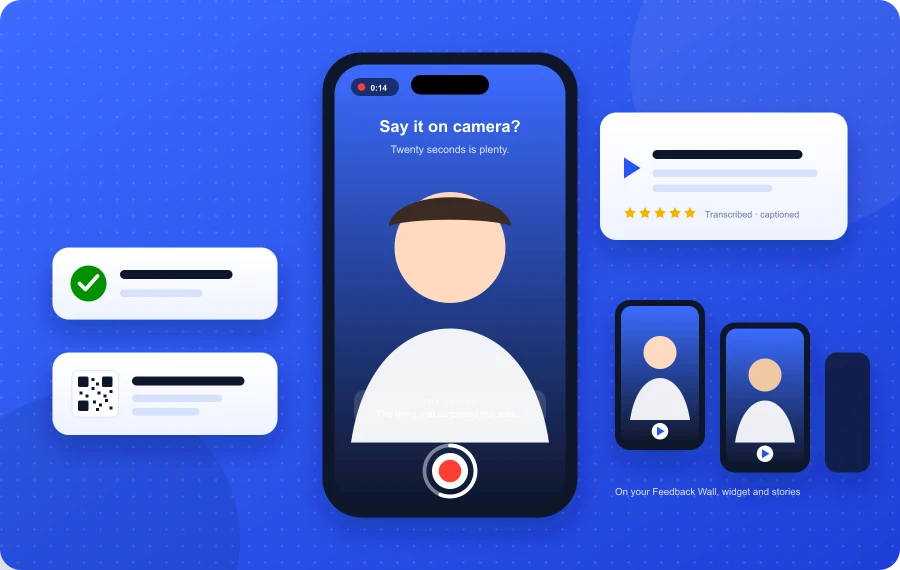
5. Inviting short video testimonials
The job: get a 30-second clip from a customer on their own phone, with consent, without a film crew.
On its own: about ten days after the visit, the agent invites the customer to answer one question on camera ("What would you tell a friend who was thinking of coming here?"). The recorder runs in the browser, captures a display name and a consent checkbox, and the clip lands in a queue with a transcript. Nothing is shown until you approve it.
From you: the one question, and a minute every few days to approve or decline clips.
What goes wrong: asking too early, or asking a question so broad that people freeze. One specific question, asked after the good moment has settled, works. The full method is in how to collect video testimonials automatically.
It reports: "Invited 40 people to record a testimonial. 3 recorded one. They're waiting for your approval."
6. Reading a week of feedback and naming the two things to fix
The job: turn a pile of ratings, comments, and reviews into a Monday morning note you can act on.
On its own: the agent reads the week's ratings, comments, and reviews, groups them by theme, weighs each theme by how many raised it and how unhappy they were, and writes a short report: what went up, what went down, the one or two things it would change. It flags a theme that is new, because "slow checkout" appearing for the first time in week nine means something broke.
From you: nothing to start. Later, the names you use for parts of the business, so the report says "the patio" and not "outdoor seating area."
What goes wrong: small numbers. Three comments about parking in twelve answers is not a trend, and an agent that calls it one trains you to ignore the report. Good ones say "too few answers to call it."
It reports: "87 answers this week, rating steady at 4.5. Two things I'd change: the Saturday wait came up 9 times, and 4 people could not find the entrance from the parking lot."
7. Answering repeat questions on your website or by text
The job: the thirty questions you answer every week (hours, parking, do you take walk-ins, is the patio dog friendly) answered correctly at any hour.
On its own: the agent answers from material you control: hours, policies, menu or price list, FAQ. Outside that material it says so and takes a message instead of guessing, and it logs every question it could not answer so you can add the answer once.
From you: the source material, kept current. A stale price list is worse than no agent, because the wrong answer now arrives confidently and instantly.
What goes wrong: letting it answer anything. Restrict it to what you have written down and give it one clear way to hand over. The two-van plumbing company lets its agent answer service-area and price-range questions and book nothing; booking still goes through a person who checks the schedule.
It reports: "Answered 142 questions. 11 I couldn't answer, mostly about weekend emergency rates. Want me to add an answer?"
8. Booking confirmations and reminders that also catch no-shows
The job: confirm every booking, remind people the day before, and notice who is likely not to turn up.
On its own: the agent sends the confirmation and the reminder, reads the replies ("running late," "need to move to Thursday"), moves the booking when there is a slot, and asks you when there is not. It keeps a list of people who have not confirmed by a cutoff so you can fill the gap.
From you: access to the calendar, the reminder timing, and the rule for what it may move on its own.
What goes wrong: double bookings when the agent and a person edit the calendar at once. Let it move bookings only into slots marked open, and keep people out of those slots.
It reports: "32 bookings tomorrow, 29 confirmed. 2 moved to Thursday at their request. 1 hasn't answered twice: John Carter, 2:30."
9. Chasing unpaid invoices politely
The job: the awkward reminders, sent on time, in a tone that keeps the customer.
On its own: the agent watches due dates, sends a friendly nudge the day after, a firmer one a week later, and a third that offers a call. It stops the moment a payment lands or the customer replies, and hands the reply to you. It never changes an amount, offers a discount, or threatens anything.
From you: the invoice feed, the three messages (or your approval of its drafts), and the rule that disputes go straight to a person.
What goes wrong: chasing someone who already paid by check. The agent needs a payment feed, not just an invoice list.
It reports: "Sent 8 first reminders and 3 second reminders. 5 paid since. Maria Lopez replied asking about the materials line; that one's yours."
The three to keep for yourself
Every example above has a line where the agent stops and a person takes over. Three kinds of work should sit on the person's side of that line from day one.
Anything with money beyond a set offer. A fixed, small make-good is fine to hand over. Refund amounts, discounts on future work, and disputes are decisions, not tasks.
Anything legal or medical. A patient asking whether a symptom is normal, a customer mentioning an injury on your premises. The agent's only correct move is to hand over fast and say so.
A reply to a one-star review about a person. When a review names an employee, the reply is a management act. Read it, decide, and write that one yourself.
Draw these lines early, not because the software will fail, but because you will not be watching closely by month three, and the limits you set in week one are the ones still holding.
How to start with one agent
Pick the job that is most undone. For most small businesses that is number one or two: nobody asks customers how it went, and review requests happen when someone remembers. They are also the lowest risk, because the agent's worst day is an unanswered email.
Give the agent the smallest useful input: last month's customers as a CSV, or one connected system.
Read the emails it will send, in full, and send them to yourself first.
Approve the first batch by hand. Look at who it skipped and why.
Read its Monday report for four weeks before you add a second agent.
If you want the bigger picture on what a full feedback system looks like, with triggers, surveys, and follow-ups, the automated customer feedback guide maps it out, and AI agent vs automation vs chatbot helps you decide which kind of tool each job actually needs.
FeedbackRobot's Feedback Agents cover jobs one through six: Get reviews runs the check-in, the review invitation, and the testimonial invitation as one sequence; Reply drafts and posts review responses within the limits you choose; Recover handles the private conversation with an unhappy customer. Each one is free to switch on, shows you the first batch before anything goes out, and writes down what it did in plain lines. The complete guide to AI agents for customer feedback explains how they fit together.
Start with the job nobody is doing. Hand it over with a short list of limits. Read the report.
What is an AI agent for a small business?
An AI agent is software you give a goal and a set of limits, which then works through a sequence on its own, checks the result, and reports back. For a small business that usually means customer-facing jobs: asking how a visit went, requesting reviews, replying to them, recovering unhappy customers, or chasing invoices. It differs from an automation, which runs one fixed step when one fixed thing happens.
Which AI agent should a small business start with?
Start with the job that is most undone and lowest risk. For most owners that is asking customers how it went and asking for Google reviews in a sequence. The worst outcome of a mistake is an unanswered email, the setup takes minutes, and the weekly report shows quickly whether it is working.
Can an AI agent ask only my happy customers for a review?
No, and it should refuse to. Google's review policy and the FTC's rule on consumer reviews both prohibit choosing who gets asked based on how they rated you. A well-built agent asks everyone and only changes timing, for example by letting a recovery conversation finish before the invitation goes out.
What should I never hand to an AI agent?
Money decisions beyond a small fixed offer, anything legal or medical, and replies to one-star reviews that name an employee. Those are judgment calls, and the right design is an agent that hands them to a person fast and says so, rather than one that attempts them.
How do I know whether the agent is working?
Read its weekly report and look at the handoffs between steps: how many were asked, how many answered, how many clicked the review link, how many reviews came in. Those are the numbers you can move with wording and timing. A good agent also lists the people it skipped or held and the reason for each.
Stop reading about it. Let your agent handle it.
25 free AI actions · no credit card required
Start Free