
Guide
Automated Customer Feedback: The Definitive 2026 Guide
Learn how to build a powerful automated customer feedback system in 2026. This complete guide covers setup, workflows, tools, and industry-specific strategies.

May 2, 2026 · 9 min read
Free tool
AI Survey Generator
Describe what you want to learn and get a ready-to-send survey in seconds.
Why Manually Chasing Customer Feedback Is a Losing Battle
In any business, customer feedback is the lifeblood of growth. It reveals what you're doing right, exposes critical flaws, and guides your product roadmap. Yet, for most teams, the process of collecting, analyzing, and acting on it is a fragmented, manual nightmare. You send a survey, export a CSV, spend hours trying to spot trends, and draft responses one by one. By the time you’ve acted, the customer has already churned or, worse, aired their grievances publicly. This reactive, time-consuming cycle simply doesn't scale. If you're serious about customer retention and reputation management, you need a system that works 24/7, just like your business. This is where automated customer feedback becomes less of a luxury and more of a core operational necessity. It's about building a perpetual listening engine that captures insights at scale. While this article provides the strategic framework, our complete The Actionable Guide to Customer Feedback Automation offers an end-to-end implementation blueprint. This guide covers the entire feedback loop, from collection through resolution; if you're specifically after the survey layer — triggers, channels, and example flows — see our dedicated guide to automated feedback surveys.
What Is Automated Customer Feedback, Really?
Let's move beyond the buzzwords. Automated customer feedback is not about sending impersonal, robotic emails. It's a strategic system designed to programmatically manage the entire feedback lifecycle with precision and minimal human intervention. It transforms feedback from a series of disjointed manual tasks into a cohesive, intelligent workflow. The contrast with manual methods is stark. A manual process involves a marketing manager remembering to send a survey blast once a quarter. An automated system triggers a personalized feedback request the moment a customer's order is marked as delivered.
A robust automated system is built on three pillars:
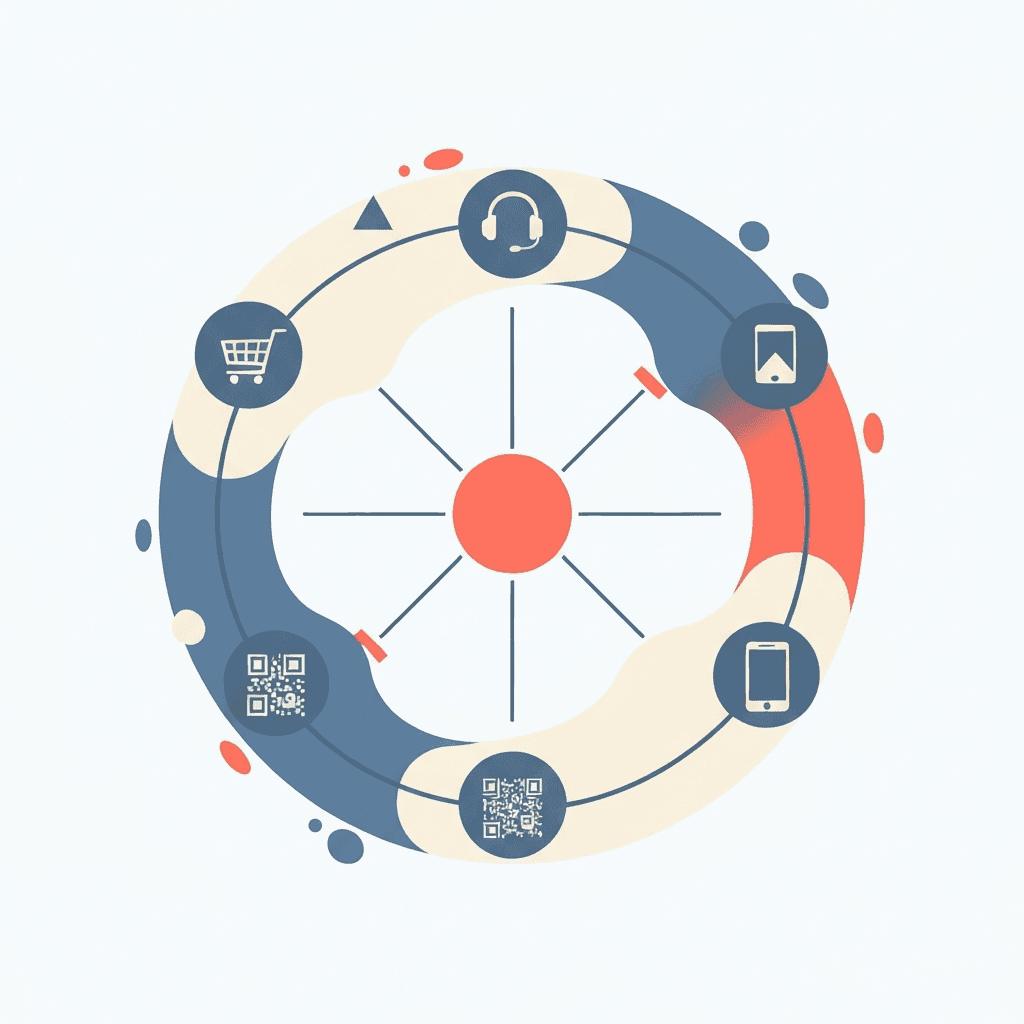
Intelligent Collection: Feedback requests are triggered by specific events in the customer journey. This could be a purchase, a support ticket resolution, a subscription renewal, or even a visit to a physical location via a QR code scan. The key is capturing feedback at the moment of highest relevance, ensuring higher response rates and more accurate insights.
AI-Powered Analysis: Once collected, the feedback isn't just dumped into a spreadsheet. Modern systems use Natural Language Processing (NLP) and sentiment analysis to instantly categorize feedback. They can identify keywords (e.g., "shipping," "UI bug," "staff friendliness"), gauge the emotional tone (positive, negative, neutral), and tag comments for easy filtering. This turns a mountain of qualitative data into quantifiable, actionable trends.
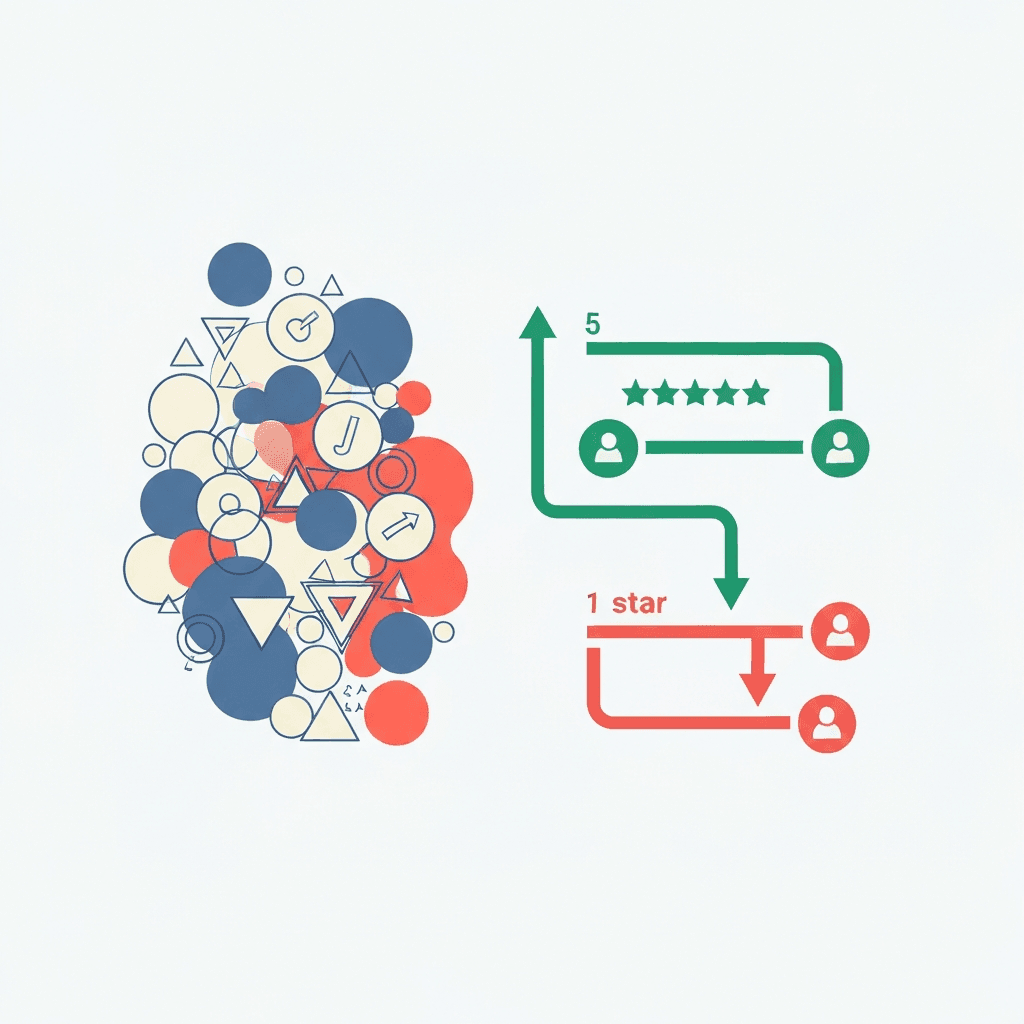
Workflow-Driven Action: This is where the magic happens. Based on the analysis, the system initiates a pre-defined workflow. A 5-star review might trigger an automated request to share the review on Google, while simultaneously generating a branded social media graphic. A 1-star review can instantly create a high-priority ticket in your CRM, assign it to the right team member, and send an empathetic holding message to the customer, all within seconds.
The Business Case: Why Automate Feedback in 2026?
The surface-level benefit of automation is "saving time," but its true value runs much deeper, impacting everything from revenue to brand equity. In a competitive landscape, the speed and quality of your response to customer sentiment is a significant differentiator.
Pro: Unprecedented Scalability
Whether you receive ten reviews a day or ten thousand, an automated system handles each one with the same level of care and efficiency. This allows your business to grow without customer experience becoming a bottleneck. You don't need to hire a new team member for every hundred customers; the system scales with you, ensuring no piece of feedback ever slips through the cracks.
Pro: Unwavering Consistency
Human-led responses are prone to variability. Tone can differ between agents, response times can fluctuate based on workload, and some feedback might be missed entirely. Automation establishes a consistent standard. Every customer receives a timely, on-brand acknowledgment, making your support feel reliable and professional around the clock.
Pro: From Anecdotes to Actionable Data
Manual analysis often relies on gut feelings and anecdotal evidence. Automation provides a real-time dashboard of customer sentiment. Are negative reviews suddenly mentioning a "slow checkout process"? The system will flag this trend instantly, allowing your development team to investigate before it becomes a widespread conversion killer. This data-driven approach allows you to make strategic decisions about product improvements, staff training, and operational changes with confidence.
Challenge: The Risk of an Impersonal Touch
The primary fear holding businesses back is that automation will make their brand feel cold and robotic. This is a valid concern, but it stems from a misunderstanding of good automation. A well-designed system doesn't replace human interaction; it enhances it. It uses personalization tokens (customer name, product purchased) and conditional logic to make messages feel relevant. Most importantly, it's designed to escalate complex or highly negative issues to a human agent, freeing up your team to provide a high-touch, empathetic response where it matters most.
Challenge: The Initial Implementation Hurdle
Setting up a comprehensive system requires an initial investment of time and strategy. You need to map your customer journey, connect your business systems (CRM, e-commerce platform), and design your workflows. While platforms like FeedbackRobot are built to simplify this process, it's not a magical switch you flip. However, this upfront effort pays dividends for years to come through improved efficiency and customer loyalty.
How to Build Your Automated Customer Feedback System: A 5-Step Framework
Implementing an automated feedback system is a strategic project. Follow this framework to build a powerful engine for your business.
Step 1: Define Your North Star Goals and KPIs
Before you touch any software, define what success looks like. Your goals should be specific and measurable. Are you trying to:
Increase your Net Promoter Score (NPS) by 15 points in six months?
Decrease public negative reviews on Google My Business by 25%?
Reduce customer support response times for negative feedback to under one hour?
Identify the top three reasons for customer churn in the next quarter?
Your goals will dictate which touchpoints to monitor and which workflows to build.
Step 2: Map the Customer Journey and Key Touchpoints
Where are the moments of truth in your customer's experience? This is where you should be asking for feedback. Create a visual map of the entire journey and pinpoint the most impactful interaction points:
Post-Purchase/Post-Delivery: The classic touchpoint for e-commerce and product-based businesses.
After a Support Ticket is Closed: A crucial moment to gauge the effectiveness of your customer service team.
Onboarding Completion: For SaaS, this tells you how well you're setting up new users for success.
Subscription Cancellation: The last, best chance to understand why a customer is leaving.
In-Store Visit: A simple QR code on a receipt or table can capture immediate feedback on the physical experience.
Step 3: Select Your Technology Stack
The right tools are essential. You need a platform that can connect your disparate systems and execute your workflows. Look for these key features:
Deep Integrations: The platform must connect natively with your core business systems, whether it's Shopify, Salesforce, Zendesk, or even a simple Google Sheet.
Multi-Channel Collection: Your customers are everywhere, so your feedback tool should be too. It should support email, SMS, in-app widgets, and QR codes.
Customizable Workflows: You need granular control to build the "if-this-then-that" logic that powers your automation. Avoid rigid systems that force you into a one-size-fits-all process.
Advanced AI Analysis: Look for robust sentiment analysis, keyword and topic detection, and a clear dashboard that visualizes trends over time.
Step 4: Design Your Core Automation Workflows
This is where you bring your strategy to life. Start by designing two primary workflows: one for positive feedback and one for negative feedback.
Example Positive Feedback Workflow (4-5 Stars):
Trigger: A customer submits a 5-star review via an email survey.
Action 1: System instantly sends a personalized thank-you email. "Hi [Customer Name], thank you so much for your feedback on [Product Name]! We're thrilled you had a great experience."
Action 2: The email includes a direct link asking them to share their experience on a public platform like Google or Trustpilot.
Action 3: The system tags the feedback with keywords like "positive-review" and "product-quality" and routes it to the marketing team's dashboard.
Action 4 (Advanced): The feedback is sent to a social media content generator, which creates a branded testimonial graphic for review and approval.
Example Negative Feedback Workflow (1-2 Stars):
Trigger: A customer leaves a 1-star review via an in-app widget.
Action 1: System immediately creates a high-priority ticket in your helpdesk software (e.g., Zendesk).
Action 2: The ticket is automatically assigned to a senior support agent or a specific department based on keywords in the review (e.g., "billing issue" goes to Finance).
Action 3: An automated holding email is sent to the customer within 60 seconds: "Hi [Customer Name], we're very sorry to hear about your experience. We've received your feedback and a dedicated team member will be reviewing it and contacting you personally within the next 2 business hours."
Action 4: The system's AI drafts a potential resolution or a series of clarifying questions for the agent to review, edit, and send, saving valuable time.
Step 5: Launch, Monitor, and Continuously Refine
Don't try to automate everything at once. Start with one key touchpoint, like post-purchase feedback. Launch your workflow and monitor the results closely. Are you getting a good response rate? Is the sentiment analysis accurate? Are support tickets being routed correctly? Use the data to refine your triggers, messaging, and logic. Over time, you can roll out more workflows across the entire customer journey.
Industry-Specific Nuances for Feedback Automation
A one-size-fits-all approach doesn't work. Effective automation must be tailored to the specific context of your industry.
E-commerce: The key is timing. Trigger feedback requests after the product is delivered, not just purchased. Automate workflows that tag feedback related to specific SKUs. If multiple customers mention "poor stitching" on a particular shirt, the system can flag it for a quality control review.
SaaS: Feedback is crucial for reducing churn. Trigger requests after a user engages with a new feature for the first time or after their 30-day usage metrics dip below a certain threshold. Automate the process of routing feature requests directly to a product management tool like Jira.
Hospitality & Restaurants: The experience is immediate and perishable. Use QR codes on tables and in hotel rooms to capture in-the-moment feedback. Automate direct integrations with TripAdvisor and Google Reviews to ensure swift public responses to both positive and negative comments, protecting your online reputation.
B2B Services: Feedback is often more qualitative and relationship-driven. Trigger automated surveys after key project milestones or quarterly business reviews. The system should be configured to route feedback directly to the designated account manager, ensuring personal and prompt follow-up.
The Future is Predictive: What's Next for Automated Feedback?
As we move further into 2026, automation is evolving from a reactive tool to a predictive engine. The next frontier is about solving problems before the customer even knows they have one.
Predictive Churn Analysis: AI will analyze subtle shifts in sentiment and language across multiple feedback interactions. It will be able to flag an account as "at-risk" of churning based on a pattern of lukewarm responses, even without an explicitly negative review.
Voice and Video Feedback Analysis: The cumbersome nature of typing is a barrier to feedback. Future systems will seamlessly accept voice memos or short video clips, automatically transcribing them and analyzing the content and tonal sentiment for deeper insights.
Proactive, Hyper-Personalized Outreach: Instead of waiting for feedback, systems will proactively generate it. For example, if a user's activity in your SaaS platform drops, the system could trigger an automated but highly personalized email checking in, referencing their specific usage patterns and asking if they need help achieving their goals.
Conclusion: Build Your 24/7 Listening Engine
Automated customer feedback is the definitive answer to scaling customer-centricity. It transforms a chaotic, manual process into a strategic, data-driven system that operates tirelessly in the background. It ensures every customer feels heard, provides your team with the real-time insights needed to make smart decisions, and protects your brand's reputation around the clock. By automating the routine, you free your team to handle the exceptions. You empower them to move from fighting fires to building lasting relationships. Stop letting invaluable customer feedback decay in an inbox or a spreadsheet. It's time to build your 24/7 listening engine and turn the voice of your customer into your most powerful asset for growth.
How does automated feedback collection improve response accuracy compared to traditional quarterly survey blasts?
Traditional manual surveys often suffer from recall bias because they reach the customer weeks or months after an interaction. By pivoting to an event-triggered model—where feedback is requested the moment a support ticket is closed or a product is delivered—you capture the sentiment at the "moment of highest relevance." This ensures the data is granular and reflects the actual experience rather than a faded memory, leading to a much higher response rate and more reliable insights for operational adjustments.
How can a business implement automation without sacrificing the personal, empathetic touch required in high-stakes industries like healthcare or hospitality?
The goal of high-quality automation is not to replace human interaction but to facilitate it where it matters most. By using personalization tokens and conditional logic, the system handles the routine acknowledgments instantly, ensuring no customer feels ignored. For complex or highly negative feedback, the system acts as an intelligent router, escalating the issue to a senior staff member with an AI-generated summary. This frees your team from administrative data entry, allowing them to focus their energy on high-touch, empathetic problem-solving.
Beyond simple data gathering, what role do "action workflows" play in transforming brand reputation?
Action workflows turn passive information into a proactive reputation management engine. For positive experiences, the system can automatically trigger a request for a public review on platforms like Google or Trustpilot, effectively amplifying your best advocates without manual intervention. For negative experiences, the workflow functions as a circuit breaker; it can instantly create a high-priority ticket in your CRM and send an immediate, professional holding message to the customer. This rapid response often prevents a private grievance from escalating into a public complaint.
How does AI-powered sentiment analysis help a business move from anecdotal evidence to strategic operational changes?
Manual analysis is frequently skewed by the "loudest" voices or the most recent complaints, which can lead to misguided business decisions. Automated Natural Language Processing (NLP) quantifies qualitative data by identifying specific keywords and emotional tones across thousands of interactions. If your dashboard flags a sudden trend—such as a 20% spike in mentions of "slow checkout" or "unfriendly staff"—leadership can address the root cause with surgical precision. This shifts the organizational culture from reacting to anecdotes to making data-driven investments in training and infrastructure.
As we look toward the landscape of 2026, how is feedback technology shifting from reactive monitoring to predictive intervention?
The frontier of feedback is now predictive, utilizing AI to analyze subtle shifts in customer language and engagement patterns before a formal complaint is ever filed. By monitoring declining usage metrics in SaaS or lukewarm sentiment in recurring hospitality stays, the system can flag an account as "at-risk" for churn. This allows for proactive, hyper-personalized outreach—such as a check-in call or a targeted loyalty offer—that resolves friction points before the customer decides to leave, effectively turning your listening engine into a revenue protection tool.
Stop reading about it. Let your agent handle it.
25 free AI actions · no credit card required
Start Free