
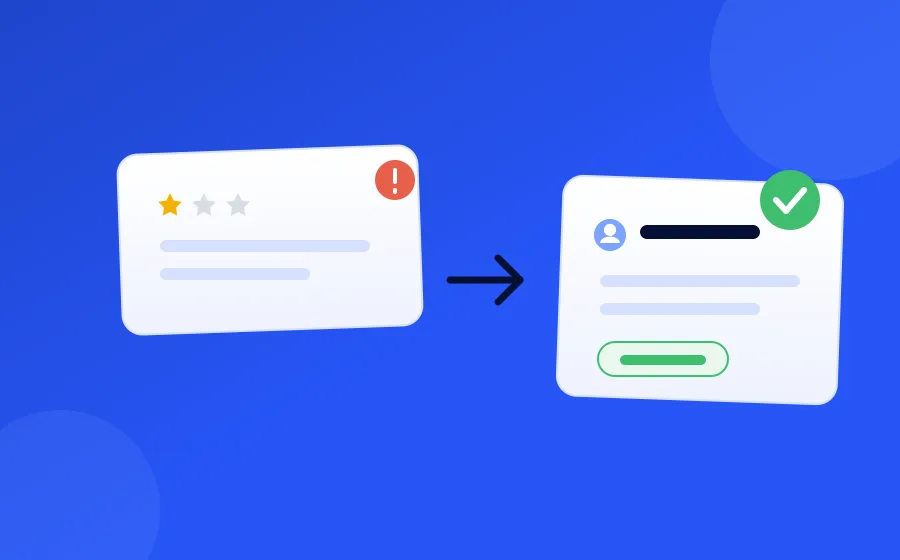
What it does
Empathetic, specific replies
Names the actual problem in the customer's words, owns it once, and says what happens next — never a form letter, never a satisfaction check.
Authorised offers
Promo codes from a pool or a pattern, gifts redeemed at the desk, credits through integrations. Each with its own rules for who may give it, to whom, and how often.
Callback and hand-off
Disputes and dead ends go to a person — or to a promised phone call from a manager — instead of another round of questions.
No dead-end threads
A budget of AI replies per conversation and a silence window that closes threads on their own; a customer writing back reopens it.
Your call on autonomy
Draft everything, send replies but ask before offering, or let it send and give the offers you marked as its own.
Resolution intelligence
How conversations ended, what is still open, and which offers were given and redeemed — the numbers behind the rate.
How it works
-
1
Negative feedback opens a conversation; the first message names what went wrong and either acts or asks the one thing it needs.
-
2
The AI makes it right with an offer you authorised, or hands off to your team — every grant on record.
-
3
Silence or a thank-you closes it; the report shows how it ended and what it cost.
Inside the product
What it looks like in FeedbackRobot
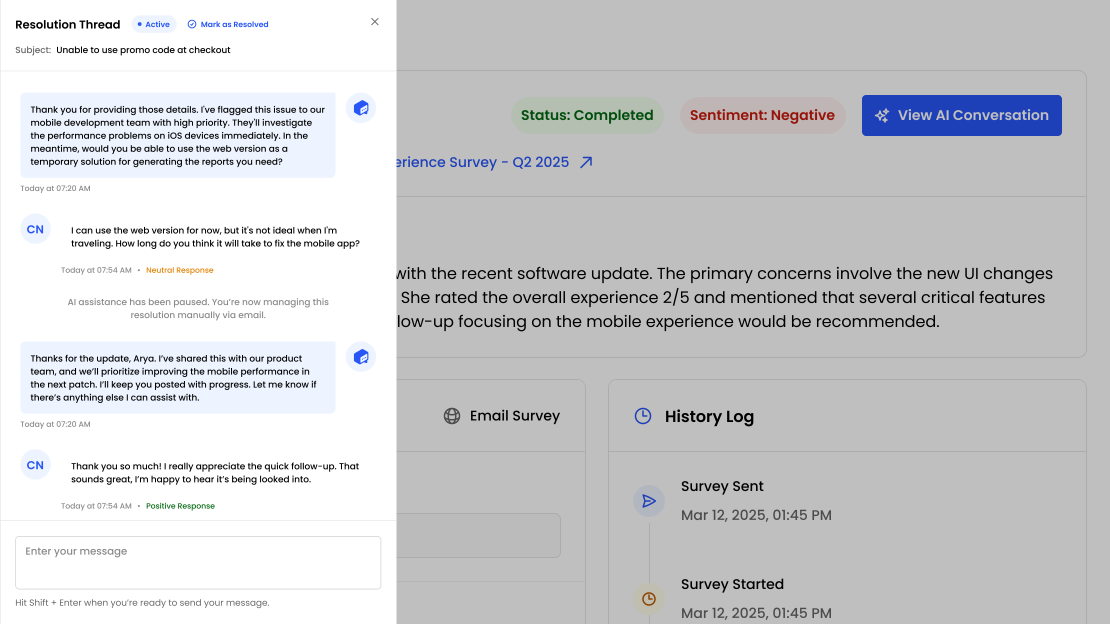
What opens a conversation
A recovery conversation opens when something needs putting right: a survey response that scores badly or reads negatively, or a review that arrives through Radar below your rating threshold. An automation step can open one too — for a particular location, a particular question, a VIP customer — regardless of sentiment.
Every conversation moves through stages
No stage asks the customer whether they are satisfied. The AI names the problem, makes it right, and closes when they thank it — or when silence says it is settled.
What it can give a customer
When the AI understands the problem it makes it right with an offer you have authorised — never something it invents. Each offer carries its own rules the AI cannot bend.
Promo code
SORRY-X7Q4
20% off your next stay — from an uploaded pool or generated from a pattern.
Gift
Dessert on us
Redeemed in person — the message is the voucher, your team marks it redeemed.
Credit
$25 folio credit
Posted through a connected system — a PMS folio, an e-commerce store.
Every grant is on record — who gave it, when, the code, and whether it was redeemed — and a customer who asks for a person gets one immediately: a hand-off to your team, or a promised callback from a manager.
You decide how much it does alone
Draft everything
DefaultEvery reply and every offer waits in the Inbox until someone approves it.
Send replies
Replies go straight out; anything it wants to give still waits for approval.
Send and give
Replies go out and it may give the offers you marked as its own — within each offer’s rules.
Most teams start with drafts for a week, read what it writes, then let it send.
No dead-end threads
A budget of AI replies
When it runs out, a person takes over rather than the AI circling.
Silence closes threads
After an offer it counts as settled; before one, as unresolved. A customer writing back reopens it.
What you learn
The resolution report shows more than a rate: how conversations ended, how many are still open, and which offers were given and redeemed — so you can see what actually turns a detractor around, and what it costs.
How conversations closed
The queue, and where you take over
Everything sits in one inbox as Active, Ongoing or Resolved, with each conversation’s stage on the thread. Take over any conversation with one click; from then on the AI stays out of it. Reviews live in the same queue, where the AI drafts a reply for your approval rather than posting it.
Frequently asked questions
What is AI Resolutions?
When a customer leaves negative feedback, FeedbackRobot opens a conversation with them, works out what went wrong, and makes it right with an offer you have authorised — or hands the case to your team. It is service recovery, not auto-reply.
Will it keep asking my customer whether the issue is resolved?
No. The AI never asks whether the issue is resolved or whether the customer is satisfied. It names the problem, says what it is doing about it, and closes when the customer thanks it or goes quiet.
What can it offer a customer?
Whatever you set up: promo codes (uploaded or generated from a pattern), gifts the customer redeems by showing the message, and credits through connected systems. Each offer has its own rules — who may give it, a rating cap, once per customer, a monthly limit.
Does anything go out without approval?
Only if you allow it. The playbook has three modes: draft everything for approval, send replies but ask before giving anything, or send replies and give the offers you marked as the AI's to give. The default is drafts.
What if the customer wants a person?
The AI hands off the moment they ask, and it can promise a callback from a manager when a call would serve them better. It also stops on its own after a set number of replies and gives the conversation to your team.
Can my team override an AI-drafted reply?
Yes. Every draft can be edited, discarded or approved, a teammate can give an offer directly from the thread, and taking over a conversation pauses the AI for good on that thread.
Setup takes 3 minutes. Your agent handles the rest.
Get Started — 25 Free AI Actions