How to Get Your Google Review Link (+ Facebook, Yelp & TripAdvisor)
Three ways to get your direct Google review link, plus correct formats for Facebook, Yelp and TripAdvisor — and how to turn one into a QR code.

Aug 17, 2026 · 8 min read
Free tool
Google Review Link Generator
Get your direct write-a-review link and a matching QR code in seconds.
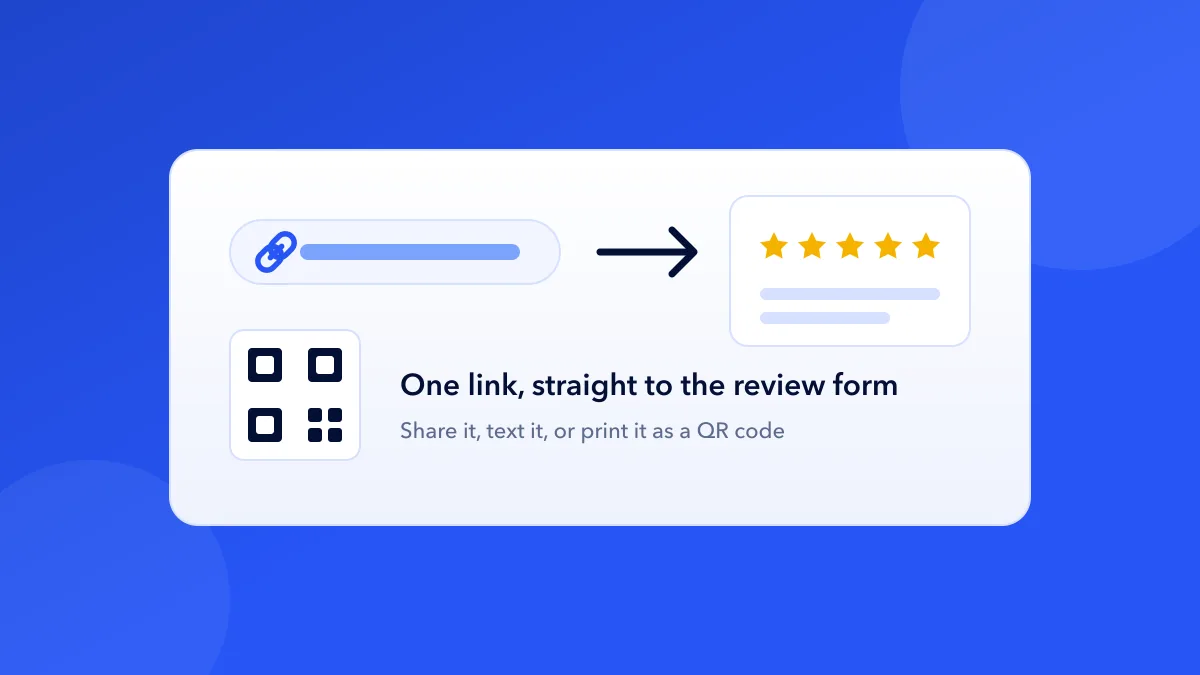
A Google review link is a URL that opens your business's review form directly — the customer taps it and lands on the star-rating dialog, with no searching, no scrolling past competitors, no hunting for the "Write a review" button. The fewer steps between "would you leave us a review?" and the form itself, the more of your happy customers actually follow through. Every step you remove keeps more of them.
This guide covers three ways to get your Google review link, the correct link formats for Facebook, Yelp, and TripAdvisor, and how to put the link to work — in emails, texts, QR codes, and printed cards.
Method 1: Get the link from your Google Business Profile
If you manage your own Google Business Profile, Google gives you the link directly:
Sign in to the Google account that manages your Business Profile.
Search for your business name on Google (or open the Business Profile dashboard).
In the profile panel, look for "Ask for reviews" (sometimes shown as a "Get more reviews" card).
Google shows a short share link. Copy it — that's your review link.
This is the cleanest method when you have profile access: the short link is easy to paste into texts and emails, and it's issued by Google itself.
Method 2: Build the link from your Place ID
Every business on Google Maps has a Place ID. Appending it to Google's write-review endpoint produces a direct link to your review form:
https://search.google.com/local/writereview?placeid=YOUR_PLACE_ID
You can look up your Place ID with Google's own Place ID Finder (part of the Maps Platform documentation), then substitute it into the URL above. It works for any business — including ones you don't manage — which makes it useful for agencies setting up review funnels for clients.
Method 3: Use a free review link generator
If you'd rather skip the manual lookup, our free Google Review Link Generator does the whole thing in one step: search for your business by name, pick it from the results, and the tool builds the direct review link, shows a scannable QR code, and can hand the link straight to a printable flyer or pocket card. No signup, no profile access needed.
How to get your Facebook review link
Facebook reviews (now called "Recommendations") live on a tab of your business Page. The link format is:
https://www.facebook.com/YourPageName/reviews
Replace YourPageName with your Page's username — the part that appears in your Page's URL. Two things to check first: your Page needs a username set (Page settings), and the Reviews/Recommendations tab must be switched on (Settings → Templates and Tabs on classic Pages, or Privacy → Page and tagging on newer layouts — Facebook moves this setting periodically, so search "reviews" in your Page settings if you don't see it).
How to get your Yelp review link — and why to think twice
Your Yelp listing has a "Write a Review" button, and the URL it opens follows this pattern:
https://www.yelp.com/writeareview/biz/YOUR_BUSINESS_ID
You can grab it by opening your own Yelp listing, clicking Write a Review, and copying the address bar.
Here's the honest caveat: Yelp explicitly discourages businesses from asking customers for reviews — it's in their content guidelines, and their recommendation software is known for filtering reviews it suspects were solicited. A wave of requested reviews on Yelp can end up hidden as "not recommended." If Yelp matters in your market, the safer play is linking customers to your Yelp profile rather than the write-a-review form, and letting the motivated ones take it from there. Save the direct-ask energy for Google, where asking is allowed.
How to get your TripAdvisor review link
Open your property's TripAdvisor listing and click "Write a review" — the page it opens is your direct review link; copy it from the address bar. TripAdvisor's URLs encode the property's location and listing IDs, so copying from your own listing beats trying to construct the URL by hand. Hotels and restaurants with a TripAdvisor management account can also use TripAdvisor's own Review Express tool to email review requests through their system.
What to do with your review link
Text it. SMS reaches customers minutes after the visit, while the experience is fresh. Keep the message to one sentence plus the link.
Email it — in post-purchase emails, booking confirmations, and your team's email signatures.
Print it as a QR code. A QR code on a counter card, flyer, receipt, or table tent turns the physical space into a review funnel. Our free Review Card Generator makes pocket-size printable cards, and the QR Flyer Generator makes full-size flyers — both take your review link and output print-ready files.
Automate it. The manual version of this is fine at low volume; past a point, sending review requests after every transaction is exactly the kind of job software should do. That's what review request automation exists for.
The rules: what Google allows and what it doesn't
Asking for reviews with a direct link is fully allowed on Google. Two practices are not, and both can get reviews removed or your profile penalised:
No incentives. Discounts, freebies, or contest entries in exchange for reviews violate Google's policies — regardless of whether you ask for a positive review or "any honest review."
No review gating. Asking customers how they felt first, then showing the review link only to the happy ones, is explicitly prohibited. Send the same ask to everyone.
Neither rule is a technicality — both are actively enforced, and the businesses that get caught usually got there through a well-meaning "reviews campaign." Ask everyone, ask honestly, and make the ask easy. That's the whole playbook.
What is a Google review link?
It's a URL that opens your business's Google review form directly — the customer lands on the star-rating dialog without searching for your business or finding the "Write a review" button themselves. The standard format is https://search.google.com/local/writereview?placeid=YOUR_PLACE_ID.
Do customers need a Google account to leave a review?
Yes. Google reviews require the reviewer to be signed in to a Google account. Most customers already are on their phones; the ones who aren't will be prompted to sign in when they open your link.
Can I shorten my Google review link?
The "Ask for reviews" share link from your Google Business Profile is already short. If you built the link from a Place ID, you can run it through any URL shortener for texts — but for QR codes, length doesn't matter, since the customer never types it.
How do I turn my review link into a QR code?
Paste the link into a QR generator and print the result. FeedbackRobot's free tools do this end-to-end: the Google Review Link Generator finds your link and shows the QR instantly, the Review Card Generator puts it on printable pocket cards, and the QR Flyer Generator puts it on a full-size flyer.
Is it against the rules to ask customers for Google reviews?
No — asking is allowed and normal on Google. What's prohibited is offering incentives for reviews and "review gating" (only asking customers you know are happy). Yelp is the exception among major platforms: its guidelines discourage businesses from soliciting reviews at all.
Stop reading about it. Let your agent handle it.
25 free AI actions · no credit card required
Start Free