
Guide
QR Code for Customer Feedback: Setup Guide (2026)
Create a QR code that sends customers to your feedback survey. Free QR generator included — links to Google Reviews, Yelp, or a custom form. Setup in 2 minutes.

Apr 15, 2026 · 10 min read
Free tool
Review QR Code Flyer Generator
Generate a print-ready QR code flyer that sends customers straight to your review page.
A guest checks out, says everything was fine, and leaves. Two hours later, your team sees a negative review about a dirty bathroom, a slow appetizer, or a front desk handoff that felt cold. The problem wasn’t only the service miss. It was the delay between the experience and the feedback.
Pairing a QR code with a paper option? Build a free printable customer feedback form for the guests who prefer pen and paper.
That’s why a good qr code for customer feedback matters. It shortens the gap between what happened and what your team can still fix. For restaurants, hotels, clinics, retail stores, and other service businesses, that speed is where the return sits. Not in collecting comments for a monthly report. In catching friction while the customer is still on-site, reachable, and willing to give you one more chance.
Why Your Business Needs QR Code Feedback Now
Traditional feedback channels fail busy operators for a simple reason. They ask customers to do work later.
Email surveys arrive after the moment has passed. Comment cards need pens, boxes, and staff follow-through. Phone follow-ups feel intrusive. None of that matches how people behave in physical locations today.
QR codes for customer feedback have surged 323% between 2021 and 2024, and 59% of consumers now scan them daily in major markets including hospitality, retail, and restaurants, according to FeedbackRobot’s QR survey analysis. That shift matters because it turns feedback into a normal mobile action, not an extra task.
Practical rule: If feedback takes more effort than leaving, most customers won't do it.
While QR codes offer a dynamic way to gather immediate customer insights, it's crucial to recognize that feedback often arrives through multiple channels. Unifying these disparate sources is key to a holistic view of customer sentiment. Discover how you can effectively unify fragmented customer feedback from various touch points, including emails and support tickets, to create a seamless and comprehensive customer listening strategy.
The biggest operational win is timing. When a diner scans a table tent after a delayed main course, or a hotel guest scans a room card insert after a rough check-in, your team can respond before that frustration hardens into a public complaint.
While QR codes offer a dynamic way to gather immediate customer insights, exploring a broader spectrum of feedback channels can provide a more comprehensive understanding of your audience. Integrating various methods ensures you capture diverse perspectives and meet customers where they are most comfortable sharing. To further enhance your feedback strategy, learn more about the best feedback collection channels for your business.
That changes the job of feedback. It stops being a reporting tool and becomes a service recovery tool.
What older methods miss
Fresh context: A customer remembers details in the moment. Hours later, you get blurrier answers or no answer at all.
Private escalation: Many unhappy guests won’t speak up face-to-face. A phone in their hand makes honesty easier.
Manager visibility: Instant submissions give supervisors a live signal, not a weekly surprise.
Why owners should care
You don’t need more raw comments. You need a system that helps your staff see patterns, fix issues fast, and protect repeat business. That’s the core value behind the benefits of customer feedback. It gives you operational control over moments that usually slip away.
In hospitality especially, small issues become expensive when nobody catches them early. QR feedback closes that gap.
Building Your High-Conversion Feedback Survey
Most businesses overbuild the first survey. They ask about every department, every interaction, and every possible complaint. That’s the fastest way to kill response quality.
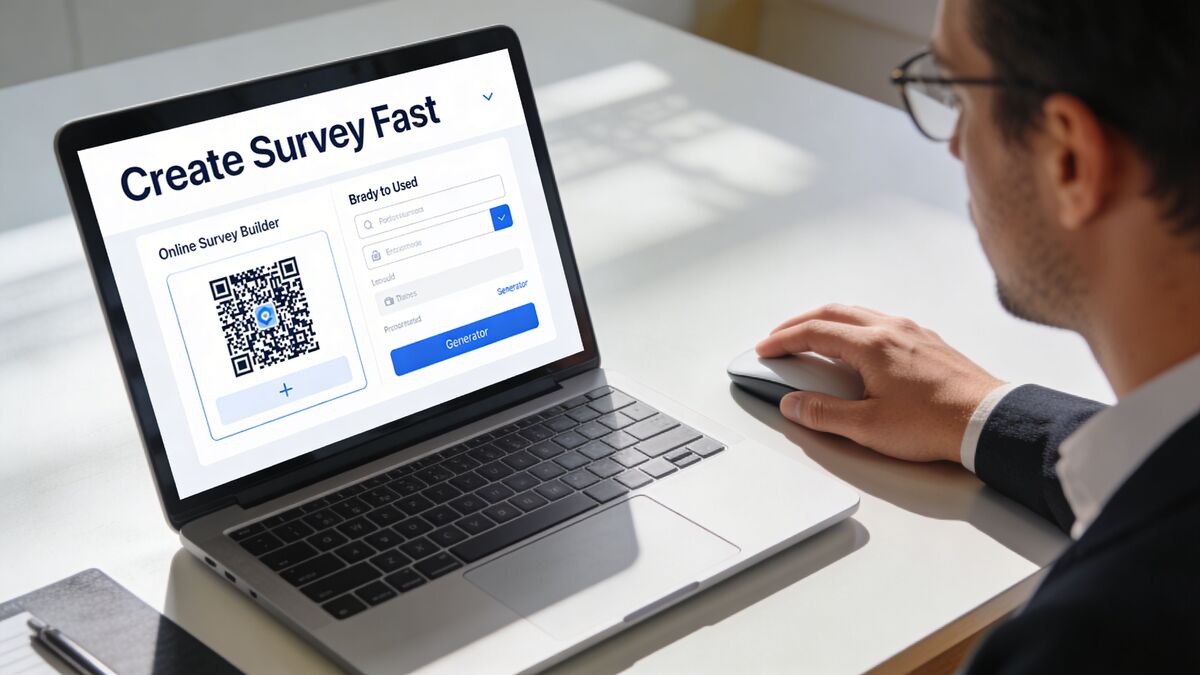
A customer standing at a counter or waiting for a ride isn’t there to complete your research project. They’ll answer a few sharp questions if the survey feels quick and relevant.
According to a 2025 Benchmark Study, surveys with 1-3 questions achieve 83% completion rates, while those exceeding five minutes see dropout rates triple. The optimal QR code feedback form structure includes 3-5 questions completable in under 60 seconds according to Supercode’s QR feedback guide.
Use this first-survey structure
For most hospitality and service businesses, the strongest starting format is:
One rating question Use NPS or CSAT, depending on what you’re measuring. If you want overall loyalty, use NPS. If you want feedback on a specific touchpoint like speed, cleanliness, or friendliness, use CSAT.
One open text question Ask something direct like “What should we improve?” or “What stood out today?” Operational detail often surfaces in the responses.
One optional contact field Only ask for contact information if you’ll follow up. Optional works better than forced.
One conditional follow-up if score is low If someone gives a poor rating, ask what happened. Don’t show that extra step to everyone.
What works and what doesn't
Approach | What happens in practice |
|---|---|
Short, touchpoint-specific survey | Customers finish it and give usable answers |
Long general survey | Customers abandon it or tap random responses |
Optional contact field | You still capture recovery opportunities without scaring off responses |
Required personal details | Many guests stop before submitting |
Dynamic QR codes are not optional
Use a dynamic QR code, not a static one. That lets you update the destination survey, fix wording, change workflows, or redirect by campaign without reprinting every receipt insert or table card.
That matters the first time you realize your wording is off, your staff need a different route for complaints, or one location needs a custom version.
Build faster with better tooling
You can build the form in Google Forms, SurveyMonkey, Typeform, or a dedicated guest feedback platform. If speed matters, Prompt to Survey helps you generate a ready-to-edit survey from a plain-English instruction like “create a restaurant dine-in feedback form for service speed and food quality.” That cuts setup time and keeps your first version focused. And if you're building the destination page yourself, our guide to creating an online feedback form covers the questions, structure, and routing in five steps.
Don’t ignore privacy
Keep the ask transparent. Tell people what the survey is for, whether contact info is optional, and who will review responses. In healthcare, hospitality, and retail, that clarity builds trust and improves the quality of what people share.
A good survey feels like a quick conversation. A bad one feels like unpaid admin.
Strategic QR Code Placement and Design
Placement drives results more than most owners expect. A well-written survey hidden in the wrong place will underperform a decent survey placed exactly where the experience peaks.
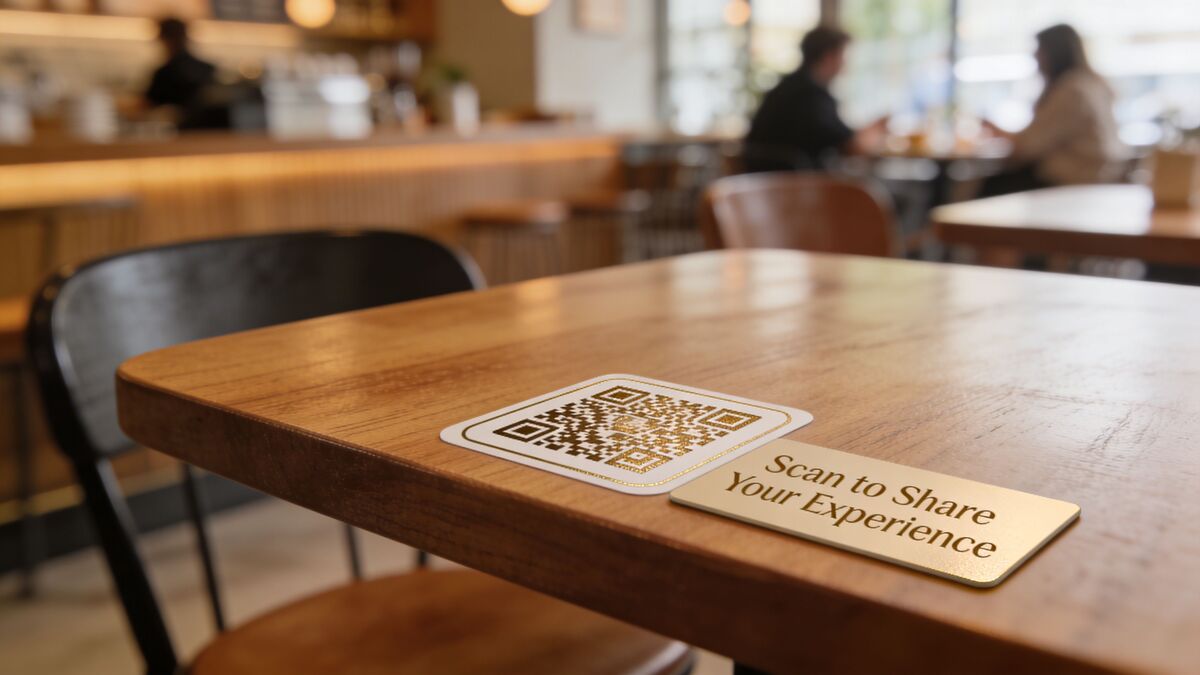
The rule is simple. Put the code where the customer has both context and a spare moment.
Best placements by business type
Restaurants and cafes
Table tents after ordering
Receipt presenters
Pickup shelves
Exit doors for quick final impressions
Hotels
In-room desk cards
Key card sleeves
Checkout desk signage
Guest directory inserts
Retail
Checkout counters
Fitting room mirrors
Packaging inserts
Return desk signage
Clinics and wellness businesses
Discharge paperwork
Reception desk displays
Waiting area signage
Follow-up printouts after appointment completion
Design choices that increase scans
A QR code should never sit alone. It needs context, contrast, and a reason to scan.
Use:
Clear CTA text: Tell people what happens after the scan.
Brand alignment: Match colors and tone to your location materials.
Enough white space: Crowded layouts reduce visibility and scan reliability.
Practical sizing: Make sure customers can scan without leaning awkwardly or moving the stand.
If you want a broader field guide on placement and creative usage, GroupOS has a useful post on how to effectively use QR codes across customer touchpoints.
For operators who want ready-made assets instead of designing from scratch, these QR flyer generators are useful for creating printable materials for tables, counters, rooms, and windows.
One mistake I see often
Owners place one code at the entrance and assume they’ve “set up feedback.” That location usually catches almost nobody. Customers are still orienting themselves when they walk in. Feedback works better at moments tied to completion, waiting, or reflection.
Writing Prompts That Get More Scans and Better Feedback
The words around the QR code matter almost as much as the code itself.
“Scan me” is weak because it asks for action without giving a reason. Better prompts explain value, timing, and outcome. They tell the customer what the scan will do for them or for the business.
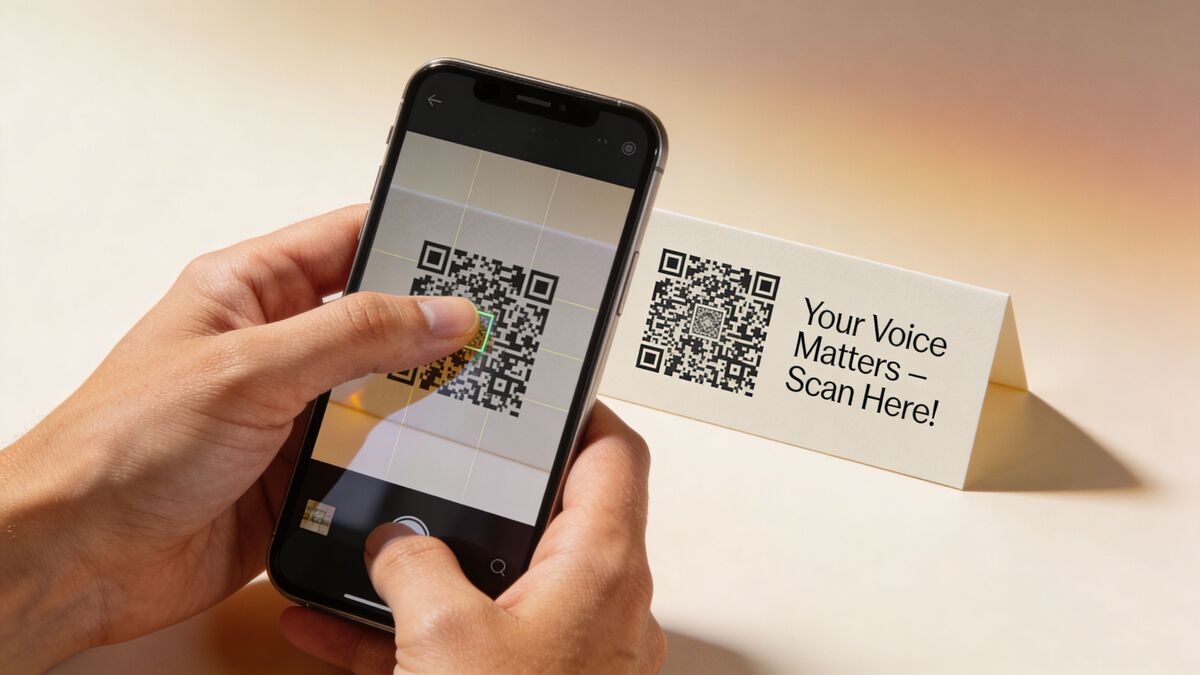
Businesses report 17-24% uplifts in key metrics like NPS and loyalty engagement by using QR code feedback systems that capture in-the-moment feelings at touchpoints like cafes or point-of-sale according to the 2026 QR code adoption impact report. The key phrase there is “in the moment.” Your prompt should support that immediacy.
Better prompt examples
Instead of this:
Scan me
Give feedback
Tell us what you think
Use this:
Tell a manager how your visit went
Something not right? Report it in under a minute
Loved your stay? Tell our team what stood out
How was your service today? Quick feedback helps us improve
Match the prompt to the touchpoint
A room card insert should sound different from a checkout sign.
Location | Better prompt style |
|---|---|
Restaurant table | “How’s your meal so far?” |
Hotel checkout desk | “Tell us how your stay went” |
Retail fitting room | “Did you find what you needed?” |
Clinic follow-up card | “How was your visit today?” |
Incentives need judgment
A small incentive can increase participation, but it can also distort the tone of responses if you lead with the reward instead of the reason. In hospitality, a promise of quick manager follow-up often produces better operational feedback than a generic discount offer.
If you want honest feedback, ask with purpose. If you want low-quality submissions, bait the scan with a coupon and no context.
The best prompts do three things at once. They show respect for the customer’s time, make the benefit obvious, and reassure the customer that someone will read what they submit.
Turning Feedback into Action with AI and Automation
Collecting responses is the easy part. Acting on them at scale is where implementation efforts frequently falter.
A hotel with multiple properties, a restaurant group with several shifts, or a clinic chain with different locations can’t rely on one manager manually reading every survey and every review. You need one operating layer that turns incoming feedback into decisions and tasks.
The operating system approach
In this regard, a Feedback Operating System matters.
Prompt to Survey turns a simple instruction into a usable survey draft, so your team launches faster and avoids bloated forms.
AI Summaries reads open-text feedback and pulls out recurring themes, sentiment, and intent. Instead of scrolling through every raw comment, your managers can see what keeps showing up across shifts, locations, or service lines.
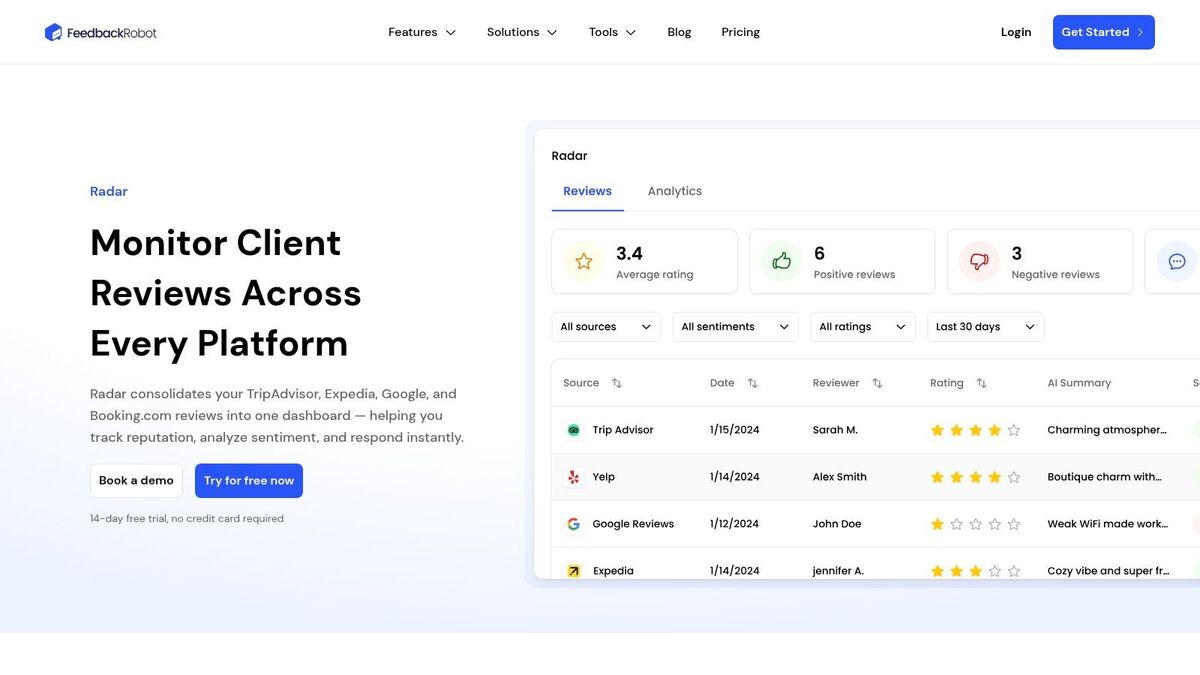
Radar gives you unified review intelligence by bringing QR survey responses together with reviews from public platforms into one working view. That matters because a guest complaint rarely lives in only one channel. One person may scan in-store. Another may post publicly. Your team still needs one place to spot the pattern.
Resolutions Engine is where recovery becomes operational. It can route negative feedback to the right person, trigger follow-up, and help the business respond before the issue spreads.
One option in this category is FeedbackRobot’s AI customer feedback analysis tools, which combine survey capture, sentiment analysis, inbox workflows, and automations in one stack.
What fast action looks like
Here’s a practical example.
A guest scans a code on a hotel checkout card and reports a housekeeping issue. The survey tags the property, shift window, and touchpoint. AI identifies the comment as negative and groups it with similar room-cleanliness feedback. The manager sees the theme in the dashboard, while the response workflow flags it for direct follow-up.
That’s a different outcome from “we’ll review comments at the end of the month.”
Where automation pays off
Service recovery: Route urgent complaints to managers while the customer is still reachable.
Trend detection: Spot repeated issues by site, time period, or service category.
Team accountability: Assign follow-up instead of hoping someone notices.
Reputation protection: Solve problems privately before they become public reviews.
If your team also uses social channels to drive bookings, inquiries, or repeat visits, this connects naturally with broader demand capture. Mentionkit has a practical piece on lead generation from social media that pairs well with this mindset. Attention is scattered. Your response system can’t be.
Here’s a quick product walkthrough for teams evaluating a more automated setup:
Good operators don't just collect sentiment. They route it, summarize it, and resolve it.
FeedbackRobot's QR code survey tool generates print-ready codes linked to a branded survey — and automatically redirects happy customers to your Google or Yelp review page once they submit positive feedback.
The free QR code review flyer generator creates Google review-specific flyers you can print and place anywhere.
Start Collecting Smarter Feedback Today
A qr code for customer feedback isn’t valuable because it looks modern. It’s valuable because it gives your team a practical way to hear the customer at the moment where recovery is still possible.
That starts with a short survey. Then it depends on smart placement, clear prompt copy, and a workflow that tells the right person what to do next. Without that last part, you’ve built a collection tool, not an operating tool.
For most owners, the right first move is simple:
Pick one touchpoint: checkout, table, front desk, or discharge
Launch one short survey: keep it focused on one experience
Use a dynamic code: so you can improve without reprinting
Set one recovery rule: decide who acts when a bad response comes in
That’s enough to start learning quickly.
The businesses that get the most from QR feedback aren’t the ones with the fanciest design. They’re the ones that treat feedback as part of daily operations. They listen while the customer is still engaged. They respond while the issue is still fixable. They use patterns, not isolated anecdotes, to improve staffing, service flow, and accountability.
Collect smarter. Act faster. Grow stronger. That’s the model.
Start with FeedbackRobot if you want to turn a simple scan into a working feedback loop. You can launch your first QR survey, centralize responses, automate service recovery, and explore Spotlight: Feedback Wall to showcase positive customer voice once your system is running. A free trial lets you test the workflow before rolling it out across locations.
How does the timing of feedback via QR codes specifically impact service recovery compared to traditional post-visit email surveys?
Traditional email surveys often suffer from a "feedback gap," reaching the customer hours or days after their emotional engagement with the brand has ended. By the time an operator reviews a delayed response, the guest has already left and likely shared their frustration elsewhere. QR codes facilitate "in-the-moment" feedback, capturing fresh context while the guest is still on-site. This immediacy allows management to intervene and resolve friction points—such as a slow appetizer or a housekeeping oversight—before a private grievance hardens into a permanent public complaint.
What is the optimal structure for a high-conversion QR feedback form, and why should businesses avoid longer surveys?
According to recent benchmark data, surveys with one to three questions achieve an 83% completion rate, whereas those exceeding five minutes see dropout rates triple. An expert-level survey should be completable in under 60 seconds, utilizing a 3-5 question structure: one rating question (NPS for loyalty or CSAT for specific touchpoints), one open-text field for qualitative detail, an optional contact field, and a conditional follow-up triggered only by low scores. This focused approach treats the survey like a quick conversation rather than an administrative task.
Why is the use of dynamic QR codes considered a non-negotiable requirement for professional hospitality or clinical environments?
Static QR codes are functionally rigid; if a destination URL breaks or the survey logic needs adjustment, every physical asset—from table tents to discharge paperwork—must be reprinted at a high cost. Dynamic QR codes allow operators to update survey destinations, fix wording, or redirect traffic to location-specific campaigns instantly without touching the physical collateral. This flexibility is essential for multi-unit operators who need to pivot workflows or test new service recovery rules on the fly.
Many operators place QR codes at the entrance of their facility; why is this strategy typically ineffective according to placement data?
Placement drives results more than the survey design itself. When customers first enter a restaurant or clinic, they are in an "orientation phase" and lack the context of the service experience. High-performing QR codes are placed where the customer has both context and a spare moment—specifically at points of completion, waiting, or reflection. Successful examples include receipt presenters, hotel key card sleeves, fitting room mirrors, or discharge paperwork, where the guest is naturally inclined to reflect on the value they just received.
How can high-volume service businesses manage the influx of raw qualitative data without overwhelming their management teams?
The transition from "collecting sentiment" to "operational control" requires a Feedback Operating System that leverages AI and automation. Tools like AI Summaries can distill hundreds of open-text comments into recurring themes and sentiment trends, allowing supervisors to spot patterns across shifts or locations instantly. Furthermore, a Resolutions Engine can automate the routing of negative feedback to the appropriate department head, ensuring that recovery is a tracked, assigned task rather than a manual oversight process.
Stop reading about it. Let your agent handle it.
25 free AI actions · no credit card required
Start Free