
Guide
Customer Feedback Automation: 5 Workflows (2026)
5 customer feedback automation workflows — post-purchase, review recovery, NPS follow-up, complaint escalation, and loyalty trigger. Copy the setup for each.

Apr 21, 2026 · 16 min read
Free tool
AI Survey Generator
Describe what you want to learn and get a ready-to-send survey in seconds.
You’ve probably got feedback scattered across five places right now. A few direct messages from happy guests. A low-star review with no detail. A complaint your shift lead mentioned but never logged. Maybe a survey tool that sends responses into a spreadsheet nobody opens until Monday.
That setup works until volume picks up, a key staff member goes off shift, or one unhappy customer posts before you’ve had a chance to respond.
Customer feedback automation workflows fix that. Not by sending more surveys, but by turning feedback into action without adding admin. The goal is simple: collect smarter, act faster, and grow stronger. For a hotel, restaurant, clinic, or retail team, that means fewer missed issues, less staff overload, and a much cleaner path from customer comment to operational fix.
If you haven't set up the collection side yet, start with automated surveys — they're the entry point every workflow below builds on.
Why Manual Feedback Is Holding Your Business Back
Manual feedback handling breaks down in the same way most service operations break down. Not because owners don't care, but because the process depends on memory, speed, and spare time.
A guest leaves a poor review about check-in delays. Your front desk manager sees it late. The shift supervisor knows what happened, but the context never gets written down. By the time someone replies, the customer has already decided not to return. Meanwhile, your team misses the fact that three other guests mentioned the same issue in private.
That’s the true cost of manual work. You don’t just respond slowly. You lose pattern recognition.
Feedback gets trapped in silos
Most hospitality and retail businesses collect feedback from more channels than they can realistically manage by hand. Reviews, SMS replies, email surveys, QR code forms, support calls, social posts, and in-person comments all carry useful information. But if each one lives in a different tool, nobody sees the full picture.
That’s why many teams stay reactive. They deal with the loudest complaint first, not the most important one.
If you want a clear view of where feedback is coming from, this guide to customer feedback collection channels is a useful starting point.
Automation buys back operating time
By 2025, more than 65% of global businesses had implemented some form of workflow automation, and 58% were automating parts of customer service workflows. That shift was tied to 30% time savings on routine processes, which matters directly for hospitality, retail, and healthcare teams trying to resolve issues faster and protect staff time, according to workflow automation statistics for 2025.
For an owner, that doesn't mean replacing human judgment. It means getting routine work out of the way so your team can focus on recovery, coaching, and service.
Practical rule: If feedback requires a person to copy, paste, forward, tag, and chase, the process is too fragile.
Reactive teams miss both risk and praise
Manual systems also underuse positive feedback. When someone praises your breakfast team, barista, or spa therapist, that comment should help you generate reviews, recognize staff, and reinforce what’s working. Instead, it often disappears into an inbox.
A good customer feedback automation workflow does the opposite. It routes complaints quickly, flags recurring issues, and turns praise into useful follow-up. That’s when feedback stops being a chore and starts behaving like an operating system for service quality.
Designing Your Automated Feedback Workflow
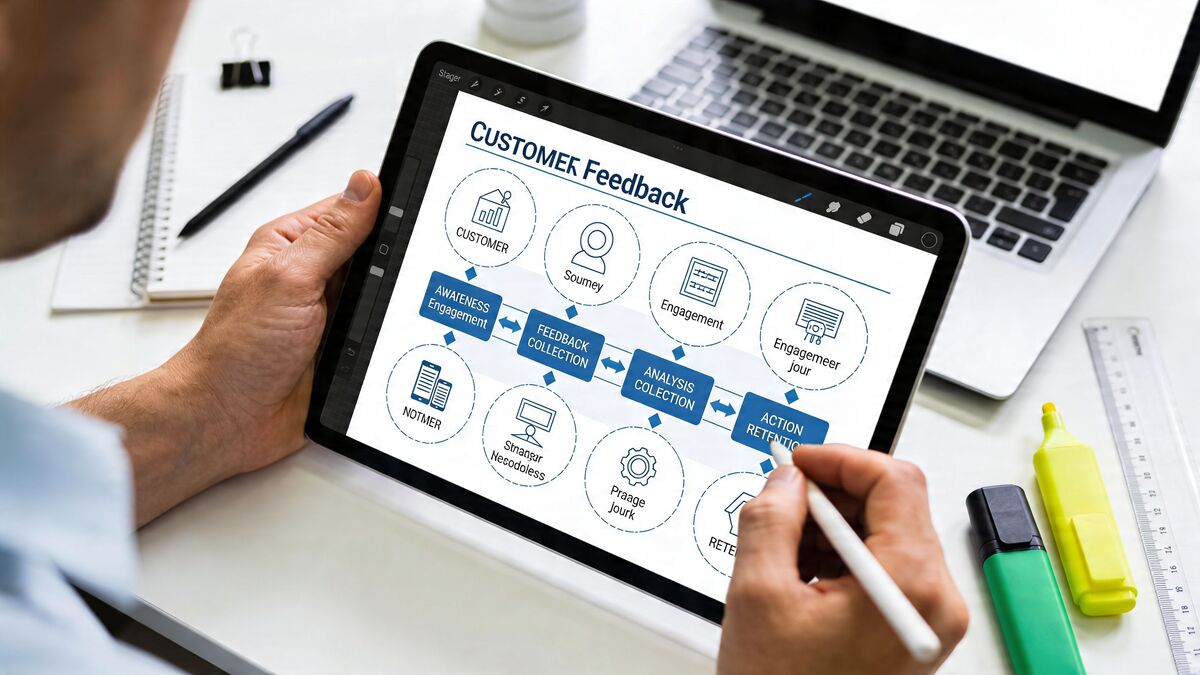
Before you connect a PMS, POS, or survey tool, get clear on the moments that matter. Most bad workflows fail because they automate the wrong thing. They send a generic survey at the wrong time, ask too many questions, and create alerts nobody owns.
The right workflow starts with the customer journey, not the software.
Pick the touchpoints that reveal real issues
In hospitality and service businesses, the best feedback moments usually happen right after a meaningful interaction. Not weeks later.
For a hotel, that might be:
Post check-in: Catch arrival friction while the guest is still on property.
Mid-stay: Ask about room comfort, housekeeping, or breakfast before checkout.
Post checkout: Collect overall stay feedback and request a public review if the experience was strong.
For a restaurant or café, common trigger points are different:
After bill payment: Best for quick service feedback while the visit is fresh.
After delivery confirmation: Useful for takeaway and off-premise service quality.
After repeat visits: Better for loyalty and experience tracking than one-off meal ratings.
The rule is simple. Ask when the customer can still remember the experience clearly, and when you can still do something about it.
Tie each trigger to one operational goal
Don’t ask for feedback unless you know what happens next.
A completed stay in Mews might trigger a short post-stay survey because you want to track room quality and recover unhappy guests. A paid ticket in Toast might trigger a QR or SMS survey because you want to spot service issues and generate more public reviews from satisfied diners.
Here’s a practical planning model:
Trigger event | What you want to learn | Best next action |
|---|---|---|
Hotel check-in completed in Mews | Arrival quality, front desk speed | Short pulse survey |
Hotel checkout | Overall stay quality | Review request or recovery path |
Paid bill in Toast | Service and food satisfaction | Internal alert or review follow-up |
Delivery completed | Accuracy and timeliness | Operations check if negative |
Repeat customer visit | Loyalty drivers | Staff recognition or upsell timing |
Keep the survey short and role-specific
Owners often ask too much in one message. That lowers completion and muddies the signal.
A better approach is:
Ask one rating question tied to the touchpoint.
Add one follow-up open text question.
Route the response based on score and sentiment.
If you need help turning rough ideas into a usable survey flow, this automated survey builder guide shows how to structure prompts without overcomplicating them.
A breakfast survey should tell you whether breakfast has a problem. It shouldn't also ask about parking, pillows, and Wi-Fi.
Design for action, not collection
A lot of owners think automation starts with sending. It doesn’t. It starts with deciding who gets notified, what counts as urgent, and what happens when praise comes in.
Map those rules before launch:
Low score: Alert the right manager, open a service recovery task, send acknowledgment.
Neutral score: Tag for trend monitoring and review later in daily ops.
High score: Ask for a review, flag staff praise, save quotes for marketing use.
When you build customer feedback automation workflows this way, you avoid the common trap of gathering lots of comments and doing very little with them.
Building Your Workflow with Triggers and AI Actions
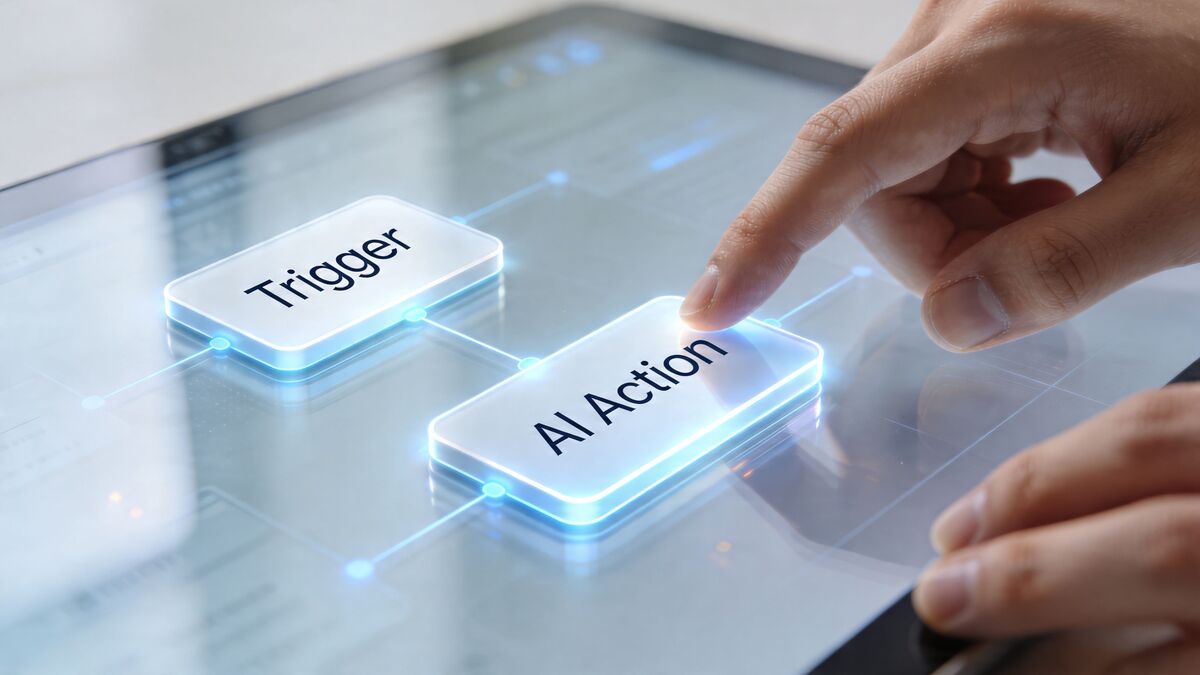
Once the journey is mapped, the build itself should be straightforward. Good automation isn’t flashy. It’s a clean chain of trigger, interpretation, and response.
That’s where teams usually need help. Not with collecting feedback, but with deciding what the system should do after a response comes in.
Start with Prompt to Survey
The fastest way to build a workflow is to begin with the actual operating question.
If the issue is breakfast quality, late checkout confusion, or slow takeaway handoff, Prompt to Survey turns that prompt into a ready-to-send survey without forcing you to write every question from scratch. That matters for busy managers because most surveys stall at the draft stage. People know what they want to learn, but they don’t have time to build logic, wording, and follow-ups manually.
In practice, you give the system a clear objective:
breakfast consistency
front desk arrival experience
takeaway order accuracy
table service quality after peak hours
Then you review the draft, trim anything unnecessary, and attach it to the right trigger.
Use simple trigger logic first
The strongest customer feedback automation workflows usually start with basic conditions:
booking completed
checkout processed
bill paid
QR code scanned
feedback submitted
After that, add a second layer based on response quality. At this stage, AI becomes useful.
AI Summaries handles the messy part. It reads open-text comments, identifies sentiment, and pulls out the issue or praise without requiring someone on your team to tag every response manually. If a guest writes “room was clean but the air conditioner kept waking us up,” your team shouldn't have to debate whether that belongs with maintenance, housekeeping, or general service.
That classification step is where automation saves real time and cuts inconsistency.
Route by score and sentiment
Advanced workflows commonly use score thresholds and sentiment to decide what happens next. For example, detractors 0 to 6 can trigger support tickets and empathetic follow-up within 48 hours, and this kind of sentiment-based routing has been associated with 25 to 30% productivity boosts and error reductions in categorization of up to 75%, based on customer feedback automation guidance from Sprinklr.
That matters because manual categorization fails in the same predictable ways. One manager marks a complaint as “minor.” Another escalates the same issue. A third forgets to route it at all.
With a defined workflow, the response is consistent:
Low score plus negative sentiment: open a recovery task
Low score plus specific issue keyword: assign to the right department
Positive score plus staff praise: send review request or internal recognition
Neutral score with recurring theme: tag for trend monitoring
Put Resolutions Engine in charge of service recovery
The step most businesses skip is the action layer.
The Resolutions Engine is the part that turns flagged feedback into a next step. If someone reports “cold coffee,” “rude host,” or “dirty bathroom,” the workflow can create a task, route it to the right manager, and prepare a response that fits the issue. That keeps recovery moving even when the owner is off-site or the complaint arrives after hours.
This is also where automation should stay grounded in operations. Don’t create ten different branches on day one. Set up the recurring problems first:
service complaints
cleanliness or maintenance issues
product quality concerns
praise that should trigger a public review ask
For websites collecting pre-visit or post-visit feedback outside the POS or PMS, it can also help to review the best contact form plugins if you need cleaner intake forms before routing that data into your workflow.
If your workflow can’t tell the difference between a minor annoyance and a recovery risk, it’s not ready to go live.
Keep the automation visible to the team
The other mistake is building logic that only one admin understands. Front desk leads, restaurant managers, and guest service teams should know:
what triggers a survey
what triggers an internal alert
who owns each type of issue
when the guest receives a follow-up
That visibility matters more than clever rules.
If you’re evaluating platforms that support this kind of setup, automation features for feedback workflows should include trigger-based sending, sentiment classification, routing, and task creation in one flow. FeedbackRobot also includes Prompt to Survey, AI Summaries, and the Resolutions Engine for this style of operational workflow.
Build the first version, then tighten it
Your first workflow doesn’t need to be perfect. It needs to be useful.
Launch with one journey, one survey, and a small number of actions. A hotel might start with post-checkout recovery. A café might start with receipt-based dine-in feedback. Once the team trusts the flow, add more touchpoints.
That sequencing works better than trying to automate every guest interaction in one week.
Automated Feedback Workflows for Hospitality and Retail
The best way to judge a workflow is to see whether it matches the pace of a real operation. Hotels and restaurants don’t need abstract diagrams. They need systems that work on a busy Friday when nobody has time to babysit a dashboard.
Boutique hotel workflow with Mews
A guest checks out from a boutique property. The stay record in Mews triggers a short SMS survey while the experience is still fresh.
The guest gives a low score and writes, “Couldn’t sleep well. Noisy air conditioner all night.” The system reads the comment, identifies the maintenance theme, and pushes the issue into the right queue. The duty manager sees it immediately, maintenance gets a task for that room, and the guest receives a calm acknowledgment instead of silence.
That does two things at once. It gives the guest a private channel before they go public, and it gives the hotel a record the operations team can use.
Restaurant workflow with Toast
Now take a neighborhood café running on Toast. A customer pays, scans the receipt QR code, and answers two questions. They rate the visit highly and mention, “Your barista was fantastic.”
That response shouldn’t sit in a spreadsheet.
A practical workflow routes the praise into two paths. First, it notifies the store manager so the team member gets recognized. Second, it sends a follow-up asking the customer to share the experience on Google or another review platform.
Many operators leave value on the table. They work hard for good service moments, then fail to convert them into visible social proof.
Positive feedback is not just a morale boost. It's a review opportunity, a training signal, and a retention tool.
Where fragmented systems slow teams down
Plenty of operators still work across disconnected tools. A PMS in one tab, POS in another, online reviews somewhere else, plus handwritten notes and inbox alerts on top. For the 70% of operators in hospitality and retail still using fragmented tools, integration is a real hurdle. SiliconANGLE’s 2026 reporting notes that successful automation depends on “workflow reinvention and continuous data feedback loops,” and that platforms bridging legacy systems like a POS with AI dashboards are associated with 30% better loyalty by catching early churn signals, according to SiliconANGLE’s coverage of service automation and legacy integration.
That doesn’t mean you need a full rip-and-replace project.
It usually means building a practical bridge:
Start with one system of record: often the PMS for hotels or POS for restaurants.
Use one intake method consistently: SMS, QR, or email. Don’t launch all three at once.
Route all responses into one review and action layer: otherwise your managers still work from fragments.
Add departments gradually: front desk first, then housekeeping, then maintenance. Or floor service first, then kitchen, then delivery.
What works and what doesn’t
Here’s the trade-off in plain terms.
What works
Triggering feedback close to the actual experience
Sending short surveys tied to one operational goal
Routing issues to named owners
Following up quickly on negative responses
Using positive feedback for review generation and staff coaching
What doesn’t
One giant survey for every customer
Feedback forms with no action path
Alerts sent to everyone
Manual forwarding between teams
Review requests sent to unhappy customers
A strong workflow feels boring in the best possible way. Guests respond, the right person gets the issue, and the team knows what to do next.
Measuring and Optimizing Your Feedback Automation ROI
If you can’t see what changed after launch, the workflow is only half built. The operational win comes from measuring what the automation is doing for your team.
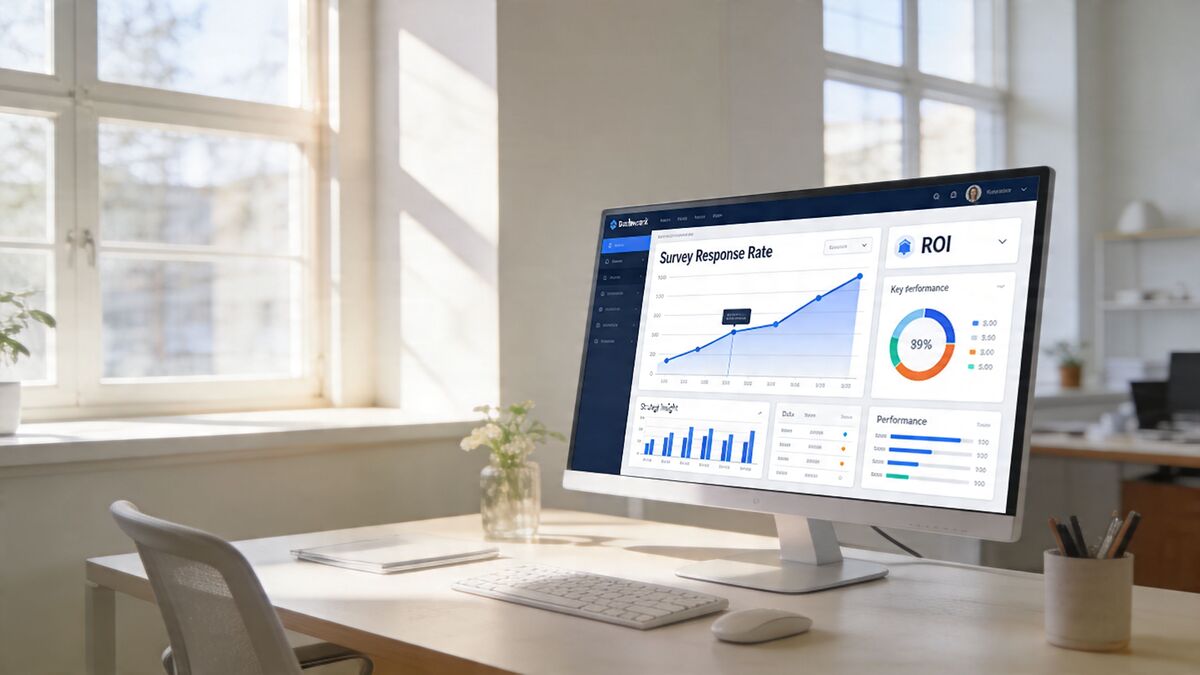
Start with one dashboard view that combines private feedback, public reviews, and recovery activity. That’s where Radar matters. Radar acts as your unified review intelligence layer, pulling signals from across channels so you can spot recurring issues, compare locations, and see whether your workflow is improving service or just generating more data.
Track the numbers that change decisions
Many teams track too much and learn too little. For customer feedback automation workflows, focus on operational KPIs first.
Watch these closely:
Survey response rate: Are customers completing the request?
Sentiment trend: Are recurring complaints softening or spreading?
Time to resolution: How quickly does a negative response get handled?
Review lift from positive flows: Are private compliments turning into public proof?
Theme frequency: Are the same issues showing up across shifts, staff, or locations?
A dashboard only matters if a manager can look at it and know what to fix before the next service window.
Tie workflow performance to workload reduction
Automation should reduce noise, not create more of it. There’s solid evidence that it can. Companies have reported up to a 70% reduction in call, chat, and email inquiries after deploying virtual assistants and AI-driven workflows, and 90% of CX leaders expected AI and automation to resolve 80% of customer issues without human intervention by 2025, according to customer support statistics for 2025 from Pylon.
For an operator, the practical question is simpler. Did the workflow reduce the amount of manual chasing your team has to do?
If yes, keep refining it. If not, the logic is probably too broad, the triggers are mistimed, or the routing rules are unclear.
Run small tests instead of rebuilding everything
Most improvements come from small changes:
send the survey by SMS instead of email
ask fewer questions
move the send time closer to checkout or payment
change who receives certain alerts
separate maintenance complaints from service complaints
This is the same logic marketers use when they evaluate campaign performance. If you need a clean framework for attribution and outcome tracking, this guide on how to measure marketing ROI is a useful parallel.
A quick benchmark also helps before you start changing variables. FeedbackRobot’s free Response Rate Calculator can help you estimate whether your current feedback process is underperforming before you redesign the workflow.
Review the system with your managers
Dashboards don’t improve service on their own. Managers do.
Set a simple review rhythm. Weekly is often enough for a single site. Multi-location groups may need a lighter daily check for critical issues and a deeper weekly review for patterns.
Look for one repeated complaint, one friction point in the workflow, and one piece of positive feedback worth amplifying. That gives the team something concrete to act on.
Advanced Automation Strategies and Common Pitfalls
Once the basics are stable, you can make the workflow more useful without making it more complicated for staff.
Chain actions across the customer journey
The strongest setups don’t stop after one response.
A clean chained workflow might look like this:
A customer gives positive private feedback.
The system sends a review request.
A public review comes in.
The team sends a thank-you and tags that comment for website or social proof use.
That’s where Spotlight: Feedback Wall becomes practical. It gives you a way to turn strong customer comments into visible trust signals on your site instead of leaving them buried across review platforms.
On the service recovery side, chaining also matters. A low score should trigger acknowledgment, task creation, manager review, and closure. If the customer never hears back, you’ve built a feedback black hole.
Don’t automate empathy out of the process
Owners sometimes overcorrect. They automate every reply and remove all judgment from the flow.
That usually backfires.
Use automation to classify, route, and prepare. Use people for the moments that need context, apology, or discretion. A complaint about room noise can be templated at first. A complaint involving a medical issue, accessibility problem, or major service failure needs a human owner.
Watch for multilingual bias
This is the pitfall most guides ignore. AI can sort text quickly, but it doesn’t always read cultural nuance well.
A major automation risk is AI bias in multilingual feedback. Sentiment accuracy can drop by 20 to 30% in low-resource languages without specialized training, and a 2026 market analysis found that 65% of multilingual businesses reported inaccurate routing caused by cultural nuance missed by standard AI, as noted in FeedbackRobot’s analysis of AI customer feedback tools.
That has real consequences in hospitality. A guest may phrase disappointment indirectly. Another may use slang or translated phrasing that a generic model mishandles. If the system misreads the tone, it may route the issue incorrectly or fail to escalate it.
Build safeguards before scaling
Use a few guardrails:
Review multilingual negatives manually at first: especially in locations serving international guests.
Audit misrouted feedback: look for patterns by language, location, or channel.
Limit automatic offers: don’t send discounts blindly without checking context.
Assign clear owners: every route needs a person, not just a queue.
The best automation feels controlled, not automatic for its own sake.
That’s the difference between a workflow that supports service and one that creates cleanup work.
For ecommerce teams on Shopify, a post-purchase trigger is the highest-response feedback touchpoint. FeedbackRobot's Shopify integration handles the trigger automatically — no code required, surveys fire after every fulfilled order.
From Feedback Chore to Growth Engine
You didn’t open a hotel, restaurant, clinic, or shop to spend your week sorting comments across inboxes and review sites. You need a system that captures what customers are telling you, pushes the right issue to the right person, and helps your team respond while the experience still matters.
That’s what customer feedback automation workflows do when they’re built well. Prompt to Survey gets feedback collection moving fast. AI Summaries gives you instant insights and sentiment analysis without manual tagging. Resolutions Engine handles automated service recovery so issues don’t stall. Radar gives you the single view required to manage trends across channels.
The end result is operational, not theoretical. Fewer missed complaints. Faster recovery. Better visibility into recurring issues. More positive reviews from the customers who already like what you do.
That’s how feedback stops being admin and starts becoming a growth engine.
Start a FeedbackRobot free trial to build your first workflow, or explore Spotlight: Feedback Wall if you want to turn your best customer comments into proof that helps the next customer choose you.
Why is manual feedback handling considered a "fragile" process for growing hospitality or healthcare brands?
Manual systems fail because they rely on the memory and immediate availability of staff, which inevitably dissipates during peak volumes or shift changes. When feedback is scattered across disconnected silos—such as direct messages, unlogged verbal complaints, and isolated spreadsheets—the business loses "pattern recognition." This means systemic operational flaws go unaddressed while the team remains trapped in a reactive loop, dealing only with the loudest complaints rather than the most critical ones.
How should an operator determine the ideal "trigger points" for feedback collection within a customer journey?
Effectiveness depends on timing and operational relevance rather than survey volume. For a hotel, this involves catching arrival friction post-check-in or room issues mid-stay while the guest is still on-property and recovery is still possible. In a restaurant setting, it requires triggering requests immediately following a bill payment in systems like Toast. The fundamental rule is to ask when the customer’s memory is fresh and the business still has a window to influence the outcome before the guest departs.
What specific role does AI play in preventing "feedback fatigue" for management teams during the interpretation phase?
AI tools, such as AI Summaries, eliminate the administrative burden of manual tagging and sentiment classification, tasks that typically suffer from human inconsistency. By automatically identifying core themes—such as distinguishing between a technical maintenance issue and a soft-skill service failure—the system ensures that responses are routed accurately based on objective sentiment scores. This structural consistency can improve categorization accuracy by up to 75%, allowing leadership to focus on staff coaching rather than tedious data entry.
How does the "Resolutions Engine" prevent the common industry pitfall known as the "feedback black hole"?
A feedback black hole occurs when a guest provides a negative rating but never receives a follow-up, which often compounds the initial dissatisfaction. The Resolutions Engine addresses this by creating an automated action layer that transforms flagged feedback into immediate, trackable tasks for specific managers. By preparing context-aware response drafts and assigning clear owners, the workflow ensures that every "detractor" score initiates a formal recovery path, maintaining operational momentum even during off-hours or when senior ownership is off-site.
What are the primary risks of over-automating customer responses, particularly in international or multilingual service environments?
The greatest risk is the erosion of genuine empathy and the emergence of "multilingual bias," where standard AI models may miss cultural nuances or indirect phrasing, leading to sentiment accuracy drops of 20% to 30%. To mitigate this, operators should implement safeguards such as manual reviews for multilingual negatives and limit automatic discount offers. High-stakes escalations involving medical issues or major service failures must always be routed to human owners to ensure the response carries the necessary discretion and context that a fully automated system cannot provide.
Stop reading about it. Let your agent handle it.
25 free AI actions · no credit card required
Start Free