10 Best Practices for Survey Design to Grow Your Hospitality Business
Master the best practices for survey design. Learn how to craft clear, mobile-first surveys that collect smarter feedback and drive growth for your business.

Feb 10, 2026 · 22 min read
Free tool
Likert Scale Generator
Generate custom rating scales and survey questions tailored to your feedback needs.
In the fast-paced world of hospitality and service, every customer interaction is a chance to win or lose loyalty. You know feedback is crucial, but are your surveys actually working for you, or just annoying your customers? Generic, lengthy surveys get ignored, leaving you with incomplete data and missed opportunities. The difference between a survey that gets deleted and one that drives real change lies in its design. Effective data collection isn't just about asking questions; it's a strategic process. To truly stop guessing and understand the feedback your business is missing, it's essential to learn how to validate product ideas fast.
This guide cuts through the noise, providing 10 actionable best practices for survey design tailored for busy owners like you. We'll show you how to craft surveys that customers want to complete, transforming feedback from a chore into your most powerful growth engine. Forget guesswork and start making data-driven decisions that enhance guest satisfaction, streamline operations, and boost your bottom line.
By implementing these strategies, you can stop collecting empty data and start gathering meaningful intelligence. This is how you collect smarter, act faster, and grow stronger. For example, our Prompt to Survey feature, a key part of the Feedback Operating System, integrates directly with systems like Toast or Mews to automatically trigger a targeted survey after a transaction, capturing feedback at the peak of relevance. This immediate, contextual feedback is far more valuable than a generic email blast sent days later. The following best practices will help you build this level of precision into every feedback request, ensuring the insights you gather are both high-quality and immediately actionable.
1. Keep Questions Clear and Concise
The most fundamental of all best practices for survey design is ensuring every question is unmistakably clear and as brief as possible. Ambiguous or convoluted questions confuse respondents, leading to inaccurate data, or worse, survey abandonment. The goal is to eliminate any mental friction, allowing your guests to provide feedback effortlessly. Clear questions yield high-quality data, which is the bedrock of actionable insights for your business.
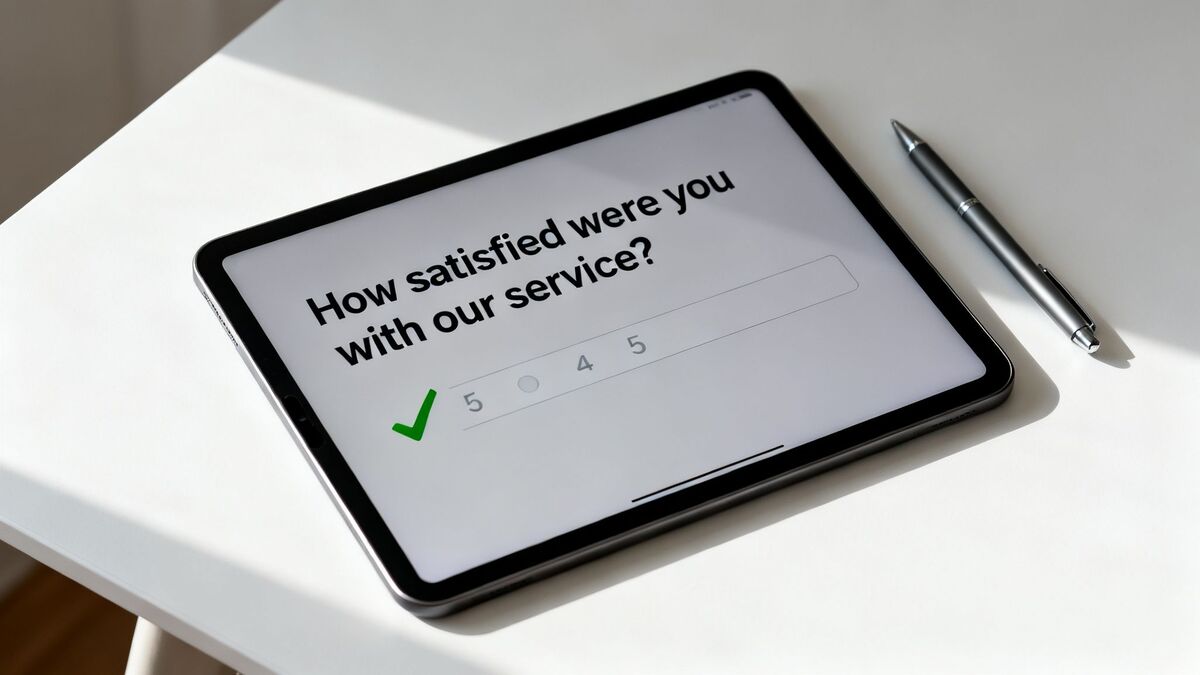
This principle ensures that the data flowing into your Feedback Operating System is clean and reliable. For instance, our AI Summaries feature provides instant insights & sentiment analysis, but it can only deliver accurate results if the original responses are based on a clear understanding of the question. Achieving truly clear and concise questions in survey design often comes down to mastering conciseness in writing, making every word count.
Putting Clarity into Practice
Vague, academic, or jargon-filled language is the enemy of good survey data. Always opt for simple, direct language that anyone can understand. This isn't about "dumbing down" your questions; it's about making them accessible to everyone, regardless of their background or familiarity with your industry's terminology.
Before: "To what extent do you find our service delivery mechanisms satisfactory?"
After: "How satisfied were you with our service?"
Before (Restaurant): "Did the thermal properties of the prepared cuisine meet your expectations?"
After (Restaurant): "Was your food hot and fresh?"
Actionable Tips for Clear and Concise Questions
Read Questions Aloud: If a question sounds awkward or is difficult to say in one breath, it's too complicated.
Avoid Double Negatives: Questions like "Do you disagree that our staff was not helpful?" are confusing. Rephrase to "Was our staff helpful?"
Define Necessary Terms: If you must use a term that could be misinterpreted, provide a brief, simple definition.
Steer Clear of Jargon: Even in B2B surveys, avoid internal acronyms or industry-specific terms unless you are certain every respondent will understand them.
Test Your Survey: Before a full launch, have a small, diverse group take the survey and ask for their feedback on which questions were unclear.
2. Use Appropriate Question Types and Scales
Selecting the right question format is as crucial as the question's wording. The type of question-multiple choice, Likert scale, open-ended, or ranking-directly impacts the quality of your data and your ability to analyze it. Using the correct format ensures you capture the right kind of information, whether it's sentiment, preference, or detailed qualitative feedback. This choice is a core component of effective best practices for survey design.
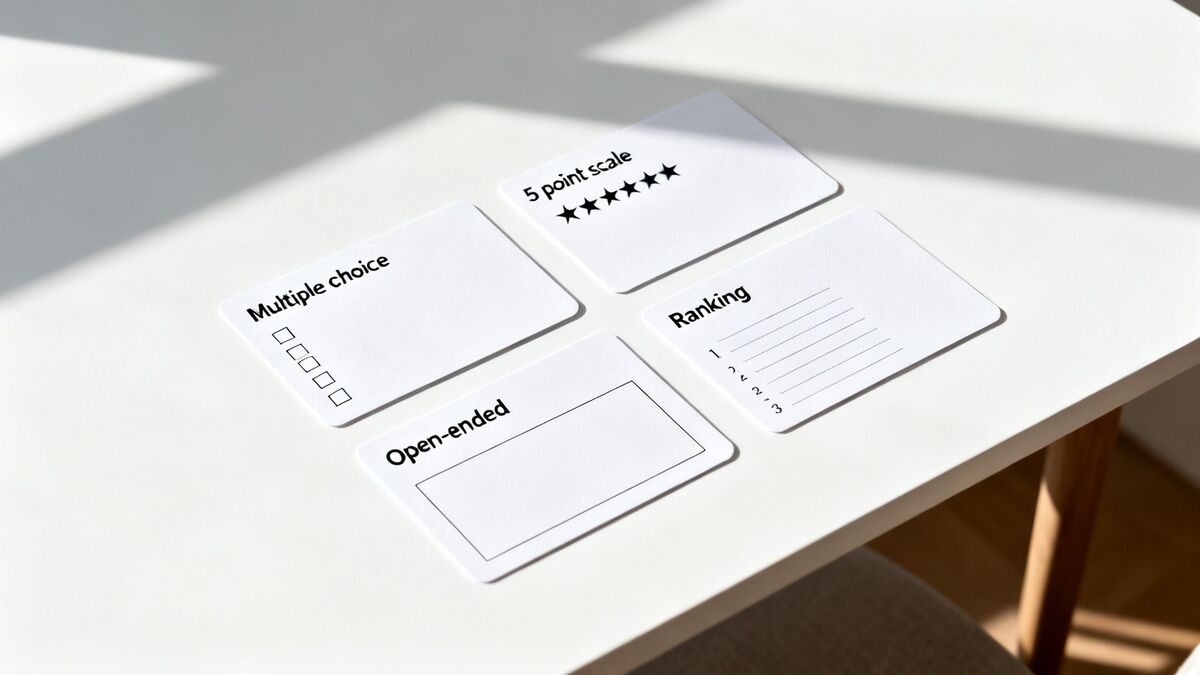
This strategic selection feeds high-quality, structured data directly into your Feedback Operating System. For example, using a standard Likert scale for satisfaction allows AI Summaries to accurately track sentiment trends over time, while an open-ended question provides the rich, nuanced text needed for thematic analysis. The right format powers smarter data collection, leading to faster, more confident action.
Putting Question Types into Practice
Different goals require different tools. A hotel might use the standard 0-10 scale for a Net Promoter Score (NPS) question but then use a 5-point scale for specific amenities like room cleanliness or pool quality. Matching the format to the goal is key to gathering useful metrics.
Retail: Use a quick emoji or star rating scale for the checkout experience, followed by an optional open-ended comment box to capture specific praise or problems.
Restaurant: "How would you rate the quality of your meal?" (5-point Likert scale) followed by "What was the main reason for your rating?" (Multiple choice: Food Taste, Temperature, Presentation, Portion Size).
Actionable Tips for Choosing Scales and Types
Stick to 5-Point Scales: For most satisfaction or agreement questions, a 5-point Likert scale is intuitive for respondents and easy to analyze. You can find excellent Likert scale examples to guide your design.
Include a "Neutral" Option: Including an option like "Neutral" or "No Opinion" prevents respondents from being forced into a choice, which reduces bias and improves data accuracy.
Mix It Up: Keep respondents engaged by mixing question types. Follow a series of multiple-choice questions with a single, compelling open-ended question.
Standardize Where Possible: For metrics you track over time, like NPS or CSAT, always use the industry-standard scale (0-10 for NPS) to ensure your benchmarks are consistent and comparable.
Test for Mobile: Always preview your survey on a mobile device. Complex matrix questions or long scales can be difficult to navigate on a small screen, leading to survey abandonment.
3. Minimize Response Bias and Leading Questions
One of the most critical best practices for survey design is actively eliminating response bias. This distortion occurs when the wording of a question or the structure of its answers subtly pushes respondents toward a specific response, capturing influenced feedback instead of their genuine opinion. Leading questions and loaded language compromise the integrity of your data, making it impossible to trust the insights you gather for important business decisions.
This principle is essential for ensuring the data feeding into your Feedback Operating System is accurate and untainted. Features like Radar, our unified review intelligence dashboard, depend on unbiased feedback to present a true picture of customer sentiment across all channels. If your surveys are biased, the trends and patterns Radar identifies will be fundamentally flawed, leading to misguided strategies.
Putting Neutrality into Practice
Leading questions often contain an assumption or use emotionally charged language that implies a "correct" answer. This is especially damaging in hospitality or healthcare, where a power dynamic can make guests or patients hesitant to offer criticism. Always frame questions neutrally to empower respondents to share their honest experiences.
Before (Leading): "How much did you enjoy our award-winning new menu?"
After (Neutral): "What are your thoughts on our new menu?"
Before (Healthcare): "Our caring doctors provided excellent care during your visit, didn't they?"
After (Healthcare): "How would you rate the quality of care you received from our doctors?"
Actionable Tips to Avoid Bias
Avoid Emotional Words: Steer clear of adjectives with strong connotations like amazing, terrible, exceptional, or awful.
Balance Your Scales: If you offer "Very Satisfied" as an option, you must also offer "Very Dissatisfied" to create a balanced scale.
Rotate Answer Options: For matrix or multiple-choice questions, randomize the order of answers to prevent order bias, where respondents tend to pick the first or last option.
Separate Compound Questions: Don't ask two things in one question (e.g., "Was our service fast and friendly?"). Split it into two separate questions to get clear data on each aspect.
Get a Second Opinion: Ask a colleague or a small focus group to review your questions and identify any language that feels leading or biased.
4. Optimize Survey Length and Completion Time
Survey fatigue is a major obstacle to collecting high-quality feedback. When respondents are faced with a long or time-consuming survey, they are more likely to abandon it halfway through or rush their answers, compromising data quality. Best practices for survey design dictate that a shorter, focused survey completed by many is far more valuable than a comprehensive one completed by a few. For busy customers in hospitality, retail, or healthcare, the window for capturing feedback is often measured in minutes, not hours.
Keeping surveys concise directly improves the volume and quality of data feeding into your Feedback Operating System. By monitoring abandonment rates by question, you can identify where users are dropping off and refine your survey for better performance. This ensures that features like AI Summaries have a robust dataset to analyze, providing you with more accurate and reliable insights into customer sentiment and key trends.
Putting Brevity into Practice
The key is to respect the respondent's time by asking only the most critical questions. Balance the need for detailed information with the practical reality of your audience's attention span. Aim for a survey that can be completed in under three minutes, especially on mobile devices.
Before (Hotel): A 15-question survey covering every aspect of the stay, from check-in to amenities to dining.
After (Hotel): A 3-question survey sent at checkout asking about overall satisfaction, likelihood to recommend (NPS), and an open-ended question for specific comments.
Before (Healthcare): A multi-page post-visit survey with detailed questions about every staff interaction.
After (Healthcare): A focused 90-second survey on care quality, staff courtesy, and wait time.
Actionable Tips for Optimal Survey Length
Prioritize Ruthlessly: Start with your single most important metric (e.g., NPS, CSAT) and build out from there, asking only what is essential.
Use Conditional Logic: Don't ask every user every question. If a customer reports a negative experience, then branch to a follow-up question asking for more detail.
Place Demographics Last: If you need demographic data, place these questions at the end. They are often perceived as less important and can cause early drop-off if asked upfront.
Set Expectations: Clearly state the estimated completion time at the beginning of the survey, such as "This will take about 2 minutes."
Test on Mobile: Before launching, complete the survey on a smartphone to experience the length and flow as your customers will.
5. Design for Mobile-First and Multi-Device Compatibility
In today's connected world, designing surveys for mobile devices is no longer a recommendation; it's a requirement. The vast majority of feedback, especially in hospitality, retail, and healthcare, is given on a smartphone. A mobile-first approach ensures your survey is accessible and easy to complete on smaller screens with touch interfaces, preventing the frustration and high abandonment rates that come with clunky, desktop-first designs.
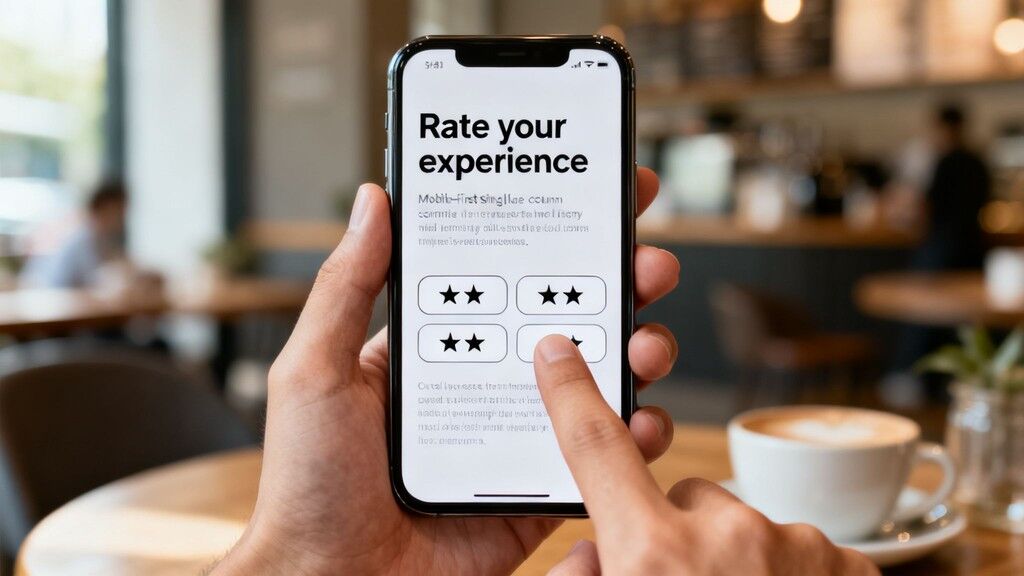
This principle is critical for capturing real-time feedback at the moment of experience, a core strength of FeedbackRobot. For instance, our Prompt to Survey feature often sends an SMS link to a guest's phone moments after checkout. If that survey isn't perfectly optimized for mobile, you lose the opportunity. A seamless mobile experience guarantees that high-quality, in-the-moment data flows directly into your Feedback Operating System.
Putting Mobile-First into Practice
A survey that requires pinching, zooming, or horizontal scrolling on a phone is a failed survey. The goal is a smooth, one-handed completion experience. This means designing for a vertical, single-column layout with large, easily tappable elements.
Before (Retail): A complex grid-style question that requires horizontal scrolling to see all options on a phone.
After (Retail): The same question broken into several single-choice questions that fit a vertical screen.
Before (Restaurant): Small text input boxes that are difficult to type in accurately on a mobile keyboard.
After (Restaurant): Replacing text boxes with large, tappable emoji or star ratings wherever possible.
Actionable Tips for Mobile-First Design
Think Thumb-Friendly: Ensure all buttons, radio inputs, and interactive elements are at least 44x44 pixels to be easily tapped.
Stay Vertical: Design exclusively for a single-column, vertical layout. Avoid any elements that would require a user to turn their phone sideways.
Limit Text Entry: Typing on mobile is cumbersome. Prioritize multiple-choice, rating scales, or tappable options over open-ended text fields.
Test on Real Devices: Don't just rely on a desktop emulator. Test your survey on actual iPhones and Android devices of various sizes to see how it performs.
Check Load Times: Test survey loading speed on cellular connections (3G/4G), not just fast Wi-Fi, to ensure it’s accessible for guests on the go.
6. Establish Survey Timing and Context Appropriateness
The "when" of a survey request is just as critical as the "what." Asking for feedback at the right moment dramatically impacts response rates, data accuracy, and the overall customer experience. A survey sent too soon can feel intrusive, while one sent too late will suffer from memory decay, yielding vague or inaccurate responses. This is a core tenet of effective survey design: meet customers where they are, when they are most receptive to sharing their thoughts.
Proper timing ensures the feedback captured is fresh and contextually relevant, providing high-quality data for your Feedback Operating System. For instance, our Prompt to Survey feature can be configured to trigger based on specific events and time delays, maximizing the likelihood of a thoughtful response. Capturing feedback at the peak of relevance allows AI Summaries to generate more precise and actionable insights from the customer's immediate experience.
Putting Timing into Practice
The ideal moment for a feedback request varies significantly across industries and specific customer interactions. A one-size-fits-all approach doesn't work. The goal is to align the survey with a natural pause or endpoint in the customer journey, making the request feel helpful rather than disruptive.
Hotel: Send a survey via email or SMS 2-3 hours after checkout, allowing the guest to settle before reflecting on their stay.
Restaurant: Request feedback 15-30 minutes after the meal via a text message or a QR code on the receipt, capturing the experience while it's still fresh.
Healthcare: A follow-up survey sent 24 hours after an appointment gives patients time to process the visit and provide considered feedback, avoiding the stress of an immediate in-clinic request.
Actionable Tips for Optimal Survey Timing
Map the Journey: Identify key moments in your customer experience journey (e.g., post-purchase, post-service, post-support ticket) that are ideal for a feedback request.
Consider the Channel: Use SMS or in-app prompts for immediate, in-the-moment feedback. Use email for more detailed, reflection-based surveys 24-48 hours later.
Test and Refine: Experiment with different time windows (e.g., 1 hour vs. 3 hours post-event) to see what yields the highest response rate and quality for your audience.
Segment Your Timing: A first-time customer might benefit from an immediate post-purchase survey, while a loyal regular might be better suited for a less frequent, more comprehensive annual survey. You can learn more about how to refine your approach with effective post-purchase surveys.
Delay for Negative Experiences: If a customer has a frustrating experience, a slight delay can allow emotions to cool, leading to more constructive, less reactive feedback.
7. Implement Progressive Profiling and Data Minimization
Asking a first-time customer for their life story is a surefire way to get them to abandon your survey. Progressive profiling and data minimization are advanced best practices for survey design that respect the respondent's time and privacy. Instead of a long, front-loaded survey, you gather information gradually across multiple interactions, building a richer profile over time without causing fatigue. This approach respects the customer relationship, treating it as a conversation rather than an interrogation.
This method directly enhances your Feedback Operating System by populating customer profiles with valuable context over their entire journey. Each new data point, from their service preference to their visit frequency, enriches the feedback, allowing features like AI Summaries to provide deeper, more segmented insights. You move from knowing what a customer said to understanding who that customer is.
Putting Progressive Profiling into Practice
The core idea is to prioritize the most critical feedback first and save secondary questions for later. This builds trust and increases the likelihood of a response. For example, a hotel’s first survey should focus solely on the immediate stay experience.
Initial Survey (Post-Checkout): "How would you rate your stay?" (NPS) and "What was the best part of your visit?"
Follow-Up Survey (One Week Later): "To help us personalize future offers, were you traveling for business or leisure?"
Future Survey (Pre-Booking): "Are you interested in spa packages or dining reservations for your next stay?"
Actionable Tips for Progressive Profiling
Prioritize Essential Feedback: Always ask your most important question (like satisfaction or NPS) in the very first interaction.
Keep Follow-Ups Short: Subsequent surveys should feel effortless, containing just one or two targeted questions.
Use Conditional Logic: Only ask relevant demographic or profiling questions based on previous answers or known customer data.
Explain the "Why": Be transparent. A simple message like, "To better serve guests like you, please answer one quick question," can dramatically increase response rates.
Pre-fill Known Data: Never ask for information you already have. Use existing data from your CRM or booking system to avoid redundant questions.
8. Use Validation and Logic Branching for Data Quality
Building a "smart" survey that adapts to each respondent is one of the most powerful best practices for survey design. Using data validation and logic branching ensures you receive clean, accurate data while making the experience more relevant and less tedious for your customers. Validation checks that answers are in the correct format (e.g., a number for age, a valid email address), while logic branching (or skip logic) shows or hides questions based on previous answers.
This intelligent routing turns a static form into a dynamic conversation. For a hotel, this means a guest who rates their stay poorly can be immediately asked specific follow-up questions about the issue, while a happy guest can be fast-tracked to a question about their likelihood to recommend. This adaptive questioning provides richer, more targeted feedback, directly fuelling our Resolutions Engine with the precise details needed for effective and automated service recovery.
Putting Validation and Logic into Practice
Logic branching allows you to dig deeper into feedback exactly when it matters most, avoiding irrelevant questions that lead to survey fatigue. It creates a personalized path for each respondent, which improves completion rates and the quality of insights.
Healthcare: If a patient rates their check-in experience as "Poor," a logic branch can trigger a follow-up question: "What part of the check-in process was unsatisfactory? (e.g., Wait time, Staff interaction, Paperwork)." If they rated it "Excellent," they skip this and move on.
Restaurant: If a diner rates food quality as 2 out of 5 stars, a follow-up question appears: "We're sorry to hear that. Which dish did not meet your expectations?" This provides specific, actionable feedback for the kitchen.
Actionable Tips for Smart Survey Logic
Map Your Logic: Before building, sketch a simple flowchart or decision tree of the question paths. This helps you visualize the respondent's journey and avoid dead ends.
Keep It Simple: Avoid overly complex, multi-layered branching that can become confusing to manage and test. Stick to one or two levels of logic where possible.
Test Every Path: Rigorously test every possible combination of answers to ensure all logic branches work as expected before you launch the survey.
Use Piping for Personalization: Reference a previous answer to make the next question more personal. For example: "You mentioned the cleanliness of the bathroom could be improved. Could you provide more details?"
Validate Key Fields: Always use validation for essential contact information like email addresses or phone numbers to ensure your data is clean and usable for follow-up.
9. Incorporate Open-Ended Feedback and Qualitative Capture
While quantitative ratings like numeric scales are easy to track, they only tell you what is happening, not why. The most insightful best practices for survey design always include a qualitative element. Strategically adding open-ended questions allows you to capture the customer's voice, revealing the context and emotion behind their scores. This is where you uncover unexpected issues, pinpoint root causes, and identify specific opportunities for improvement that predefined options would miss.
This verbatim feedback is invaluable for your Feedback Operating System. Our AI Summaries feature thrives on this data, instantly analyzing comments to identify key themes and sentiment without manual effort. This allows you to understand the emotional drivers behind the scores, turning raw feedback into actionable intelligence. To get the most from this approach, it’s critical to understand the nuances of designing effective open-ended surveys.
Putting Qualitative Capture into Practice
The key is to ask the right open-ended question at the right time. Instead of a generic "Comments" box at the end, use targeted prompts that guide the respondent. This approach respects their time while yielding much richer, more specific insights that can directly inform operational changes.
After NPS rating (Detractor): "What is the main reason for your score?"
After NPS rating (Promoter): "What did you love most about your experience?"
Hotel: "You rated room cleanliness as poor. Could you tell us more about what happened?"
Restaurant: "Was there anything we could have done to make your visit perfect?"
Actionable Tips for Open-Ended Questions
Make Them Optional (Usually): Keep completion rates high by making most text fields optional. Only make them mandatory for critical follow-ups on very poor scores.
Ask After Ratings: Position open-ended questions after the respondent has already committed to a quantitative score. This frames their thinking and leads to more focused comments.
Use Specific Prompts: Avoid vague invitations like "Any feedback?" Instead, ask "What could we do better next time?" or "What was the best part of your visit?"
Segment Your Questions: Ask different questions based on the respondent's score. Detractors hold the key to fixing problems, while promoters can highlight what you should double down on.
Consider Modern Formats: For some situations, offering a voice or audio recording option can be easier for customers than typing on a small screen.
10. Ensure Survey Accessibility and Inclusive Design
Accessible survey design ensures all customers can participate equally, including those with disabilities, language barriers, or technology limitations. This practice is about creating a universally usable experience, removing barriers for anyone who wants to provide feedback. From elderly hotel guests to customers with vision impairments or non-native speakers, inaccessible surveys exclude significant segments of your audience, leading to skewed and incomplete data.
This commitment to inclusivity is a core part of effective feedback collection. When your surveys are accessible, the data flowing into your Feedback Operating System is more representative of your entire customer base. This allows tools like AI Summaries to generate insights and sentiment analysis that truly reflect the experiences of all guests, not just a select few. Inclusive design isn't just an ethical imperative; it's a practical necessity for accurate business intelligence.
Putting Accessibility into Practice
Accessibility means designing for a wide range of human abilities. This covers visual needs like color contrast and font size, motor needs like keyboard navigation, and cognitive needs like simple language. The goal is to make the survey experience seamless for everyone, including users who rely on assistive technologies like screen readers.
Before: A survey that uses small, light-grey text on a white background and relies only on red and green colors to indicate correct or incorrect selections.
After: A survey using a high-contrast theme (dark text on a light background), large 18pt sans-serif font, and pairs colors with icons or text labels to convey meaning.
Before (Hotel): A survey link that only works on a modern desktop browser, excluding guests who prefer to use older devices or screen readers.
After (Hotel): A survey built on a WCAG 2.1 compliant platform that is fully navigable using a keyboard and provides clear form labels for screen readers.
Actionable Tips for Inclusive Surveys
Use Compliant Platforms: Choose a survey tool that is WCAG 2.1 AA compliant by default.
Test with Tools: Use accessibility checkers like WAVE or Axe and test with a screen reader like NVDA to identify issues.
Ensure High Contrast: Use color contrast checkers to ensure text is easily readable against its background.
Use Clear Labels: Associate every form field with a clear, descriptive label that screen readers can announce.
Test Keyboard Navigation: Ensure users can tab through every interactive element of the survey in a logical order without a mouse.
Provide Alternatives: Offer alternative feedback channels, such as a phone number or email address, for those who cannot use the digital survey.
Top 10 Survey Design Best-Practices Comparison
Item | Implementation complexity | Resource requirements | Expected outcomes | Ideal use cases | Key advantages |
|---|---|---|---|---|---|
Keep Questions Clear and Concise | Low — focused writing and simple testing | Low — copyediting and small pilots | Higher completion rates; fewer misunderstandings | Broad, general feedback across hospitality, retail, healthcare, services | Reduced ambiguity; faster completion; wider respondent comprehension |
Use Appropriate Question Types and Scales | Medium — choose and calibrate formats | Moderate — A/B tests, analytics setup | Improved measurement validity and comparable metrics | Satisfaction measurement, NPS, behavioral segmentation | Better analytic capability; faster responses; fit-for-purpose data |
Minimize Response Bias and Leading Questions | Medium–High — careful wording and review | Moderate — pre-testing and expert review | More valid, reliable data; reduced systematic error | Sensitive contexts (patient feedback, service performance) | Trustworthy insights; fewer false positives/negatives; compliance safety |
Optimize Survey Length and Completion Time | Low–Medium — prioritize and apply branching | Low — design focus, mobile testing | Higher completion rates; reduced survey fatigue | Point-of-transaction feedback, quick post-visit surveys | Higher response rates; faster time-to-insight; better mobile fit |
Design for Mobile-First and Multi-Device Compatibility | Medium–High — responsive design and QA | Moderate–High — development and device testing | Higher mobile completion; real-time capture | QR/SMS surveys, in-store or on-the-go feedback | Improved accessibility and engagement; fewer abandonments |
Establish Survey Timing and Context Appropriateness | Medium — journey mapping and triggers | Moderate — automation and segmentation tools | More timely and accurate feedback; higher relevance | Post-service follow-ups, trigger-based interactions | Fresh, contextual insights; actionable timing control |
Implement Progressive Profiling and Data Minimization | Medium–High — multi-touch flows and tracking | Moderate — CRM integration, privacy controls | Higher initial completion; gradual profile enrichment | Long-term relationship building, loyalty programs | Privacy-friendly data collection; lower respondent burden |
Use Validation and Logic Branching for Data Quality | High — complex logic and extensive testing | High — engineering, QA, and logic design | Cleaner datasets; more targeted diagnostic responses | Diagnostic surveys, conditional workflows, customer support follow-up | Improved data quality; personalized respondent flows; fewer invalid submissions |
Incorporate Open-Ended Feedback and Qualitative Capture | Low–Medium — placement strategy and analysis setup | Moderate — moderation, AI or human review | Rich contextual insights and unexpected findings | NPS follow-ups, root-cause analysis, service recovery | Deeper understanding; verbatim evidence; qualitative themes for action |
Ensure Survey Accessibility and Inclusive Design | Medium–High — WCAG compliance and inclusive UX | Moderate–High — accessibility expertise and testing | Broader participation; legal and ethical compliance | Diverse audiences, regulated sectors, older or disabled users | Inclusive reach; better data representativeness; improved brand trust |
Turn These Best Practices Into Your Competitive Advantage with FeedbackRobot
You've just navigated the essential landscape of survey creation, from the fundamentals of question clarity to the advanced nuances of logic branching and inclusive design. Mastering these ten best practices for survey design is no longer a "nice-to-have" in the competitive hospitality, retail, or service industries; it's the very foundation of a customer-centric strategy that fuels growth. Implementing them transforms a simple questionnaire from a data-gathering chore into a powerful engine for insight, loyalty, and operational excellence.
The core takeaway is that a great survey is a conversation, not an interrogation. It respects the respondent's time, anticipates their needs, and delivers value in exchange for their feedback. By keeping questions concise, designing for mobile-first experiences, and eliminating bias, you create an interaction that feels effortless and reinforces a positive brand perception. The goal is to move beyond collecting data points and start building a comprehensive, real-time understanding of the customer journey.
From Theory to Action: The FeedbackRobot Advantage
Understanding these principles is the first crucial step. The next is implementing them consistently and at scale without overburdening your team. This is where a dedicated Feedback Operating System becomes indispensable. Instead of manually applying these best practices, FeedbackRobot automates them, embedding expert-level design directly into your workflow so you can focus on what matters most: your customers.
Let's translate these best practices into tangible outcomes with FeedbackRobot:
Effortless Implementation: Forget worrying about question types or mobile optimization. Our Prompt to Survey feature uses AI to turn a simple goal, like "Ask about the new seasonal menu," into a perfectly structured, multi-device compatible survey that adheres to design best practices automatically.
Unified Intelligence: Why keep survey feedback separate from online reviews? Our Radar dashboard provides unified review intelligence, combining signals from a survey response about room cleanliness to a Google review mentioning a friendly barista, into a single, actionable view. This gives you the complete picture of your brand's health.
Instant, Deep Insights: Manually sifting through hundreds of open-ended comments is a monumental task. AI Summaries deliver instant insights & sentiment analysis, doing the heavy lifting by identifying recurring themes like "slow check-in" or "delicious cocktails," allowing you to act faster on what truly matters.
Automated Service Recovery: The most critical feedback requires an immediate response. Our Resolutions Engine powers automated service recovery. When a negative survey response is detected, it can instantly trigger a workflow to alert a manager and send a personalized apology and recovery offer to the guest, turning a potential one-star review into a showcase of exceptional service.
By integrating directly with systems you already use, like Mews or Toast, FeedbackRobot ensures your feedback loop is seamless and powerful. You are no longer just collecting data; you are creating a responsive system that helps you collect smarter, act faster, and grow stronger. The principles we've discussed are your blueprint, and FeedbackRobot is the high-performance toolkit you need to build a stronger, more resilient business.
Ready to turn best practices into your daily practice? Generate your Hotel Management Guest Experience Survey.
What is the most critical best practice for survey design?
Brevity. Every extra question you add decreases your completion rate by 15-20%. Focus only on 'Actionable' questions where the answer will directly lead to an operational change.
How do I avoid 'Survey Fatigue' for regular guests?
Implement frequency caps. Use a system that ensures a loyal guest isn't asked for feedback more than once every 30 or 60 days, even if they visit you multiple times a week.
Is it better to use star ratings or text-based answers?
A hybrid approach is best. Use star ratings for quick data aggregation and one open-ended text box ('What is one thing we could do better?') to capture the specific details that numbers miss.
Should I include a 'NPS' question in every design?
Yes. The Net Promoter Score (NPS) is the gold standard for measuring long-term loyalty and growth potential. It should be the foundation of any hospitality survey design.
How do I ensure my survey looks professional on mobile?
Design for 'Thumbs.' Buttons should be large, text should be readable without zooming, and the interface should be conversational. Most guests will fill this out on their phone while on the move.
Stop reading about it. Let your agent handle it.
25 free AI actions · no credit card required
Start Free