
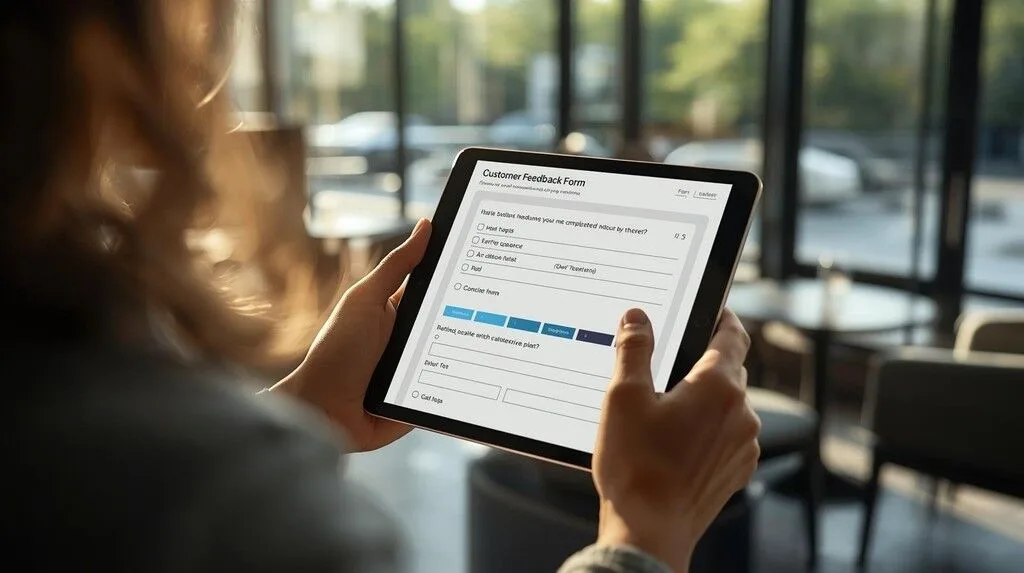
12 Free Customer Feedback Form Templates & Samples (2026)
12 free, copy-paste customer feedback form templates and samples — post-purchase, hotel, restaurant, NPS, website, and more. Download or embed in minutes.

Dec 14, 2025 · 15 min read
Free tool
Customer Feedback Form Template
Build a printable, industry-tailored feedback form and download it in seconds.
Most "feedback form template" guides give you a list of software. This one gives you the actual forms.
Want one you can customise and print right now? Our free customer feedback form builder creates an industry-tailored, print-ready form in seconds — pick your questions, add your logo, download. New to this? Here's how to create an online feedback form from scratch.
Below are 12 copy-paste templates — ready to use in any tool, send via email, print as a QR card, or embed on your site. Each template includes the exact questions, a note on when to use it, and how to deploy it. The software comparison comes after, for anyone who wants to automate the process once they've found the format that works.
Template 1: General Customer Satisfaction Survey
Best for: Any business wanting a baseline satisfaction score across all customers.
When to send: 24–48 hours after a purchase or service interaction.
Questions:
Overall, how satisfied were you with your experience today? (1–5 stars)
What did we do well?
What could we improve?
How likely are you to recommend us to a friend or colleague? (0–10)
Is there anything else you'd like us to know?
Deploy as: Email survey link, QR code at point of sale, embedded on thank-you page.
Template 2: Post-Purchase Feedback Form (E-commerce)
Best for: Online stores, Shopify merchants, D2C brands.
When to send: 3–5 days after confirmed delivery.
Questions:
Did your order arrive on time? (Yes / No / Not yet)
How would you rate the product quality? (1–5 stars)
Did the product match the description on our website? (Yes / Mostly / No)
How was your overall shopping experience? (1–5 stars)
Would you shop with us again? (Definitely / Probably / Probably not / No)
Any comments about your order or our service?
Deploy as: Automated post-delivery email (trigger off Shopify fulfillment event), SMS link, or printed insert in the package with a QR code.
Template 3: Hotel Post-Stay Feedback Form
Best for: Hotels, B&Bs, vacation rentals, serviced apartments.
When to send: Within 2 hours of checkout.
Questions:
How would you rate your overall stay? (1–5 stars)
How was the cleanliness of your room? (1–5 stars)
How was the quality of our staff service? (1–5 stars)
Was your room ready on time at check-in? (Yes / No / I used early check-in)
Did anything fall short of your expectations? If yes, please describe.
Would you return for a future stay? (Yes / Maybe / No)
Would you recommend us to others travelling to this area? (Yes / No)
Any specific team members you'd like to recognise?
Deploy as: Email triggered on checkout, QR code on key card sleeve or in-room card, front desk tablet on departure.
For hotels managing reviews across Booking.com, TripAdvisor, and Google simultaneously, hotel reputation management with AI covers how to handle multi-platform feedback at scale without manual monitoring.
Template 4: Restaurant Feedback Form
Best for: Restaurants, cafes, bars, food delivery services.
When to send / display: End of meal (QR on receipt or table card), or within 1 hour of delivery.
Questions:
How would you rate the quality of your food today? (1–5 stars)
How was the speed of service? (Too slow / About right / Very fast)
How was the friendliness of your server? (1–5 stars)
How would you rate the value for money? (1–5 stars)
Would you visit us again? (Yes / Maybe / No)
Is there anything specific you'd like us to change or improve?
Deploy as: QR code on the receipt, table tent card, printed on the back of the menu, or SMS link sent post-visit.
Template 5: Net Promoter Score (NPS) Survey
Best for: SaaS products, subscription businesses, any brand measuring loyalty over time.
When to send: 30 days after first use, then quarterly.
Questions:
How likely are you to recommend [Company] to a friend or colleague? (0–10 scale)
If 0–6 (Detractor): What's the main reason for your score? What would need to change?
If 7–8 (Passive): What would make you more likely to recommend us?
If 9–10 (Promoter): What do you love most about us? Would you be willing to leave a review?
Note: The follow-up question should be conditional on the score — don't ask a Detractor the same question as a Promoter. Most survey tools support branching logic for this.
Deploy as: In-app prompt, email, or SMS. NPS scores should be tracked over time — a single snapshot is not useful. Track monthly or quarterly trends.
For the full framework behind NPS and how to interpret your score, see what is a good net promoter score.
Template 6: Customer Support / Service Recovery Form
Best for: Any business following up after a complaint, support ticket, or negative interaction.
When to send: 24 hours after a support ticket is closed or a complaint is resolved.
Questions:
Was your issue resolved to your satisfaction? (Yes / Partially / No)
How would you rate the speed of our response? (1–5 stars)
How would you rate the professionalism of the team member who helped you? (1–5 stars)
Is there anything we could have done better?
How do you feel about our brand now compared to before this issue? (Better / Same / Worse)
Deploy as: Automated email triggered when a support ticket status changes to "Resolved." This is one of the most important touchpoints — a customer whose issue is well-handled is more likely to leave a positive review than one who never had a problem.
Template 7: Website / App Experience Feedback
Best for: SaaS companies, e-commerce sites, apps wanting product feedback.
When to show: After a key action (first login, first purchase, first use of a feature), or on exit intent.
Questions:
How easy was it to find what you were looking for today? (1–5 stars)
Did you complete what you came here to do? (Yes / No / Partially)
If no — what got in the way?
How would you rate your overall experience on our site / app today? (1–5 stars)
Any suggestions for improvement?
Deploy as: In-app modal, exit-intent pop-up, or embedded at the bottom of a key page.
Template 8: Healthcare / Medical Practice Patient Feedback
Best for: GP practices, dental clinics, physio, specialist clinics, wellness centres.
When to send: Within 24 hours of an appointment.
Questions:
How would you rate your overall experience at our practice today? (1–5 stars)
How easy was it to book your appointment? (1–5 stars)
How long did you wait past your appointment time? (No wait / Under 10 min / 10–20 min / Over 20 min)
How would you rate the manner and communication of your practitioner? (1–5 stars)
Did you feel your concerns were listened to and addressed? (Yes / Mostly / No)
Would you recommend our practice to a friend or family member? (Yes / Maybe / No)
Any additional comments?
Important: Do not ask patients to leave a public review in this form. Route satisfied patients separately. HIPAA and equivalent regulations restrict what can be included in follow-up communications — keep this form general and never reference specific treatments in automated messages.
Template 9: Event Feedback Form
Best for: Conferences, workshops, corporate events, pop-ups, classes.
When to send: Within 2 hours of the event ending, while it's still fresh.
Questions:
How would you rate the event overall? (1–5 stars)
How relevant was the content to your needs? (Very / Somewhat / Not very)
How would you rate the organisation and logistics? (1–5 stars)
What was the highlight of the event for you?
What would you change for next time?
Would you attend another event from us? (Yes / Maybe / No)
Deploy as: QR code on the event programme or signage, SMS blast at the close of the event, email within the hour.
Template 10: Retail / In-Store Experience Feedback
Best for: Physical retail stores, showrooms, pop-up shops.
When to collect: At point of sale (on a tablet or via QR on the receipt).
Questions:
How was your in-store experience today? (1–5 stars)
Were our staff helpful and knowledgeable? (1–5 stars)
Did you find what you were looking for? (Yes / Mostly / No)
How would you rate the store layout and presentation? (1–5 stars)
Would you visit our store again? (Yes / Maybe / No)
Any comments or suggestions?
Template 11: Professional Services Feedback Form (Agency / Legal / Accounting)
Best for: Agencies, law firms, accountants, consultants, architects.
When to send: At project completion or matter close.
Questions:
How satisfied were you with the outcome of this project / engagement? (1–5 stars)
How would you rate our communication throughout? (1–5 stars)
Did we deliver on time and to the agreed scope? (Yes / Mostly / No — and if no, please explain)
How would you rate the value for the fee paid? (1–5 stars)
Would you engage us again for future work? (Yes / Probably / No)
Would you be willing to refer us to a colleague or contact? (Yes / Maybe / No)
Any feedback you'd like to share with our team?
Note: Asking "would you be willing to refer us" at the end of a completed project is the highest-converting review request moment in professional services. Follow up with a Google review link if they say yes.
Template 12: Employee / Internal Feedback Form
Best for: Team check-ins, post-project retrospectives, pulse surveys.
When to send: Monthly or after a major project wraps.
Questions:
How supported do you feel by your manager? (1–5 stars)
Do you have the tools and information you need to do your job well? (Yes / Mostly / No)
How would you rate team communication over the past month? (1–5 stars)
What's one thing we should start doing that we currently don't?
What's one thing we should stop doing?
How likely are you to still be working here in 12 months? (0–10)
Deploy as: Anonymous link shared in Slack or email. Anonymity is important here — honest answers require it.
What Makes a Good Customer Feedback Form
The templates above work because they follow the same principles. If you're building your own:
Lead with a rating question. A 1–5 star or 0–10 scale question first gives you a quantifiable baseline and warms the respondent up. Open-ended questions get better answers when they come second.
Keep it under 3 minutes. 5–7 questions maximum. Every question you add reduces completion rate. Ask only what you'll act on.
Ask one thing per question. "How was the food and service?" is two questions. Split them. Compound questions produce unreliable data.
Include one open text field. Structured questions tell you how you're doing. Open text tells you why. Always include at least one optional free-text box at the end.
Make the CTA personal. "Help us improve" outperforms "Fill out our survey" because it explains why the respondent's input matters.
Time it right. Feedback collected within 24 hours of an experience is 3–5× more accurate than feedback collected a week later. Automate the timing wherever possible.
How to Deploy These Templates
QR codes
Print a QR code linked to your form on receipts, table cards, hotel key sleeves, or in-store signage. This is the highest-converting collection method for physical businesses — the customer fills it out while the experience is fresh. For a QR code generator that links directly to a feedback form, see FeedbackRobot's QR code survey tool.
The most common method. Effective when timed correctly — within 24 hours for hospitality, 3–5 days for e-commerce, immediately after a support interaction. Keep the email short: one sentence of context, one prominent CTA button. Don't embed the full form in the email body.
SMS
Higher open rates than email (98% vs ~30%) but higher friction to set up and more intrusive if not expected. Works best for businesses that already have a text-based relationship with the customer (restaurants, salons, service businesses).
Embedded on your website
Post-purchase pages, thank-you screens, and "how did we do?" landing pages all convert well. The form should be short enough to complete without scrolling.
In-app
For SaaS products, trigger a feedback prompt after a key action (first successful use, upgrade, or after support is closed). In-app surveys get the highest completion rates because the context is immediate and the ask feels relevant.
How to Automate Feedback Collection and Response
Manually sending these forms works at small scale. Once you're across multiple locations, platforms, or customer touchpoints, the manual approach breaks down. A negative review goes unanswered for two days. A survey gets sent a week late. The data sits in a spreadsheet nobody reads.
A feedback automation platform handles the timing, routing, and response automatically:
Sends the form at the right moment — triggered by your POS, e-commerce platform, booking system, or Stripe transaction
Routes negative responses privately — unhappy customers get a personal follow-up before they leave a public review
Drafts responses to public reviews automatically — AI writes empathetic responses to new reviews within minutes, flagged for your approval
Turns your best feedback into social content — top reviews converted to graphics, ready to post
Surfaces trends across all your feedback — instead of reading hundreds of responses manually, AI extracts recurring themes and flags what needs attention
For businesses that want a shorter, more frequent check-in format, pulse surveys complement a full feedback form. Our pulse survey questions + free template covers 50 questions across customer, employee, and hospitality contexts.
FeedbackRobot connects to 20+ review platforms and your existing tools (Shopify, Stripe, Salesforce, QR code) to run this automatically. Start a free trial — 25 AI actions included, no credit card required.
For a broader look at how to build a feedback collection system, how to collect feedback from customers covers the full channel strategy — email, SMS, QR, and in-app compared.
For best practices on designing surveys that get responses, see customer satisfaction survey best practices.
Free Tools to Build and Send These Templates
If you want to build these forms yourself before committing to a platform, here are the most commonly used free options:
Google Forms — free, unlimited responses, easy to share via link or QR. No automation or review routing.
Typeform — conversational format, higher completion rates than traditional forms. Free tier limited to 10 responses/month.
Tally.so — generous free tier, clean design, embeddable. Good for small businesses.
SurveyMonkey — widely used, limited on the free tier (10 questions, 40 responses). Better for research surveys than operational feedback.
FeedbackRobot — purpose-built for customer feedback with built-in review monitoring, AI response drafting, and multi-platform collection. Free trial includes 25 AI actions.
For a full comparison of feedback collection platforms with pricing, integrations, and use cases, see best customer feedback tools 2026.
Best Tools for Customer Feedback Forms: Ranked
Once you've chosen your template format, you need a platform to send, collect, and act on the responses. Here's how the main options compare — from basic form builders to full feedback operating systems.
1. FeedbackRobot — Best for businesses managing reviews alongside feedback
FeedbackRobot goes beyond form building. It connects your feedback forms to your public review platforms (Google, TripAdvisor, Yelp, Booking.com, Facebook, Shopify, Stripe) so that every piece of feedback — whether from a survey, a QR code, or a public review — lands in one inbox.
Standout features:
Sends feedback forms via QR code, email, bulk import, or post-purchase trigger
AI drafts responses to negative reviews in under 2 minutes — across all connected platforms
Routes unhappy customers to a private resolution flow before they reach Google or TripAdvisor
Turns your best reviews into branded social content automatically
Tracks sentiment trends across all feedback sources in one dashboard
Best for: Hotels, restaurants, retail groups, and any multi-location business that needs to collect feedback AND manage its reputation in one place.
Pricing: Free (25 AI actions) · Agent Pro $99/mo · Agent Advanced $249/mo · Agent Enterprise $599/mo
Start free — no credit card required →
2. Typeform — Best for high-completion conversational surveys
Typeform's one-question-at-a-time format produces completion rates significantly above traditional multi-question forms. The interface is clean and mobile-friendly, and the brand feels modern. It works well for NPS surveys, onboarding feedback, and post-purchase flows where the experience itself should feel premium.
Limitations: The free tier caps at 10 responses per month — essentially a demo. The Basic plan ($29/mo) allows 100 responses. Expensive for high-volume feedback collection and no built-in review management.
Best for: SaaS companies, agencies, and brands where the survey experience itself is part of the brand.
3. Google Forms — Best free option for simple collection
Google Forms is free, unlimited, and requires no setup. You can build a functional feedback form in under 5 minutes, share it via link or QR code, and responses flow into a Google Sheet automatically. For small businesses or one-off feedback collection, it does the job.
Limitations: No conditional logic, no automation, no integration with review platforms, and the design is generic. Respondents know it's a Google Form and it can feel impersonal. No way to route responses or trigger follow-up actions.
Best for: Small businesses needing a quick, free solution with no volume limits.
4. SurveyMonkey — Best for research-grade surveys
SurveyMonkey is the most widely recognised survey tool and excels at research surveys — employee satisfaction, market research, academic studies. It has strong analytics, advanced question logic, and a large template library.
Limitations: The free tier is severely restricted (10 questions, 40 responses). Pricing jumps quickly — the Advantage plan is $39/mo. Designed for surveys, not operational feedback loops. No review platform integration.
Best for: Larger organisations running periodic research surveys rather than ongoing operational feedback collection.
5. Tally — Best free option with a clean design
Tally offers a genuinely generous free tier — unlimited forms, unlimited responses, and a clean design that doesn't scream "free tool." It embeds well, supports conditional logic, and integrates with Notion, Google Sheets, and Zapier. For a small business that needs something better than Google Forms but can't justify a paid tool, Tally is the strongest free option.
Limitations: No native review management, no multi-platform monitoring, no AI response drafting. A form builder, not a feedback system.
Best for: Startups, freelancers, and small businesses wanting a polished free form builder.
6. JotForm — Best for complex, multi-step forms
JotForm handles complex form requirements well — multi-page forms, payment collection, file uploads, e-signatures, and conditional branching. If your feedback process involves more than a few questions or needs to trigger a payment or document, JotForm covers it.
Limitations: The free plan limits you to 5 forms and 100 monthly submissions. The interface has more depth than most businesses need for straightforward feedback collection.
Best for: Businesses with complex intake or feedback processes that go beyond standard survey questions.
7. Hotjar — Best for website and app feedback
Hotjar combines feedback forms with heatmaps, session recordings, and funnel analysis — making it the strongest choice specifically for website and product feedback. You can trigger a short survey when someone is about to leave a page, after a specific user action, or at a defined scroll depth.
Limitations: Designed for digital product feedback only. No QR code delivery, no post-purchase email surveys, no review platform integration. The free plan is limited in feedback responses.
Best for: Product teams and SaaS companies wanting feedback tied to specific user behaviour on their site or app.
8. Delighted — Best for NPS-only programmes
Delighted is purpose-built for NPS (Net Promoter Score) surveys. The setup is genuinely fast — you can be sending NPS surveys in under 10 minutes — and the benchmarking data by industry is useful for context. The interface is clean and the reports are easy to read.
Limitations: Does one thing (NPS) very well. If you need more than NPS — CSAT, post-purchase, operational feedback — you'll need a second tool. The free plan allows 250 responses per month.
Best for: SaaS and subscription businesses running a dedicated NPS programme alongside another feedback tool.
How to Choose the Right Feedback Form Tool
The right tool depends on three things: where your customers are, what you want to do with the responses, and whether you're managing public reviews alongside internal feedback.
If you're a physical business (hotel, restaurant, retail, healthcare) dealing with Google and TripAdvisor reviews: FeedbackRobot connects both sides — collection and reputation — in one place.
If you're a SaaS or digital product collecting in-app feedback: Typeform or Hotjar, depending on whether you want conversational forms or behaviour-triggered surveys.
If you just need something free that works: Tally for forms, Google Forms if you already live in Google Workspace.
If you're running NPS specifically: Delighted for simplicity, or FeedbackRobot if you want the NPS score alongside review monitoring.
How many questions should a customer feedback form have?
3–7 questions is the sweet spot. Fewer than 3 and you don't have enough signal; more than 10 and completion rates drop significantly. Lead with the most important question (usually an overall satisfaction rating), then follow up with 2–3 specific questions, and close with one open-ended comment field.
What's the best time to send a feedback form?
Within 24 hours of the experience for hospitality and restaurants; within 3–5 days for e-commerce (give time for delivery); immediately after a support interaction closes; and at the 30-day mark for SaaS products (once the user has had time to form an opinion).
What's the difference between a feedback form and a survey?
A feedback form is short, transactional, and tied to a specific interaction — a purchase, a stay, a support ticket. A survey is longer and designed to explore attitudes or gather research data. Feedback forms get higher completion rates because they're contextually relevant. Most businesses need feedback forms, not surveys.
Should feedback forms be anonymous?
It depends on what you want to do with the responses. Anonymous forms get more honest answers. Named forms let you follow up and close the loop. For operational feedback (what went wrong, what to improve), anonymous works. For relationship management (turning a bad experience into a good one), you need an email or name so you can respond personally.
How do I get more people to complete my feedback form?
Keep it short (under 3 minutes), ask at the right moment (peak of experience, not days later), make the ask personal rather than automated-feeling, and explain why their feedback matters. Completion rates also improve significantly when you follow up — customers are more likely to fill out a form if they've seen evidence you act on responses.
Can I embed a feedback form on my website?
Yes. Most feedback tools generate an embed code you paste into your site or Framer/Webflow/Shopify page. FeedbackRobot's survey tool generates an embeddable form you can add to a post-purchase page, a thank-you screen, or a dedicated feedback page. It captures responses and routes negative ones to a private resolution flow before they reach public review platforms.
Put this on autopilot
Feedback Form Template
A ready-made FeedbackRobot automation that runs this for you — deploys free in under 5 minutes.
Stop reading about it. Let your agent handle it.
25 free AI actions · no credit card required
Start Free

![How to Measure Customer Satisfaction Without Surveys [10 Methods]](/images/legacy/HZ9HoLgQGt0VJJpCMqdS6vtTcAE.webp)