7 Standout Testimonial Page Examples to Build Trust and Drive Bookings
Discover 7 powerful testimonial page examples from top service businesses. Learn how to collect and display reviews that convert browsers into loyal customers.

Jan 6, 2026 · 20 min read
Free tool
Review-to-Social Image Generator
Transform your best reviews into designed social posts ready to publish.
In the hospitality and service industry, trust isn't a bonus; it's your bottom line. As a busy owner, you know that a generic 'what our clients say' page won't cut it. Your potential customers are looking for authentic, compelling proof that you deliver on your promises. This social proof is your single most powerful asset. To harness it, you need to turn satisfied guests into your most effective marketers, using strategies to turn satisfied shoppers into a loyal army of fans.
But let's be honest: collecting, managing, and showcasing that feedback often feels like another full-time job you don't have time for. How do you turn a five-star Google review or a positive comment from a guest into a compelling asset on your website? You need an operating system. This article provides actionable testimonial page examples, showing you exactly why they work and how you can replicate their success—without hiring a developer.
For each example, you’ll find a screenshot, a direct link, and a strategic analysis of what makes it effective for a service business owner like you. We’ll cover design, copy, and the trust signals that convert visitors into paying customers. More importantly, we’ll show you how to automate the entire process using a Feedback Operating System. Imagine automatically capturing reviews, using AI Summaries to pull out key sentiment, and displaying it all on a stunning, self-updating feedback wall. It's time to collect smarter, act faster, and grow stronger.
1. FeedbackRobot: The Feedback Operating System
FeedbackRobot stands out because it's not just another tool for displaying testimonials—it's a comprehensive Feedback Operating System designed to turn customer voices into your primary growth engine. For busy hospitality, retail, and service owners, it provides an all-in-one solution to manage reputation, recover service failures, and improve operations based on real-time guest sentiment.
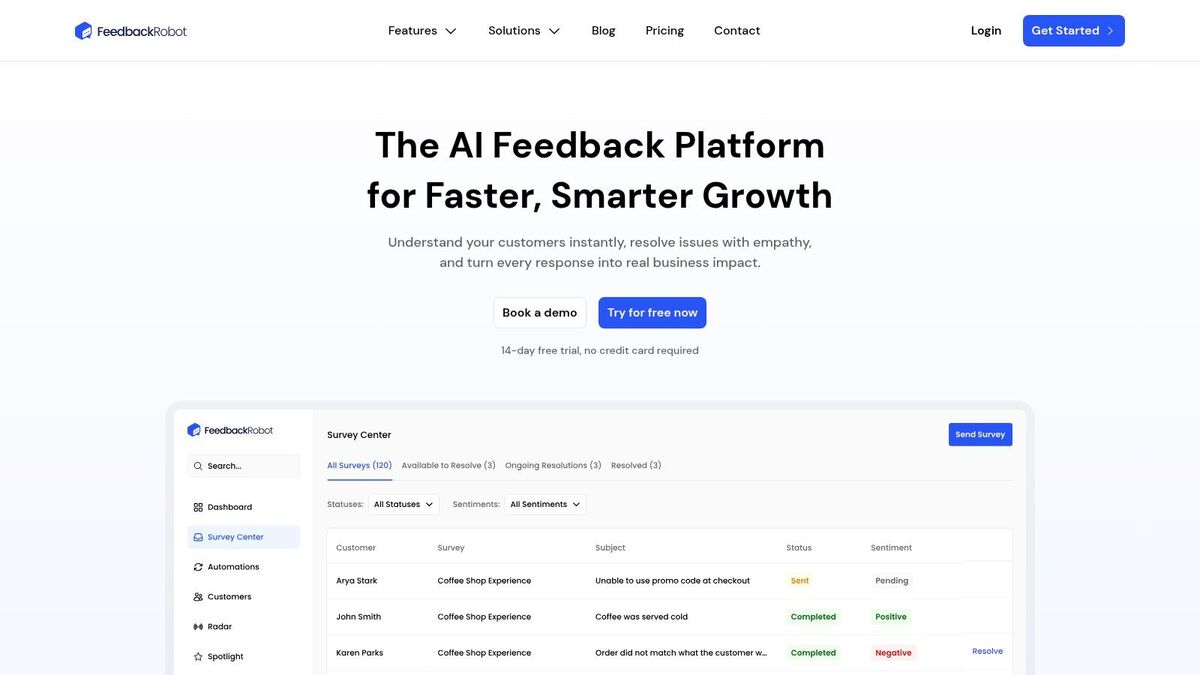
Unlike static testimonial pages that quickly become outdated, FeedbackRobot makes your social proof dynamic and actionable. It excels by integrating the display of feedback with the collection and management systems, creating a seamless loop that powers business intelligence. This positions it as one of the most strategic testimonial page examples available today.
Strategic Analysis: Why It Works for Your Business
FeedbackRobot’s approach is built for operators who need results, not more busywork. The platform is designed to help you collect smarter, act faster, and grow stronger. Here's how:
Unified Intelligence with Radar: Stop logging into a dozen different sites. Our Radar feature is a unified review intelligence dashboard that pulls in reviews from across all platforms (Google, Yelp, TripAdvisor, and more) into one simple view. This gives you a 360-degree look at your reputation, so you can instantly spot trends and identify your best advocates.
Instant Insights with AI Summaries: Don't have time to read hundreds of reviews? You don't have to. AI Summaries use powerful sentiment analysis to instantly identify positive feedback themes and pull out the most impactful quotes. This is how you find your happiest customers and pinpoint the exact words that highlight your strengths, saving hours of manual work.
Proactive Collection with Prompt to Survey: Don't just wait for reviews to happen. Our Prompt to Survey feature lets you proactively ask for feedback at the perfect moment in the customer journey, ensuring a steady stream of fresh, relevant testimonials.
Automated Service Recovery with the Resolutions Engine: A negative experience doesn't have to become a bad review. Our Resolutions Engine automates service recovery by detecting negative sentiment and triggering workflows to make things right. This process not only prevents bad reviews but often generates powerful testimonials about your excellent customer service, actively creating positive stories to share.
Key Takeaways and Replicable Strategies
FeedbackRobot’s platform offers several actionable strategies that any service business can use to supercharge its own testimonial page.
Automate Your Showcase: Don't let your testimonial page go stale. Use tools like FeedbackRobot’s Spotlight: Feedback Wall to automatically stream your latest 4- and 5-star reviews directly to your website. This ensures your social proof is always current and authentic.
Integrate Collection with Display: Place feedback collection points (like QR codes or email survey links) strategically throughout the customer journey. Connect the backend directly to your website display, creating an automated pipeline from happy customer to public advocate.
Leverage All Your Channels: Use the Radar feature to monitor reviews across the web. When you find a glowing review on a third-party site, reach out to that customer for permission to feature their comments on your own testimonial page. You can discover more tactics for leveraging feedback by learning how to share positive customer reviews on social media.
Platform and Pricing Overview
FeedbackRobot is accessible to businesses of all sizes with a transparent, tiered pricing model.
All plans come with a 14-day, no-credit-card-required free trial, making it easy to test the platform’s full capabilities risk-free. This combination of powerful, AI-driven features and a scalable structure makes FeedbackRobot a top-tier choice for any business serious about leveraging customer feedback for growth.
2. Testimonial.to
For businesses seeking a purpose-built solution to create a vibrant, engaging home for their customer feedback, Testimonial.to offers a powerful and streamlined platform. It specializes in helping you collect video and text testimonials and then showcase them on a dedicated, branded "Wall of Love" page. This makes it one of the strongest testimonial page examples for teams who need a fast, hosted solution without touching a line of code.
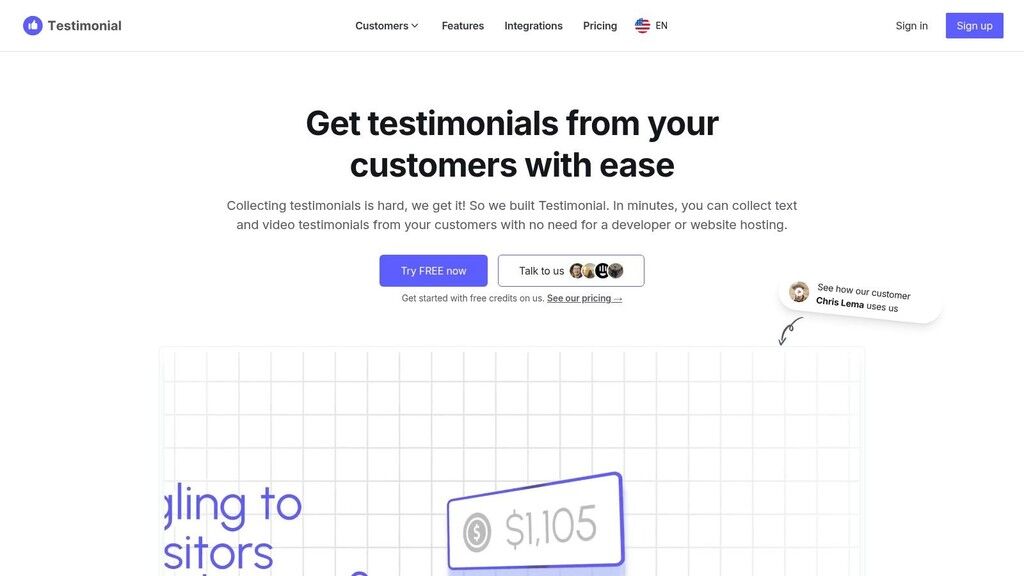
This tool excels at centralizing social proof. You can import existing testimonials from sources like X (formerly Twitter), LinkedIn, and G2, or use their collection forms to gather new ones. The platform's strength lies in its blend of automation and editorial control, allowing you to curate the best feedback and present it beautifully.
What Works & Why
Diverse Layouts: Testimonial.to provides multiple display options, including masonry grids, carousels, and fixed layouts. This visual flexibility ensures your testimonial page aligns with your brand's aesthetic and keeps visitors engaged.
Seamless Curation: The "like to publish" system offers excellent editorial control. You can easily vet all incoming feedback and select only the most impactful testimonials to feature, ensuring your social proof is always on-message.
Easy Integration: Embeddable widgets allow you to strategically place curated testimonials on key conversion pages, like your homepage or pricing page. You can even filter widgets by tags to show the most relevant proof to different audience segments.
AI-Powered Branding: The AI Style Generator is a standout feature. It analyzes your website's CSS to automatically match the embedded testimonial wall to your brand's colors and fonts, saving significant design time.
Key Takeaways for Your Business
Testimonial.to demonstrates the power of a dedicated, visually appealing hub for social proof. Instead of scattering testimonials, a "Wall of Love" creates a single, high-impact destination that builds immense trust.
Strategic Insight: A centralized testimonial page acts as a powerful sales asset. You can link to it from sales emails, marketing campaigns, and proposals to provide overwhelming proof of your value proposition.
For a deeper dive into how to structure these pages for maximum impact, explore these strategies for building a high-converting testimonial landing page.
Quick Implementation Tips
Start with Imports: Immediately populate your Wall of Love by importing existing positive mentions from platforms like X and LinkedIn to build momentum.
Automate Collection: Add a link to your Testimonial.to collection page in your email signatures and post-purchase follow-up sequences.
Use Video First: Prioritize collecting video testimonials. They are more authentic and engaging, and Testimonial.to makes showcasing them simple. Place your most compelling video at the top of your page.
3. Senja.io
For companies looking for a versatile, all-in-one platform to manage customer feedback, Senja.io provides a comprehensive suite of tools. It excels at helping businesses collect, manage, and display video and text testimonials through customizable forms, hosted pages, and a wide array of embeddable widgets. Its feature-rich environment makes it one of the most powerful testimonial page examples for marketers who need maximum flexibility.
Senja.io streamlines the entire social proof lifecycle, from gathering new feedback to publishing it across your digital properties. It offers robust import and sync options from external platforms and provides deep customization for both collection forms and display widgets. This balance of power and ease of use makes it a strong contender for businesses of all sizes.
What Works & Why
Extensive Widget Library: With over 20 widget templates, including sliders, grids, and pop-ups, Senja allows you to showcase testimonials in virtually any format. This ensures your social proof feels native to your site design and grabs visitor attention.
Generous Free Tier: The free plan allows you to collect up to 15 testimonials, making it an excellent way to validate your testimonial strategy without any financial commitment. This is ideal for startups and small businesses.
Automated Collection & Imports: You can create custom collection forms to gather high-quality feedback or import existing reviews from over 15 sources. The auto-sync feature on higher plans keeps your social proof fresh with minimal effort.
Shareable Assets: Senja makes it simple to turn any text or video testimonial into a shareable image or video clip, perfect for social media campaigns on platforms like Instagram, LinkedIn, or X.
Key Takeaways for Your Business
Senja.io highlights the importance of integrating social proof across your entire marketing funnel, not just on a single page. By providing a diverse toolkit of widgets and shareable assets, it empowers you to place the right proof in front of the right customer at the right time, from homepage banners to social media ads.
Strategic Insight: Use different widget styles for different purposes. A dynamic "Wall of Love" builds brand trust on a dedicated page, while a subtle, rotating single-testimonial widget can be placed next to a "Buy Now" button to reduce friction at the point of conversion.
To leverage this multi-channel approach effectively, it's crucial to understand the customer journey and map specific testimonials to key decision-making stages.
Quick Implementation Tips
Test with the Free Plan: Start with the free tier to collect your first 15 testimonials and experiment with different widget styles on your site.
Customize Your Collection Form: Add custom questions to your form to guide customers toward providing specific, high-impact feedback that addresses common objections.
Leverage Social Sharing: Turn your best text testimonials into branded images and share them across your social media channels to amplify your reach. Tag the customer to encourage further engagement.
4. Webflow cloneables (testimonial sections)
For businesses using the Webflow platform, the Made in Webflow library offers a fast-track solution to building stunning, custom testimonial sections without starting from scratch. Instead of a single tool, it’s a vast collection of free, community-built components and templates that can be cloned directly into your project. This approach provides an incredible resource for finding testimonial page examples that are not only inspirational but also immediately usable for designers and developers seeking ultimate creative control.
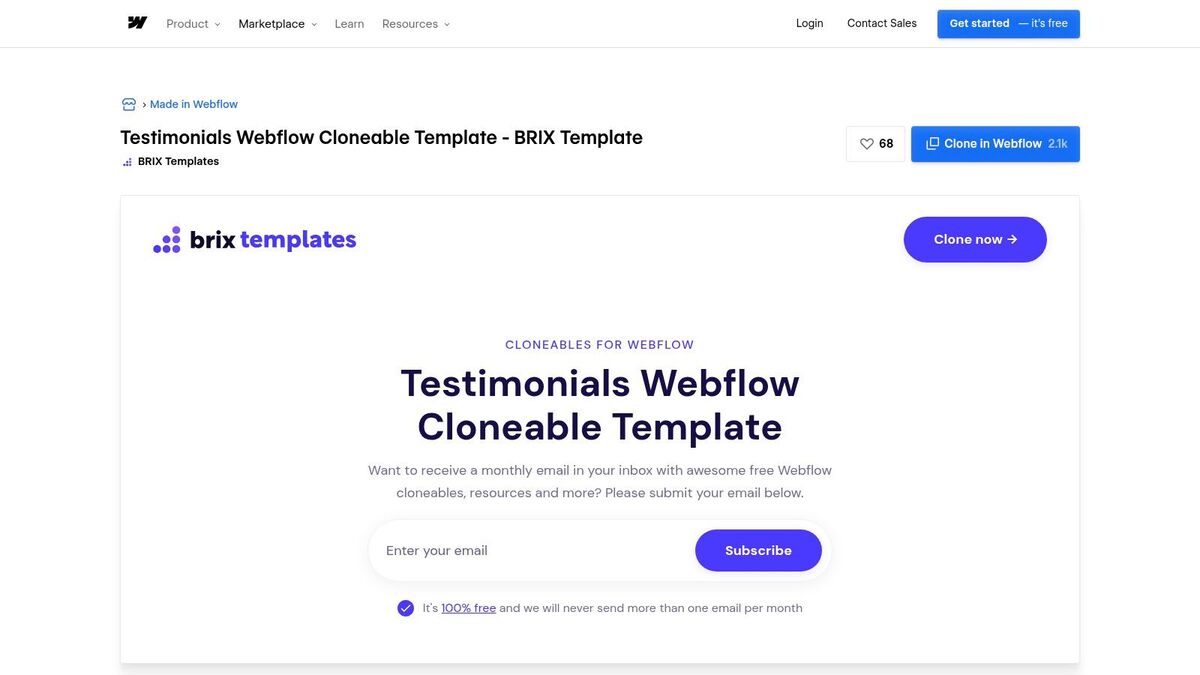
The power of Webflow cloneables lies in their speed and flexibility. You can browse dozens of designs, from minimalist sliders to complex, interactive grids, preview them live, and then copy the entire element with one click. Once cloned, every aspect is fully customizable within the Webflow designer, allowing you to match the layout, fonts, colors, and interactions precisely to your brand.
What Works & Why
Rapid Prototyping: The one-click clone functionality is a game-changer for speed. It allows teams to test multiple testimonial layouts on their actual website in minutes, dramatically reducing design and development time.
Creative Diversity: Because the templates are created by hundreds of different designers, the library contains a massive variety of styles. This ensures you can find a starting point that truly fits your brand, whether it's corporate and clean or bold and artistic.
Full Customization: Unlike fixed widgets, these cloneables provide the complete underlying structure, styling, and interactions. This gives you granular control to modify every detail to perfection, ensuring a seamless fit with your existing site design.
Free and Accessible: The vast majority of these testimonial sections are completely free to clone and use. This makes high-quality design accessible even to businesses with limited budgets, provided they are building on the Webflow platform.
Key Takeaways for Your Business
Webflow cloneables prove that you don't need a massive budget or a dedicated developer to create a unique and professional-looking testimonial page. By leveraging high-quality, pre-built components, you can achieve a bespoke result quickly and focus your resources on collecting the powerful feedback needed to fill it.
Strategic Insight: A custom-designed testimonial section feels more integrated and authentic than a generic, third-party widget. This builds greater trust with prospects because the social proof appears as a natural and core part of your brand's website.
For those looking to build a complete page from these components, explore this guide for a testimonial landing page template to ensure you include all the right elements.
Quick Implementation Tips
Filter and Search: Use keywords like "testimonial," "slider," or "grid" in the Made in Webflow search bar to quickly find relevant cloneable components.
Check Responsiveness: Before cloning, use the live preview to test how the component looks on tablet and mobile devices to ensure it works for all your visitors.
Customize Beyond Color: Once cloned, go beyond just changing text and images. Adjust the interaction speeds, spacing, and border styles to make the component uniquely yours.
5. Landingfolio
For teams focused on the visual design and UI of their social proof, Landingfolio serves as an essential design-centric resource. It's a curated gallery and component library focused on high-quality landing page design, featuring a dedicated section with hundreds of testimonial components. This makes it one of the best testimonial page examples for designers, developers, and marketers looking for inspiration before building their own.
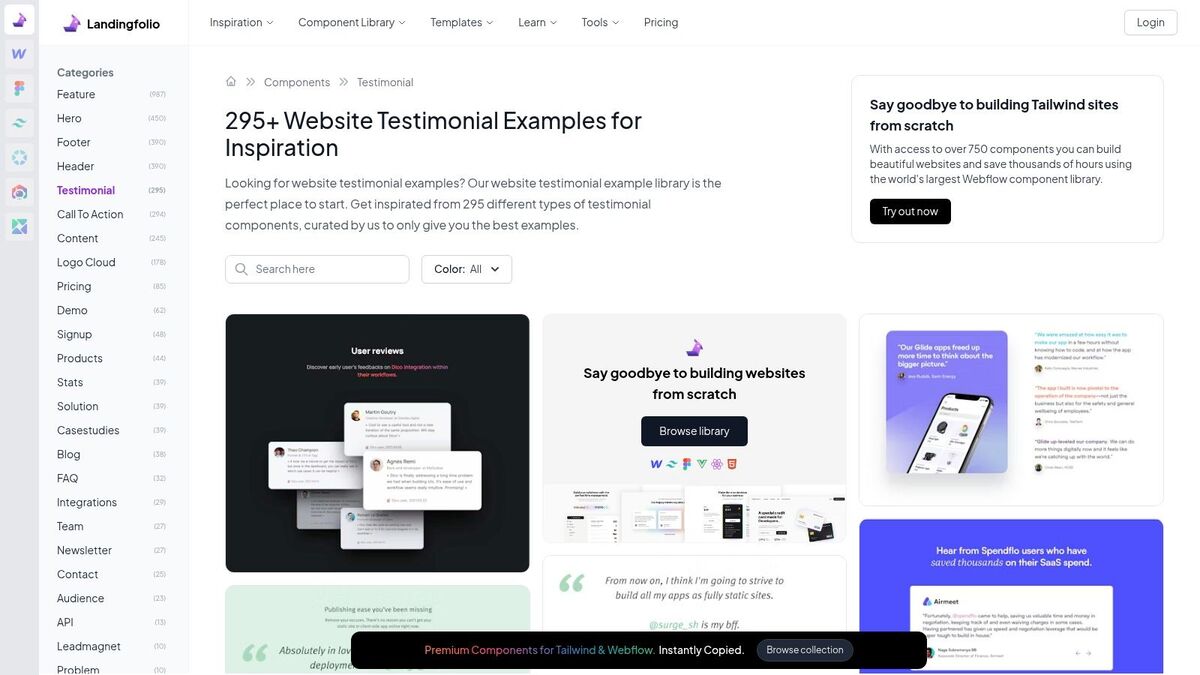
Unlike a software tool, Landingfolio provides a deep dive into the design patterns that make testimonials effective. It allows you to see how top companies integrate quotes, star ratings, and customer photos into their websites. For those ready to build, it also offers paid components and templates for frameworks like Figma and Webflow, bridging the gap between inspiration and implementation.
What Works & Why
Vast Design Library: With over 295 curated examples, Landingfolio offers an unparalleled source of design inspiration. You can analyze patterns, layouts, and visual treatments from successful real-world websites to inform your own design choices.
Actionable Components: The platform provides a direct path from research to execution. You can browse free examples for ideas and then purchase ready-made, professional components to accelerate your development workflow, saving significant time.
Focus on UI/UX Best Practices: By showcasing only high-quality designs, Landingfolio implicitly teaches best practices. You can observe effective uses of whitespace, typography, color, and imagery that build trust and guide the user's eye.
Multi-Framework Support: The paid assets cater to modern development stacks, including Figma, Webflow, and Tailwind CSS. This ensures that the components you purchase can be easily integrated into your existing design and development processes.
Key Takeaways for Your Business
Landingfolio highlights that the presentation of testimonials is just as important as the content itself. A well-designed testimonial section enhances credibility and seamlessly integrates with your brand, while a poorly designed one can look unprofessional and untrustworthy.
Strategic Insight: Use a design gallery like Landingfolio to benchmark your testimonial page against industry leaders. Identify common patterns and unique ideas to ensure your social proof not only builds trust but also reinforces your brand's quality and attention to detail.
Quick Implementation Tips
Conduct a Visual Audit: Before building, browse Landingfolio to identify 3-5 testimonial styles that align with your brand's aesthetic.
Filter by Component: Use the site's filtering to see how testimonials are used in different sections, like hero banners, pricing pages, and dedicated walls.
Prototype First: If you use Figma, consider purchasing a template to quickly prototype different layouts with your actual customer feedback before committing to development.
6. One Page Love
For those in the research and inspiration phase, One Page Love serves as an essential design resource. It’s not a tool for building a testimonial page, but rather a massive, curated gallery of live landing pages that masterfully incorporate social proof. This makes it an invaluable source of testimonial page examples for designers, marketers, and business owners looking to study real-world applications of high-converting layouts, copy, and visual trust signals before building their own.
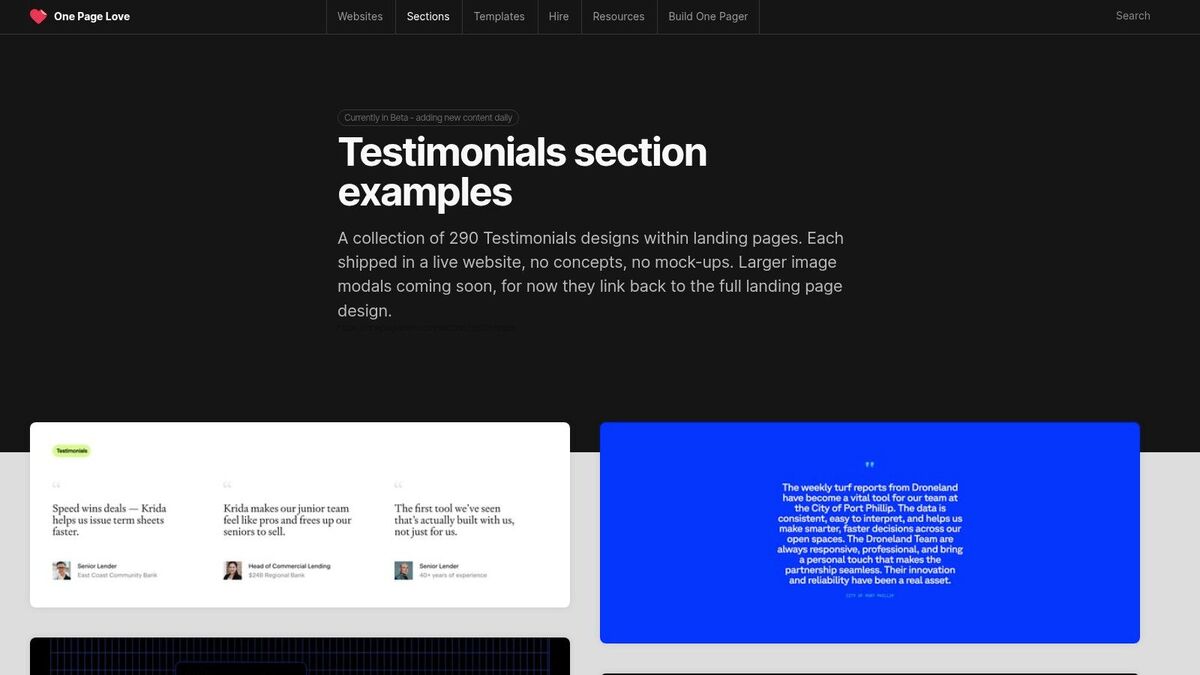
This free resource excels at providing a broad spectrum of visual ideas. You can browse hundreds of examples and click through to see the live websites, allowing you to analyze how testimonials are integrated into a larger conversion-focused design. Its strength lies in providing practical, real-world inspiration that goes beyond generic templates.
What Works & Why
Real-World Context: Unlike abstract templates, One Page Love showcases testimonials within the context of fully designed, live landing pages. This helps you understand how social proof complements other elements like headlines, calls-to-action, and product visuals.
Diverse Design Patterns: The gallery features a wide variety of implementation styles, from simple quote blocks and star ratings to complex, multi-column layouts with customer avatars. This diversity is perfect for brainstorming a unique look that fits your brand.
Focus on Conversion: As a collection of single-page websites, the examples are inherently focused on driving action. You can study how top brands strategically place testimonials near key conversion points to overcome objections and build trust.
Actionable Tutorials: Beyond just inspiration, the site offers practical tutorials on how to effectively request, edit, and display testimonials to maximize their impact on user behavior.
Key Takeaways for Your Business
One Page Love reinforces the idea that there is no single "correct" way to display testimonials. The most effective approach depends on your brand identity, page layout, and strategic goals. Visual research is a critical first step to ensure your design choice is both on-brand and optimized for conversions.
Strategic Insight: Use a visual research gallery like One Page Love to create a "mood board" for your own testimonial page. Collect 3-5 examples you like and identify the common elements that make them effective, then adapt those principles to your own brand.
This process of gathering intelligence before building is central to a modern feedback strategy. Inside FeedbackRobot's Radar, you can see how your own guest sentiment stacks up against competitors, giving you both design inspiration from sites like One Page Love and data-driven insights to guide your messaging.
Quick Implementation Tips
Filter by Use Case: Browse the gallery and look for examples from businesses in your industry or with a similar target audience to find the most relevant inspiration.
Analyze Placement: Pay close attention not just to how testimonials look, but where they are placed. Note examples that position them near pricing, sign-up forms, or feature descriptions.
Deconstruct the Copy: Study the language used in the best examples. Notice how they often highlight specific benefits, outcomes, or solved problems rather than generic praise.
7. Envato Elements
For teams that prefer to design a custom testimonial page from the ground up, Envato Elements serves as a massive creative asset library. It offers thousands of UI kits, web templates, and video templates that can be used to build a unique and professional-looking page. This makes it an ideal resource for businesses with in-house design or development teams who want high-quality starting points rather than a fully-hosted solution.
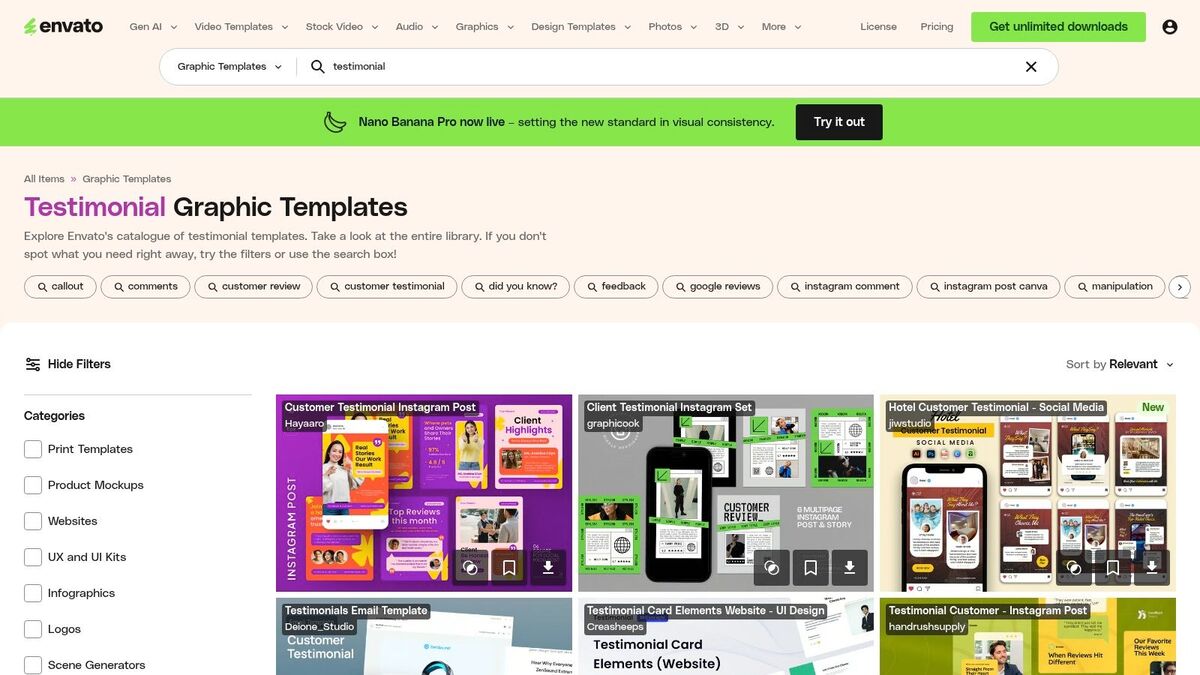
Unlike a dedicated platform, Envato Elements provides the building blocks. You get unlimited downloads of design assets for Figma, Sketch, and Adobe XD, plus video templates for After Effects, with a single subscription. This allows your team to experiment with multiple visual styles and create a cohesive look for testimonials across your website, social media, and marketing videos.
What Works & Why
Extensive Variety: The sheer volume of templates means you can find a design that perfectly matches your brand, from minimalist text-based layouts to dynamic video-centric grids. This is one of the best sources for testimonial page examples if you need creative inspiration.
Multi-Channel Assets: Envato provides templates not just for your website, but also for social media posts, stories, and promotional videos. This helps you maintain brand consistency when sharing social proof across different platforms.
Full Creative Control: Using these templates gives your design team complete control over the final look and feel. You can customize colors, fonts, layouts, and animations to create a truly bespoke testimonial showcase.
Cost-Effective for Creative Teams: A single subscription provides unlimited access to millions of creative assets beyond just testimonial templates, making it a high-value tool for marketing and design departments.
Key Takeaways for Your Business
Envato Elements empowers you to build a custom testimonial page that aligns perfectly with your brand identity. It’s a resource for inspiration and execution, providing the raw materials to create something unique without starting from scratch.
Strategic Insight: Use Envato's diverse templates to A/B test different testimonial layouts on your key landing pages. You can quickly mock up and deploy a grid-style section versus a slider to see which format drives more conversions.
Once your design is live, you can use a tool like FeedbackRobot's Spotlight: Feedback Wall to easily pipe curated reviews directly into your custom-built sections, combining bespoke design with automated content.
Quick Implementation Tips
Filter by Tool: Start your search by filtering for your team’s preferred design tool (e.g., Figma, Sketch) to find compatible UI kits immediately.
Download Multiple Options: Take advantage of the unlimited download model. Grab several templates you like to mix and match elements and find the best combination for your brand.
Look for Bundles: Some creators offer complete UI kits that include testimonial sections alongside other page elements, ensuring visual consistency across your entire website.
Top 7 Testimonial Page Comparison
Item | Implementation complexity | Resource requirements | Expected outcomes | Ideal use cases | Key advantages |
|---|---|---|---|---|---|
FeedbackRobot | Medium — product setup, integrations, automation tuning | Paid tiers (Starter/Growth/Scale), API on higher plans, some technical/admin time | Centralized feedback, automated responses/resolutions, trend insights | Customer experience teams across hospitality, retail, healthcare, services | End-to-end AI workflows, automations, cross-platform dashboards, social widgets |
Testimonial.to | Low — hosted setup and embed code | Subscription tiers (higher tiers unlock advanced features), minimal dev effort | Branded “Wall of Love” pages and embeddable testimonial widgets | Marketing teams wanting fast, curated testimonial pages | Fast hosted pages, editorial controls, easy embeds, AI style matching |
Senja.io | Low–Medium — form/configuration and widget embedding | Generous free tier; paid plans for advanced features, minor setup work | Collected video/text testimonials, hosted walls, widgets, basic analytics | Teams needing video testimonials and ready widgets without coding | Free starter plan, many widget templates, imports and analytics |
Webflow cloneables (testimonial sections) | Low for Webflow users; Medium if exporting to other platforms | Free cloneables; requires Webflow account and design skills to publish | Rapid prototype testimonial layouts and interactions in Webflow | Designers/developers prototyping testimonial sections quickly | One-click cloning, free resources, fast iteration |
Landingfolio | Low for research; Medium to implement purchased assets | Mostly research free; paid components/templates to implement, design integration needed | Design patterns, ready-to-buy components to accelerate builds | Design research and teams buying assets for landing pages | Large curated collection, ability to move from inspiration to purchase |
One Page Love | Very low for browsing; Implementation depends on site tech | Free to browse; implementation requires dev/design resources | Visual research with real-world examples and placement ideas | Conversion-focused UX/UI research and inspiration | Hundreds of live examples, practical tutorials, real-site references |
Envato Elements | Medium — download, customize, and integrate assets | Subscription required for unlimited downloads, design tools (Figma/PSD/etc.) | Ready-made UI kits and video assets with commercial licensing | Teams producing multi-channel visual assets at scale | Vast asset library, commercial license included, multi-format resources |
Stop Admiring, Start Building: Your Automated Testimonial Engine Awaits
We've explored powerful testimonial page examples from a range of businesses. You’ve seen how top operators in hospitality and services leverage social proof to build trust, overcome objections, and turn happy customers into their most powerful marketing asset. The common thread isn't just a beautiful layout; it's a strategic system for capturing, curating, and showcasing the voice of the customer.
But inspiration without action is just entertainment. The real value lies in translating these examples into a growth engine for your own business. It's time to move beyond manually copy-pasting reviews and build a process that works for you, not against you.
From Manual Effort to Automated Growth
The biggest hurdle for busy owners isn't wanting testimonials; it's the time-consuming reality of managing them. Chasing reviews, formatting them, and keeping them fresh is a full-time job. This is where a dedicated system becomes a non-negotiable part of your growth strategy. The goal is to create a seamless flow from customer experience to public-facing proof.
To effectively automate this process, explore the best review management software tools. These platforms can help centralize feedback and streamline the entire workflow.
Your Blueprint for a Powerful Testimonial System
Building your own testimonial engine requires a shift in mindset. Instead of one-off requests, think in terms of a continuous feedback loop.
Systematize Collection: Integrate feedback requests into your customer journey at key moments. This could be post-checkout, after a project milestone, or following a successful support interaction. Don’t just ask, make it easy.
Centralize Your Insights: Your customer feedback is scattered across Google, TripAdvisor, Yelp, social media, and direct emails. A unified dashboard is essential to see the full picture without logging into a dozen different platforms.
Leverage, Don't Just Read: Great feedback should fuel your marketing, while critical feedback should fuel your operations. Every review contains an insight that can either be amplified or addressed.
Showcase with Impact: Finally, publish your best testimonials where they matter most. This includes a dedicated page, your homepage, service pages, and even checkout flows to reduce friction and build confidence at the point of decision.
The FeedbackRobot Difference: Your All-in-One Feedback Operating System
Seeing these incredible testimonial page examples is the first step. The next is implementing a tool that makes it all possible, without the manual busywork. FeedbackRobot is designed specifically for this, providing a complete Feedback Operating System to help you collect smarter, act faster, and grow stronger.
Instead of hoping for reviews, our Prompt to Survey feature empowers you to proactively capture feedback at the perfect moment. All that data, from every source (including direct integrations for hospitality POS systems like Mews or Toast), flows directly into Radar, your unified intelligence dashboard. From there, our AI Summaries instantly distill thousands of reviews into clear sentiment analysis and actionable themes, saving you countless hours.
But we don't stop at insights. If a negative experience is detected, our Resolutions Engine can trigger automated service recovery workflows, turning a potential detractor into a loyal advocate. And for all those glowing reviews? Our new Spotlight: Feedback Wall lets you create a stunning, self-updating testimonial page in minutes. No code, no design skills needed. It's the ultimate tool to turn customer happiness into your most compelling marketing channel.
Ready to transform your customer feedback from a chore into a competitive advantage? Stop chasing reviews and start building an automated engine that drives trust and revenue. Launch your own beautiful feedback wall today and see why the best testimonial pages are powered by smart systems.
Generate your Boutique Hotel Guest Experience Survey.
Tired of posting boring screenshots of Google Reviews? Use our free Boutique Hotel Review Visualizer to create high-impact graphics for Instagram and LinkedIn. Create Yours Now →
What makes a 'Standout' testimonial page?
Standout pages combine high-quality photography, specific 'Success Metrics' (e.g., 'Saved us 5 hours a week'), and verified badges from third-party sites like Google and Yelp to build iron-clad trust.
Should I group testimonials by industry or use cases?
Yes. If you serve different types of customers (e.g., single-location vs. multi-unit), grouping testimonials ensures every visitor sees proof that is relevant to their specific business size and needs.
How many testimonials should be on one page?
Quality over quantity. 5-7 'Hero' testimonials with deep detail are more effective than a wall of 50 generic 'Great Job!' comments that no one will read.
Can I use video testimonials alongside text?
Highly recommended. Video captures the tone and sincerity that text often lacks. Even a short 15-second clip can significantly increase the conversion rate of your landing page.
How do I automate the 'harvesting' of testimonials for my page?
Use your survey data to find your 'Super Promoters' (NPS 10). Automatically trigger a request for a testimonial when a guest gives you a perfect score and leaves a detailed comment.
Stop reading about it. Let your agent handle it.
25 free AI actions · no credit card required
Start Free