Post event survey questions: Your guide to feedback that grows your business
Discover post event survey questions to capture actionable feedback and improve your hospitality business.

Feb 11, 2026 · 18 min read
Free tool
Likert Scale Generator
Generate custom rating scales and survey questions tailored to your feedback needs.
You know feedback is crucial, but are you asking the right questions? Most post-event surveys barely scratch the surface, leaving you with vague scores and no clear path to improvement. As a busy hospitality or service owner, you don’t have time for guesswork. You need to know exactly what delights your guests, what causes friction, and what drives them away—and you need to know it now. This isn’t just about collecting data; it’s about turning every guest’s experience into a tangible growth opportunity.
This guide moves beyond generic advice to provide a strategic bank of post event survey questions designed for action. We'll break down the 8 essential question categories, from overall satisfaction to specific feedback on staff, venue, and value. You'll learn not just what to ask, but how to use each question to get insights you can act on immediately.
We'll also show you how a Feedback Operating System transforms these answers into immediate action. You can use Prompt to Survey to automatically send targeted questions right after a key interaction, like a checkout via Mews or a payment through Toast. Then, AI Summaries instantly analyze thousands of open-ended responses, identifying key themes and sentiment without manual effort. This allows you to pinpoint issues quickly and trigger your Resolutions Engine to initiate automated service recovery, turning a potential negative review into a display of excellent customer care.
For those looking for structured examples and ready-to-use frameworks, exploring various 12 post-event survey templates can provide a strong foundation for your feedback collection. This article provides the building blocks. It’s time to move from collecting feedback to operationalizing it. Let's dive in and learn how to collect smarter, act faster, and grow stronger.
1. Overall Satisfaction & Advocacy (NPS and Recommendation)
This foundational category of post-event survey questions is your fastest path to understanding immediate attendee sentiment and future growth potential. It combines two critical metrics: a numeric overall satisfaction score and a direct question about their likelihood to recommend your event to others. This dual approach, rooted in the Net Promoter Score (NPS) methodology, is powerful because it measures both current happiness and future loyalty.
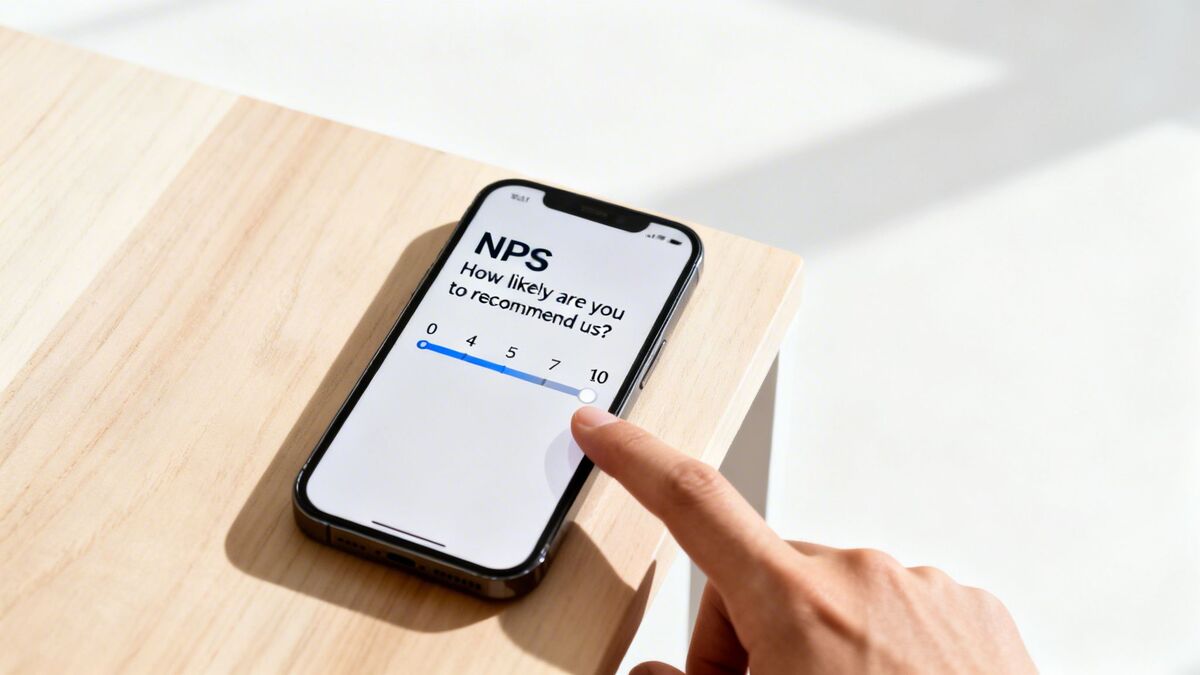
The core idea is to segment your audience into three groups:
Promoters (Score 9-10): Your enthusiastic advocates who will fuel word-of-mouth growth.
Passives (Score 7-8): Satisfied but unenthusiastic attendees who are vulnerable to competitors.
Detractors (Score 0-6): Unhappy participants who can damage your brand through negative reviews.
By identifying these segments, you can turn feedback into immediate, targeted action. A detractor's low score can instantly trigger a workflow in the Resolutions Engine, our automated service recovery feature. The Resolutions Engine automatically creates a ticket, assigns it to a manager, and ensures the issue is addressed before it escalates into a negative online review, protecting your reputation.
Sample Questions & Implementation
Core NPS Question: "On a scale of 0 to 10, how likely are you to recommend [Event Name] to a friend or colleague?"
Overall Satisfaction: "Overall, how satisfied were you with your experience today?" (Using a 1-5 or 1-10 scale)
Open-Ended Follow-Up: "What is the primary reason for your score?" or "What is one thing we could do to make your next experience a 10?"
Actionable Tips for Success
Deploy Instantly: Send this survey within minutes of the event concluding. Use friction-free methods like a QR code at the exit or an immediate SMS link.
Automate Follow-Up: Use your feedback platform to trigger different actions based on the score. Promoters (9-10) should get an automated request for a public review, while detractors (0-6) should trigger an internal service recovery alert.
Analyze the 'Why': Don't just collect scores. Use AI Summaries to instantly analyze the open-ended feedback. AI Summaries provide instant insights & sentiment analysis, revealing key themes from hundreds of comments in seconds, telling you exactly why promoters love you and what you need to fix for detractors.
2. Staff / Service Quality Assessment
Beyond the event's content or venue, the human element is often the most memorable part of an attendee's experience. This category of post-event survey questions zeroes in on the performance of your frontline team—evaluating their professionalism, helpfulness, and knowledge. Gathering this specific feedback is crucial for diagnosing service gaps, identifying star employees, and pinpointing training needs that directly impact guest satisfaction.

The goal is to move beyond a generic "How was the service?" question. Instead, you'll dissect the attendee journey into specific human touchpoints, from check-in and security to catering staff and technical support.
By isolating feedback on staff performance, you can create powerful internal workflows. Consistently low ratings for the check-in process can trigger an alert for the event manager, highlighting a need for more staff or better training. Conversely, glowing comments can be automatically routed to a team recognition channel, boosting morale and reinforcing exceptional service standards.
Sample Questions & Implementation
Overall Staff Rating: "How would you rate the helpfulness and friendliness of our event staff?" (Using a 1-5 star rating or a "Poor" to "Excellent" scale)
Specific Interaction: "Please rate your experience with the registration/check-in team." (Using a 1-5 scale)
Open-Ended Follow-Up: "Was there a specific staff member who made your experience memorable? If so, please share their name and what they did." or "What is one thing our staff could have done better?"
Actionable Tips for Success
Be Specific: Instead of asking about "staff" in general, ask about specific teams like "session moderators," "AV technicians," or "catering staff." This gives you more precise, actionable data.
Automate Recognition & Recovery: Configure your feedback system so positive mentions of specific staff members trigger a recognition alert to their manager. Similarly, negative staff feedback should automatically create a ticket in the Resolutions Engine for immediate follow-up.
Analyze for Training Gaps: Use AI Summaries to instantly analyze all qualitative comments related to your staff. This powerful tool identifies recurring themes, such as a lack of knowledge about the event schedule, revealing clear opportunities for targeted team training.
3. Venue / Facility Conditions & Amenities
The physical environment of your event is the silent partner in the attendee experience. This category of post-event survey questions delves into the tangible aspects of your venue, from cleanliness and comfort to the quality of amenities like Wi-Fi and parking. For any business where the physical space is part of the product—hotels, restaurants, or conference centers—this feedback is a direct indicator of operational excellence.

A poor experience with a basic necessity, like a messy restroom or a freezing conference room, can easily overshadow great content or service, leading to negative sentiment and poor reviews.
Tracking this feedback allows you to identify addressable issues before they become widespread problems. For example, consistent negative mentions of "parking" or "room temperature" across surveys can be instantly flagged by our AI Summaries, alerting your operations team to a recurring pain point. This moves you from reactive problem-solving to proactive facility management.
Sample Questions & Implementation
Overall Facility Rating: "Please rate the overall quality of the event venue." (Using a 1-5 star or emoji scale)
Specific Amenities Checklist: "Please rate your satisfaction with the following amenities:"
Cleanliness of Restrooms
Wi-Fi Speed and Reliability
Parking and Accessibility
Room Temperature and Comfort
Signage and Navigation
Targeted Open-Ended Question: "Was there any aspect of the venue that positively or negatively impacted your experience? Please explain."
Actionable Tips for Success
Automate Operational Alerts: Configure your feedback system to turn specific negative feedback into action. A low score on "Cleanliness of Restrooms" should automatically trigger a task in the Resolutions Engine, assigning a ticket directly to the facilities manager for immediate inspection.
Use Visual Scales: For mobile-first surveys sent via QR code or SMS, use intuitive visual scales like stars or emojis. They are faster for attendees to complete and can significantly boost response rates.
Track Trends with Radar: Use a dashboard like Radar to consolidate all feedback and compare facility performance across different venues or areas. Our Radar feature provides unified review intelligence, helping you identify if a problem is isolated (one dirty restroom) or systemic (a building-wide HVAC issue), allowing for more strategic resource allocation.
4. Value for Money / Price Justification
Beyond general satisfaction, understanding whether attendees perceived the price as fair is crucial for your event's long-term financial health. This category of post-event survey questions directly connects the attendee's experience to their wallet, revealing if your ticket price aligns with the value delivered. This is a powerful predictor of repeat attendance and price sensitivity.
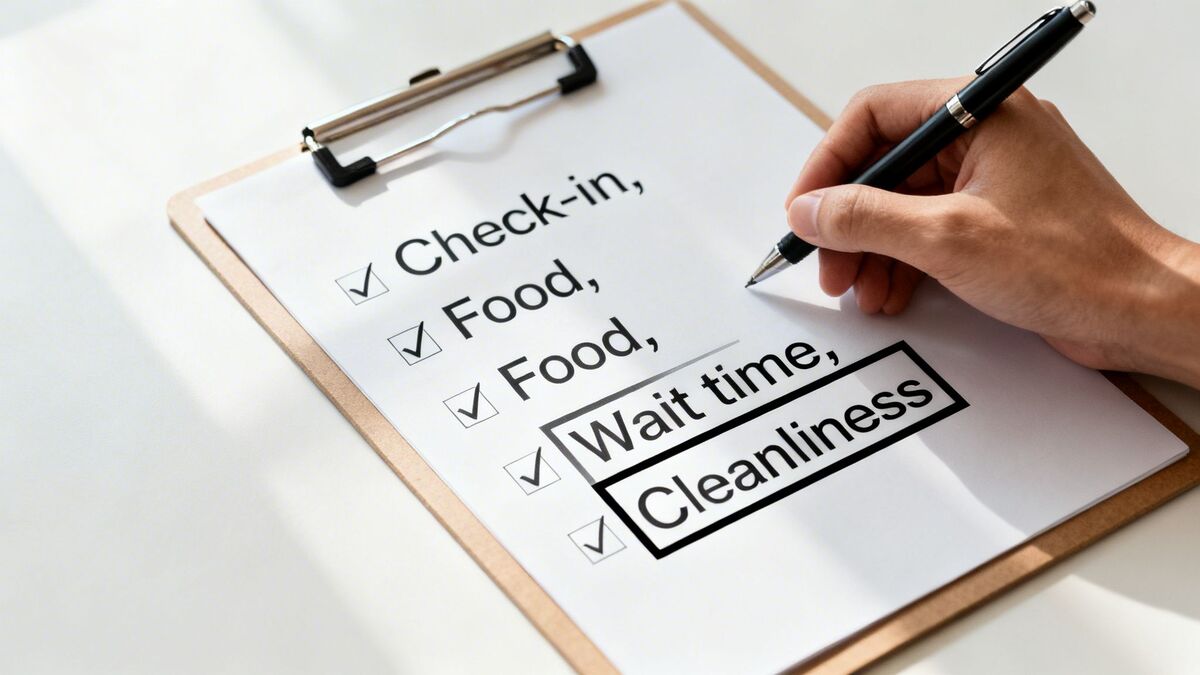
A high satisfaction score paired with a low value-for-money score indicates a potential pricing issue, even if the content was good. This feedback is essential for optimizing future ticket tiers and overall profitability.
By gathering this data, you can make informed adjustments. If a significant portion of attendees felt the price was too high, a platform like FeedbackRobot can use AI Summaries to analyze their open-ended comments. This instantly reveals why they felt that way—perhaps the session quality didn't meet expectations or the networking opportunities were scarce—allowing you to address the root cause, not just the price tag.
Sample Questions & Implementation
Direct Value Question: "Considering the price of your ticket, how would you rate the overall value of [Event Name]?" (Using a scale like 'Excellent Value', 'Good Value', 'Fair Value', 'Poor Value')
Price Fairness: "How fair was the price you paid for your ticket?" (Using a 1-5 scale from 'Very Unfair' to 'Very Fair')
Open-Ended Follow-Up: "What could we have included or improved to make the ticket price feel like a better value?"
Actionable Tips for Success
Ask Before Competitor Mentions: Position these questions before asking about other events to get an unbiased perception of your event's intrinsic value.
Segment by Ticket Tier: Analyze responses based on the ticket type purchased (e.g., VIP, General Admission). This reveals how value perception differs across your audience segments.
Automate Price-Related Recovery: For respondents who rate the value as poor, use the Resolutions Engine to create a specific follow-up task. This could be an automated email offering a discount on a future event to retain their business and show you're listening.
Connect Value to Loyalty: Correlate the value-for-money scores with NPS and "intent to return" questions. This helps you identify attendees at risk of churning due to pricing concerns.
5. Likelihood of Repeat Visit / Repurchase Intent
While overall satisfaction measures how an attendee felt during the event, repurchase intent questions focus on the future. This category of post event survey questions directly assesses the likelihood that a participant will return. This metric is a powerful predictor of future revenue and customer lifetime value, helping you distinguish between attendees who were merely satisfied and those who are truly loyal.
Measuring intent is crucial because it bridges the gap between a positive past experience and future business success. A high repurchase intent score indicates a strong, sustainable relationship with your audience, while a low score is an early warning sign of churn.
By asking about future behavior, you can identify potential barriers preventing repeat business. For example, a respondent might be highly satisfied but indicate a low likelihood of returning due to scheduling conflicts. Using a platform like FeedbackRobot, a low-intent response can trigger an automated workflow, alerting your team to a potential churn risk and allowing for immediate, targeted outreach.
Sample Questions & Implementation
Time-Bound Likelihood: "On a scale of 0 to 10, how likely are you to attend [Event Name] next year?"
Direct Intent (Yes/No): "Do you plan on purchasing a ticket for our next event?" (Use Yes/No/Maybe)
Venue/Service Specific: "Based on your experience, would you book our venue for a future event?"
Open-Ended Follow-Up: "What is the main reason for your answer?" or "What is one thing that might prevent you from returning?"
Actionable Tips for Success
Specify a Timeframe: Vague questions get vague answers. Asking "How likely are you to attend in the next 12 months?" is more actionable than asking if they will "attend again someday."
Automate Win-Back Campaigns: Configure your feedback system to identify low-intent respondents (e.g., scores of 0-6). Automatically add them to a targeted email or SMS campaign offering an early-bird discount for the next event to win them back.
Correlate with Other Metrics: Analyze repurchase intent alongside satisfaction and value scores. Our AI Summaries can instantly process thousands of open-ended comments to reveal why certain segments, like those who rated a specific session poorly, also show low repurchase intent. This helps you prioritize improvements that directly impact loyalty.
6. Specific Feature / Service Element Satisfaction
While overall satisfaction scores provide a vital top-level view, they don't reveal why an attendee was happy or unhappy. This category of post-event survey questions drills down into the specific components of the event experience. It's a diagnostic approach that isolates the precise drivers of satisfaction or frustration, allowing you to make targeted operational improvements.
This method breaks the attendee journey into its core touchpoints. By asking about discrete elements like the check-in process, the quality of the coffee, or the comfort of the seating, you can pinpoint exact strengths and weaknesses. This granular feedback is the key to elevating a good event to an unforgettable one.
For example, a low overall score might be caused by a single friction point, like a long wait time for registration. By asking a specific question about it, you can identify and solve that bottleneck for your next event, preventing one negative touchpoint from overshadowing an otherwise excellent experience.
Sample Questions & Implementation
Check-In/Registration: "How would you rate the speed and efficiency of our check-in process?" (Scale: Very Slow to Very Fast)
Venue/Ambiance: "Please rate the following aspects of the venue: cleanliness, seating comfort, and temperature." (Using a 1-5 scale for each)
Catering: "How satisfied were you with the quality and variety of the food and beverages provided?" (Scale: Very Unsatisfied to Very Satisfied)
Staff Interaction: "How would you describe the helpfulness and professionalism of our event staff?" (Using a Likert scale: Unhelpful, Neutral, Helpful, Very Helpful)
Actionable Tips for Success
Isolate Key Drivers: Limit your questions to the 5-8 elements that have the biggest impact on the overall experience. Focus on critical touchpoints to avoid survey fatigue.
Use Consistent Scales: Employ the same rating scale (e.g., 1-5 stars) for all element questions. This allows for direct comparison, making it easy to see that while catering scored a 4.5, Wi-Fi connectivity only scored a 2.1.
Automate Element-Specific Alerts: Connect specific questions to targeted workflows. A low score on "cleanliness" can automatically trigger a service ticket in our Resolutions Engine, assigning it directly to your facilities manager for immediate action.
Correlate with Overall Score: Analyze how individual element ratings correlate with the overall NPS. Tools like AI Summaries can analyze this data to show that, for instance, attendees who rated the keynote speaker highly were 80% more likely to be Promoters, revealing what truly drives loyalty.
7. Areas for Improvement / Open-Ended Feedback
While structured questions provide quantifiable data, open-ended feedback is where you uncover the "why" behind the scores. This category of post-event survey questions gives attendees a blank canvas to share thoughts, frustrations, and brilliant ideas you may have never considered. It's your direct line to the authentic voice of your audience.
By asking "what could we do better?" you not only gather priceless improvement ideas but also show attendees that you genuinely value their perspective, fostering a stronger community around your event.
These unstructured responses are crucial for context. A low score on "Venue Logistics" is informative, but an open-ended comment explaining "the signage from the parking garage to the main hall was confusing, and I got lost for 10 minutes" provides a specific, actionable problem to solve.
Sample Questions & Implementation
General Improvement: "What is the one thing we could do to make your experience even better next year?"
Targeted Follow-Up: "You rated our registration process a 3 out of 5. Could you tell us a bit more about what we could improve?"
Conversational Prompt: "In your own words, do you have any other suggestions or comments for the event organizers?"
Future-Focused: "What sessions, speakers, or topics would you love to see at [Event Name] in the future?"
Actionable Tips for Success
Place Strategically: Position your primary open-ended question near the end of the survey. This allows attendees to reflect on their entire experience before responding.
Make it Optional: Never force an answer to a text-box question. Making it optional respects your attendees' time and improves overall survey completion rates.
Analyze with AI: Manually reading hundreds of text responses is impossible for busy owners. Use a tool like AI Summaries within FeedbackRobot to instantly process all open-ended feedback. It automatically categorizes comments, detects sentiment, and highlights recurring themes, telling you that "confusing signage" was mentioned 15 times, allowing you to prioritize with confidence.
Close the Loop: If a specific, actionable suggestion is implemented (like improving signage), mention it in your pre-event communications next year. Acknowledging that you listened and acted on feedback is one of the most powerful ways to build lasting loyalty.
8. Comparative / Competitive Positioning Questions
Beyond measuring satisfaction in a vacuum, these post-event survey questions help you understand your event's position within the broader market. By asking attendees to compare your event to others, you gain critical context on your competitive strengths, weaknesses, and unique value proposition. This moves you beyond "Was it good?" to "Was it better, and why?"
This type of feedback is invaluable for strategic planning. It tells you if you are leading the pack in areas like content quality and networking opportunities, or if you are falling behind. Understanding this relative performance is key to refining your event strategy and crafting marketing messages that highlight what truly sets you apart.
If attendees consistently rate your networking opportunities higher than those at competing conferences, you know to double down on that strength. Conversely, if your session content is rated as "about the same" as other events, it signals an opportunity to innovate.
Sample Questions & Implementation
Direct Comparison: "Compared to other [Industry/Topic] conferences you have attended, how would you rate [Event Name]?" (Using a scale like 'Much Worse', 'Worse', 'About the Same', 'Better', 'Much Better')
Value Proposition: "Thinking about the ticket price, how would you rate the overall value of [Event Name] compared to similar events?"
Specific Feature Comparison: "How did our keynote speaker lineup compare to other events you've been to recently?"
Open-Ended Follow-Up: "What is one thing [Event Name] does better than other industry events?" or "Which other events in our industry do you typically attend?"
Actionable Tips for Success
Be Specific: Instead of asking about "other events," specify the category, such as "other marketing conferences," to ensure you get a relevant comparison.
Inform Your Marketing: Use the insights from "What sets us apart?" questions to directly inform your marketing copy. If attendees say your workshops are the best, make that the headline of your next campaign.
Track Competitor Mentions with AI: When you ask attendees to name other events, use AI Summaries to analyze these mentions. This feature can instantly identify your most frequently named competitors and track shifts in the competitive landscape over time.
Pair with Overall Satisfaction: Correlate comparative ratings with overall satisfaction scores. This helps you focus resources on improvements that create true differentiation and advocacy.
8-Point Post-Event Survey Comparison
Item | Implementation complexity | Resource requirements | Expected outcomes | Ideal use cases | Key advantages |
|---|---|---|---|---|---|
Overall Satisfaction & Advocacy (NPS and Recommendation) | Low — single numeric question plus optional follow-ups | Low — basic survey tool and simple analytics | Trendable loyalty metric; promoter/detractor segmentation | Post-event snapshots, loyalty tracking, referral programs | Fast to collect, benchmarkable, high response rate |
Staff / Service Quality Assessment | Medium — staff tagging, routing, confidentiality controls | Moderate — HR workflows, coaching programs, recognition systems | Individual performance insights; training gaps identified | Service-heavy operations (hotels, restaurants, clinics) | Actionable for coaching and incentives; improves accountability |
Venue / Facility Conditions & Amenities | Low–Medium — checklist-style items per location | Moderate — operations/maintenance resources, SLA tracking | Facility issues identified and remediated; safety/compliance alerts | Physical venues: hospitality, healthcare, retail, gyms | Clear link to operational fixes; improves perceived value and safety |
Value for Money / Price Justification | Low — one or two targeted questions | Low–Moderate — pricing analysis, segmentation tools | Pricing perception insights; segment price-sensitive customers | Pricing strategy, revenue optimization, promotions | Informs pricing decisions; detects price resistance and justification gaps |
Likelihood of Repeat Visit / Repurchase Intent | Low–Medium — intent question plus validation tracking | Moderate — retention campaigns and behavioral tracking | Predictive signal for churn/LTV; prioritizes retention actions | Subscription services, hospitality, retail with repeat purchase focus | Directly ties to revenue forecasts and retention prioritization |
Specific Feature / Service Element Satisfaction | Medium–High — multiple granular items, skip logic advised | Moderate–High — detailed analysis, cross-department workflows | Pinpoints drivers of satisfaction; prioritizes improvements | Operational improvement, quality management, product/service refinement | Granular diagnosis enables targeted, high-impact fixes |
Areas for Improvement / Open-Ended Feedback | Low — open-text prompt placement and optional response | High without AI; Moderate with AI for categorization & theme extraction | Qualitative insights; unexpected issues and ideas surfaced | Innovation, root-cause analysis, Voice of Customer programs | Rich verbatim feedback that uncovers blind spots and new opportunities |
Comparative / Competitive Positioning Questions | Medium — needs comparator framing and optional naming | Moderate — market tracking and competitor analysis | Relative positioning; switching risk and differentiation signals | Competitive benchmarking, brand positioning, market-share analysis | Reveals differentiation, competitor mentions, and switching drivers |
Turn Your Answers into Action: The FeedbackRobot Operating System
You now have a comprehensive arsenal of expertly crafted post event survey questions. From gauging overall satisfaction with NPS to digging into the specifics of staff performance and venue logistics, you're equipped to capture a 360-degree view of the attendee experience.
However, the most brilliant questions are only potential energy. The real force for your business growth is unlocked not when you collect answers, but when you act on them with speed and intelligence. This is the critical shift from simply gathering data to implementing a true feedback-driven strategy. The ultimate goal is to create a seamless loop: ask, listen, analyze, act, and repeat. This process doesn't just improve your next event; it strengthens your brand reputation and drives tangible business results. Understanding how to effectively be measuring event ROI is paramount, and a powerful post-event survey is your primary tool for gathering that data.
From Data Overload to Intelligent Operation
For busy owners, the challenge isn't a lack of data; it's the overwhelming effort required to connect the dots and respond effectively. This is where a Feedback Operating System becomes your operational command center. Instead of just managing feedback, you begin to operate on it.
FeedbackRobot is built precisely for this purpose. We transform your post-event survey process from a static report into a dynamic, automated engine for improvement. Here’s how our key features turn your well-crafted questions into immediate action:
Radar (Unified Review Intelligence): Stop toggling between dashboards. Radar consolidates all your customer feedback into a single, unified view, pulling in survey responses alongside public reviews from Google, Yelp, and more. This gives you the complete picture, helping you spot critical trends you would otherwise miss.
Prompt to Survey (In-the-Moment Capture): Why wait? Our Prompt to Survey feature allows you to capture feedback at the peak of relevance. Using simple QR codes or links integrated directly with your systems, like a Toast POS at a restaurant or a Mews PMS at a hotel, you can invite feedback instantly, dramatically increasing response quality.
AI Summaries (Instant Insights & Sentiment Analysis): Don't spend hours reading comments. Our AI Summaries do the work for you in seconds. The AI analyzes all your qualitative feedback, identifies the most common themes (e.g., "parking," "registration," "keynote speaker"), and assigns a sentiment score. You instantly know what attendees loved and what needs urgent attention.
Resolutions Engine (Automated Service Recovery): This is your secret weapon for turning detractors into advocates. The Resolutions Engine is your automated service recovery expert. When a poor score is detected, it can instantly trigger a workflow—alerting a manager, sending a personalized apology, and creating a trackable ticket to ensure the issue is fully resolved.
By leveraging these tools, your team is no longer just collecting data. You are collecting smarter, acting faster, and growing stronger with every piece of feedback you receive. You've learned which post event survey questions to ask; now it's time to give those answers the powerful system they deserve.
What is the best 'Post-Event' question to measure success?
'How likely are you to attend our next event?' This question measures true intent and value, providing a much clearer picture of success than just asking if they had fun.
How soon after an event should I send a survey?
Within 24 hours. The 'peak' emotional memory of an event fades quickly. Capturing feedback the next morning ensures you get the most vivid and honest insights from your attendees.
Should I ask about the speakers or the venue separately?
Yes. A guest might love the content but hate the seating. Asking separate questions for 'Content' and 'Logistics' helps you know exactly what to change for the next event.
How do I encourage attendees to fill out an event survey?
Provide 'Immediate Value.' Offer an exclusive download, a discount code for the next event, or early access to session recordings as a 'Thank You' for their time.
Can I use event feedback to attract sponsors for next year?
Absolutely. High satisfaction scores and positive quotes are the best social proof for showing potential sponsors that your event has a highly engaged and happy audience.
Stop reading about it. Let your agent handle it.
25 free AI actions · no credit card required
Start Free